跳转至内容
  • 版块
  • 最新
  • 标签
  • 热门
  • 用户
  • 群组
皮肤
  • 浅色
  • Brite
  • Cerulean
  • Cosmo
  • Flatly
  • Journal
  • Litera
  • Lumen
  • Lux
  • Materia
  • Minty
  • Morph
  • Pulse
  • Sandstone
  • Simplex
  • Sketchy
  • Spacelab
  • United
  • Yeti
  • Zephyr
  • 深色
  • Cyborg
  • Darkly
  • Quartz
  • Slate
  • Solar
  • Superhero
  • Vapor

  • 默认(LCZ-Blue)
  • 不使用皮肤
  • LCZ-Green
  • LCZ-Blue
  • LCZ-Black
折叠
品牌标识

抡锤者

首页 版块 标签
硬件
AI 硬件 装备秀
AI
AIGC LLM Agent AI 危机 资讯
广场 App
  1. 主页
  2. 版块
  3. AI音视频画图
  4. MINIMAX-H3 Image 发布!

MINIMAX-H3 Image 发布!

已定时 已固定 已锁定 已移动 热议 优秀 AI音视频画图
minimax图片生成
50 帖子 15 发布者 2.8k 浏览 1 关注中
  • 从旧到新
  • 从新到旧
  • 最多赞同
回复
  • 在新帖中回复
登录后回复
此主题已被删除。只有拥有主题管理权限的用户可以查看。
  • BunseiB
    BunseiB
    Bunsei
    至尊皇帝
    编写于 最后由 Bunsei 编辑
    #1

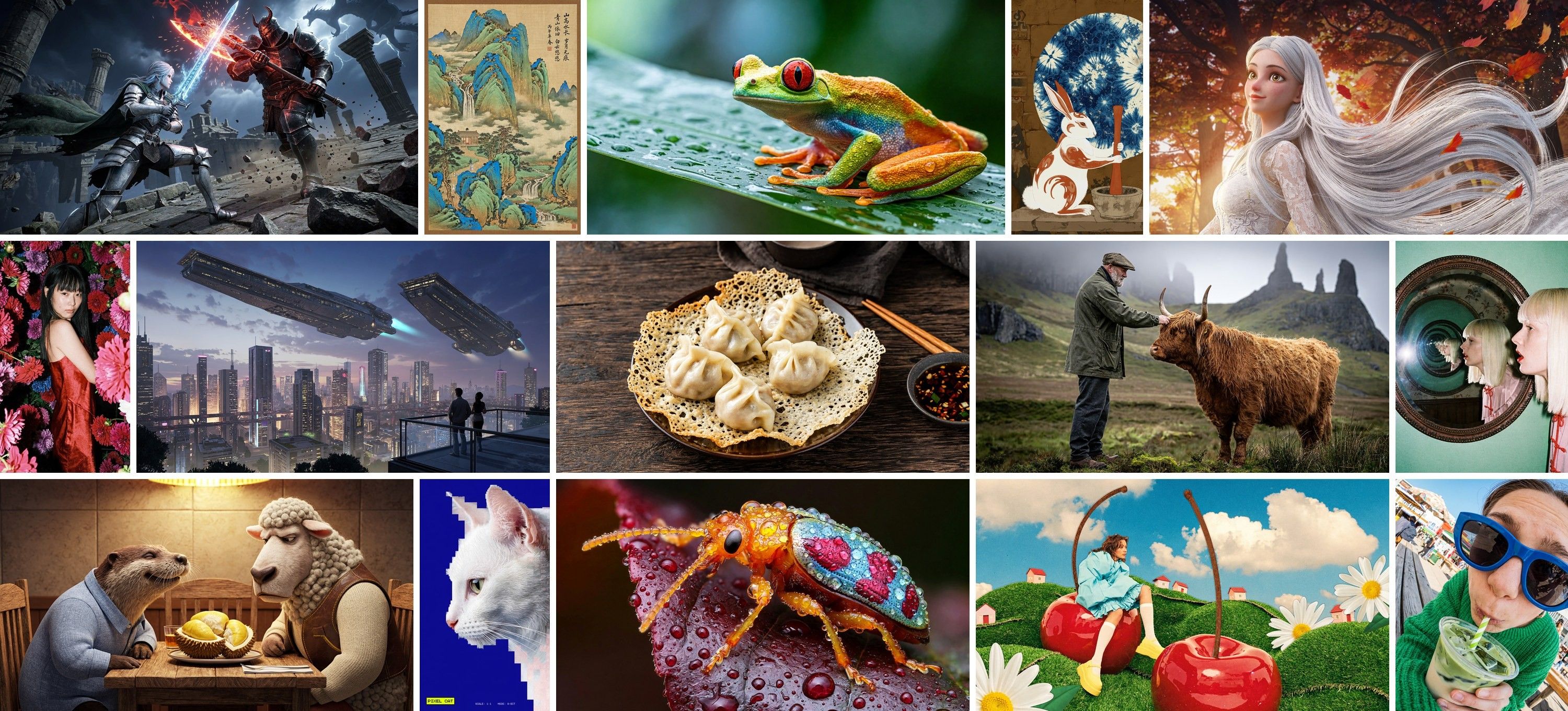
    如题,刚发布还热乎,又有有意思的东西了!

    image.jpeg

    HuggingFace: https://huggingface.co/MiniMaxAI/MiniMax-H3-Image

    MiniMax-H3-Image 是一个最先进的开源模型,用于生成和编辑 MiniMax H3系列。它结合了智慧 理解创造意图,并具备构建视觉世界的能力:精确地 接下来,它将创意概念发展成具体的人物、场景和 氛围。生成和编辑统一在一个检查点中,该检查点生成图像从 文本(文本转图像)和编辑一个或多个参考图片(图片编辑),为创作者提供 以及开发者提供一种灵活且可控的图像创建方式。

    亮点

    MiniMax-H3-Image 集结了三大核心优势:速度、画质和指令跟随。

    1. 列表以实际计算成本实现1600万像素图像。与1–4MP输出相比 如今常见的16百万像素(4096×4096)图像提供了更多细节,但通常需要 计算量大幅增加。MiniMax-H3-Image 保持了计算成本可控, 使16MP的发电量成为日常制造的实用工具。
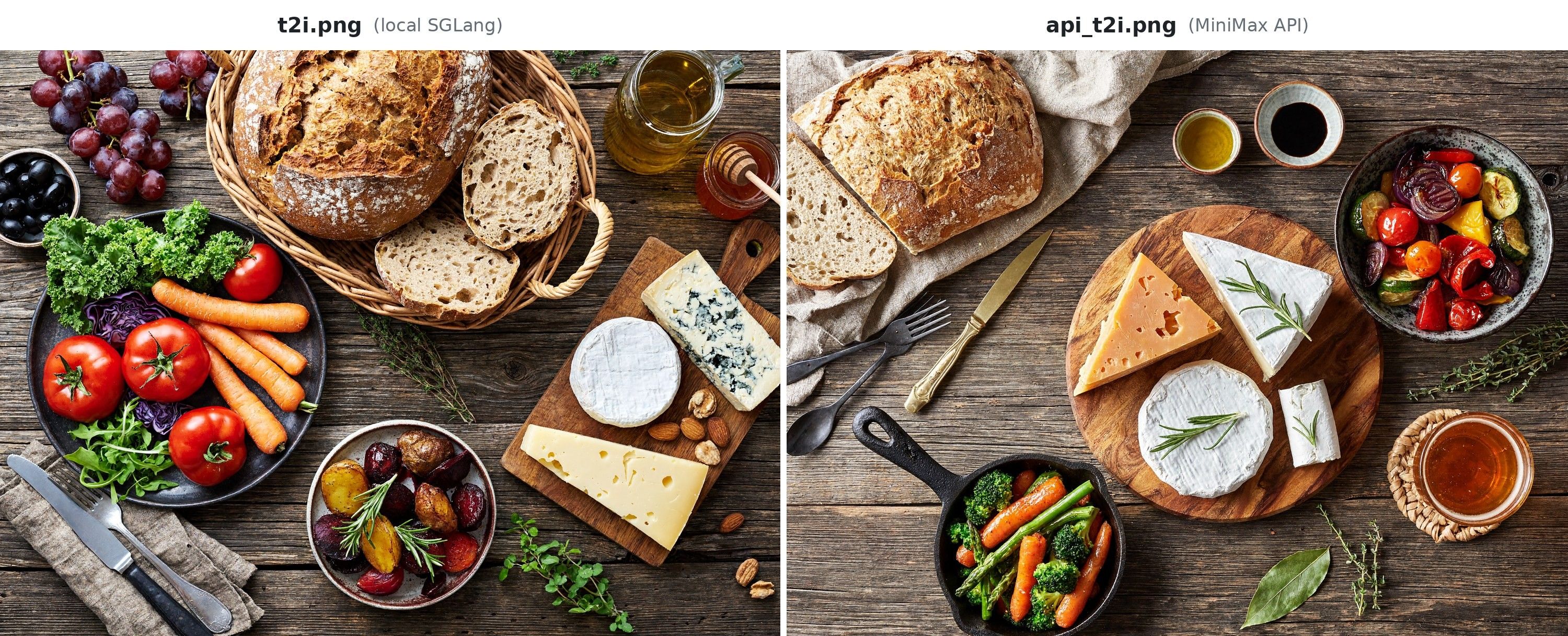
    image.jpeg

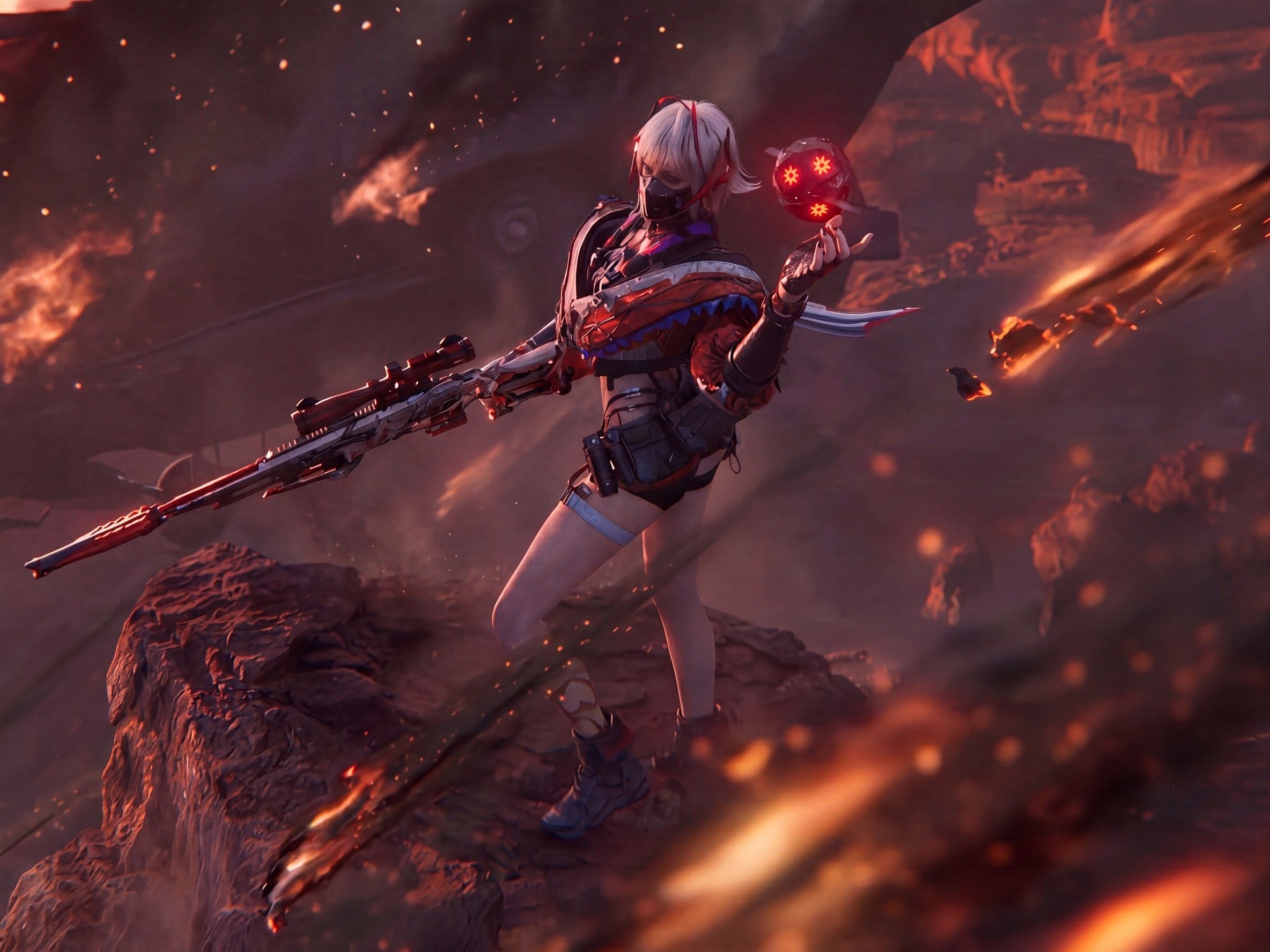
    1. 细节丰富。非凡的现实主义。MiniMax-H3-Image 超越了熟悉的“AI 界面” 制作细节精细、逼真逼真的图像,为 创意和专业用途。它使生成的图像更接近其丰富和细腻 现实视觉世界的。
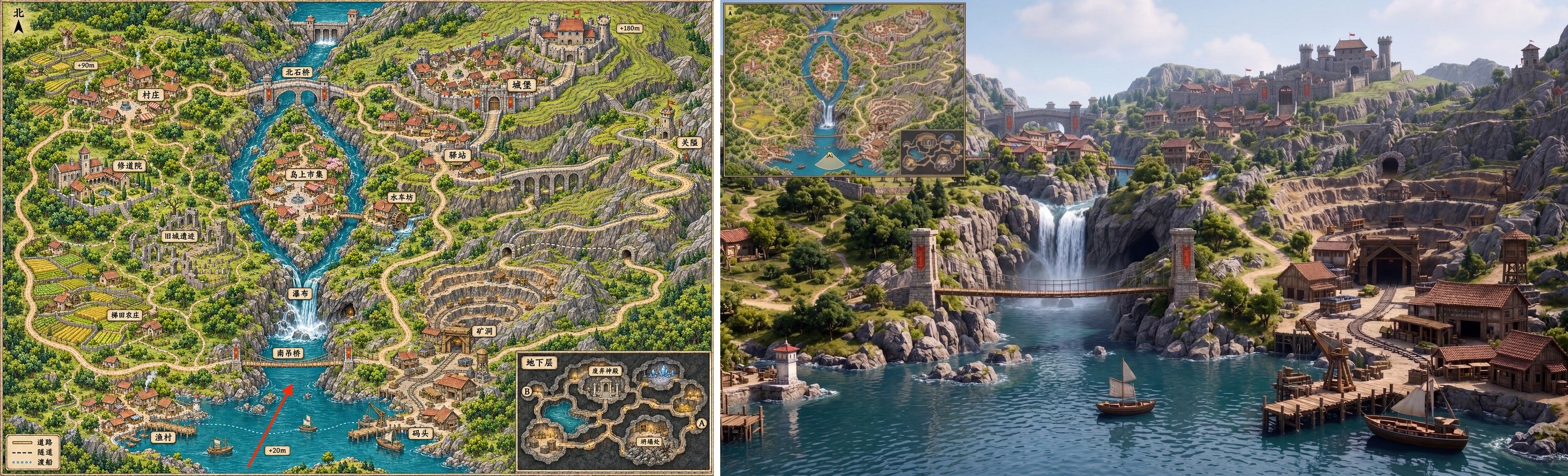
    image.jpeg

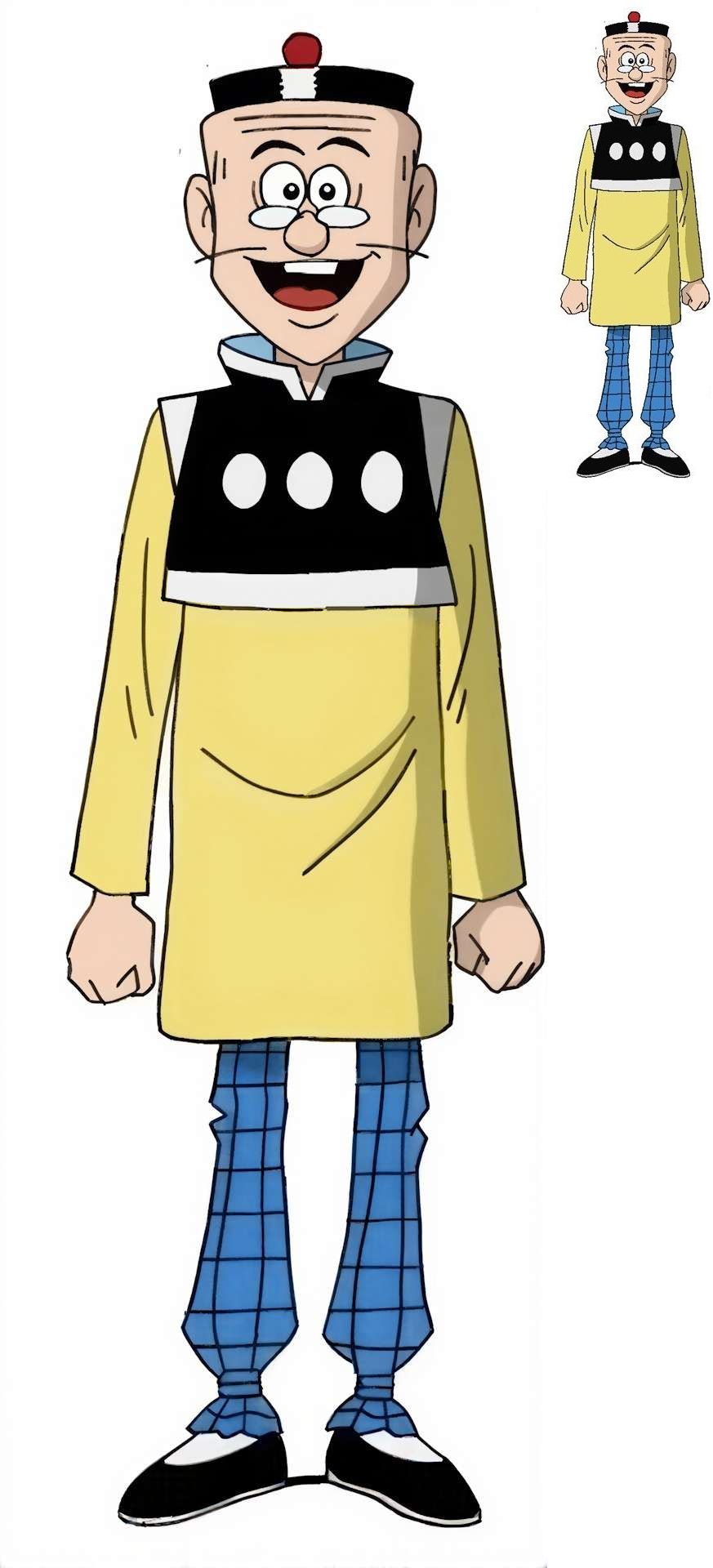
    1. 后续指令更严密。更强的创作控制权。伟大的图像生成 不仅仅是美丽的图片——它帮助创作者将他们的想法变为现实。MiniMax-H3-图像 在开源模型中,它提供了最强的指令跟随,并支持最多16种 参考图片,赋予创作者更多对最终成果的控制权。
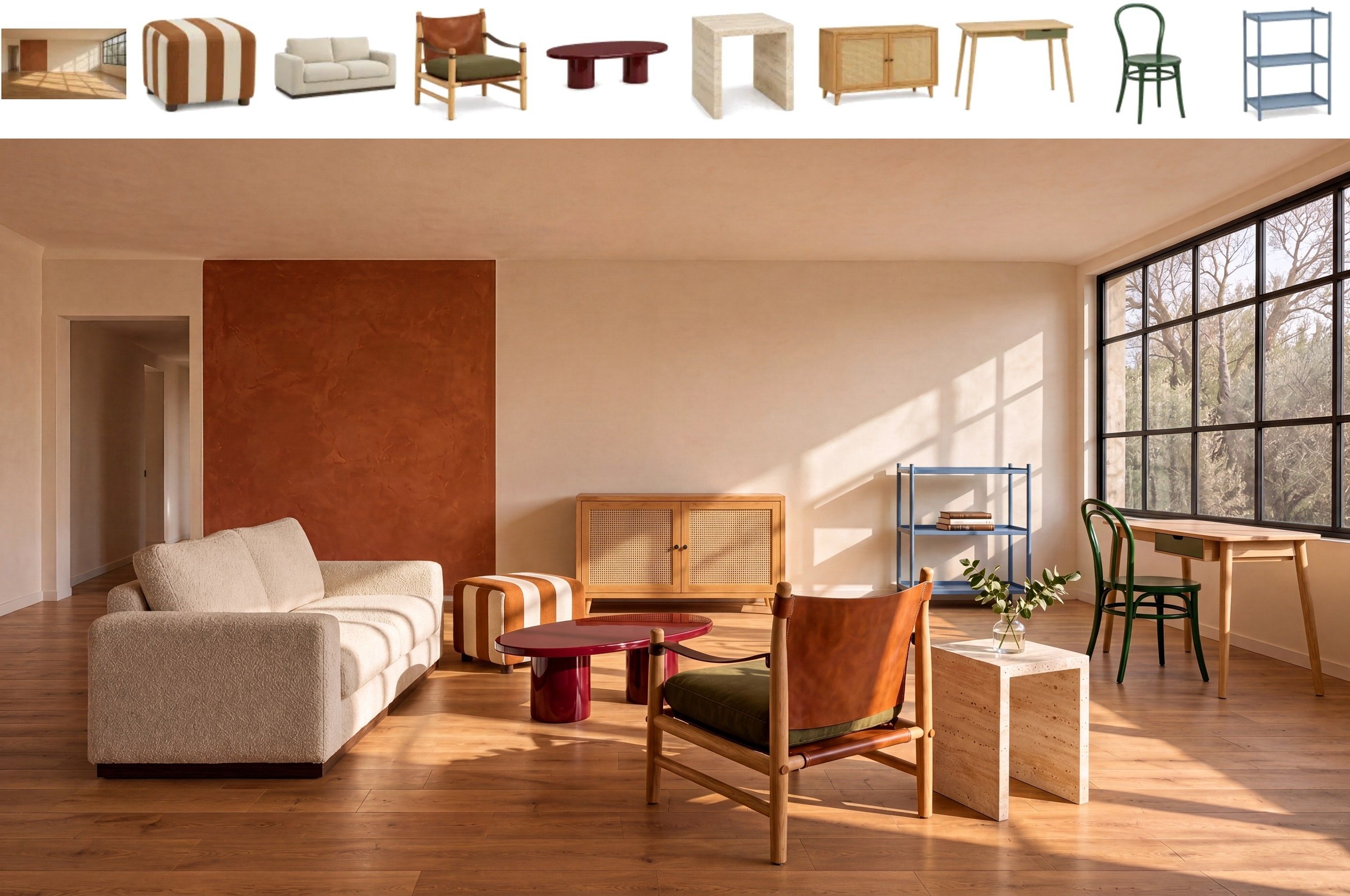
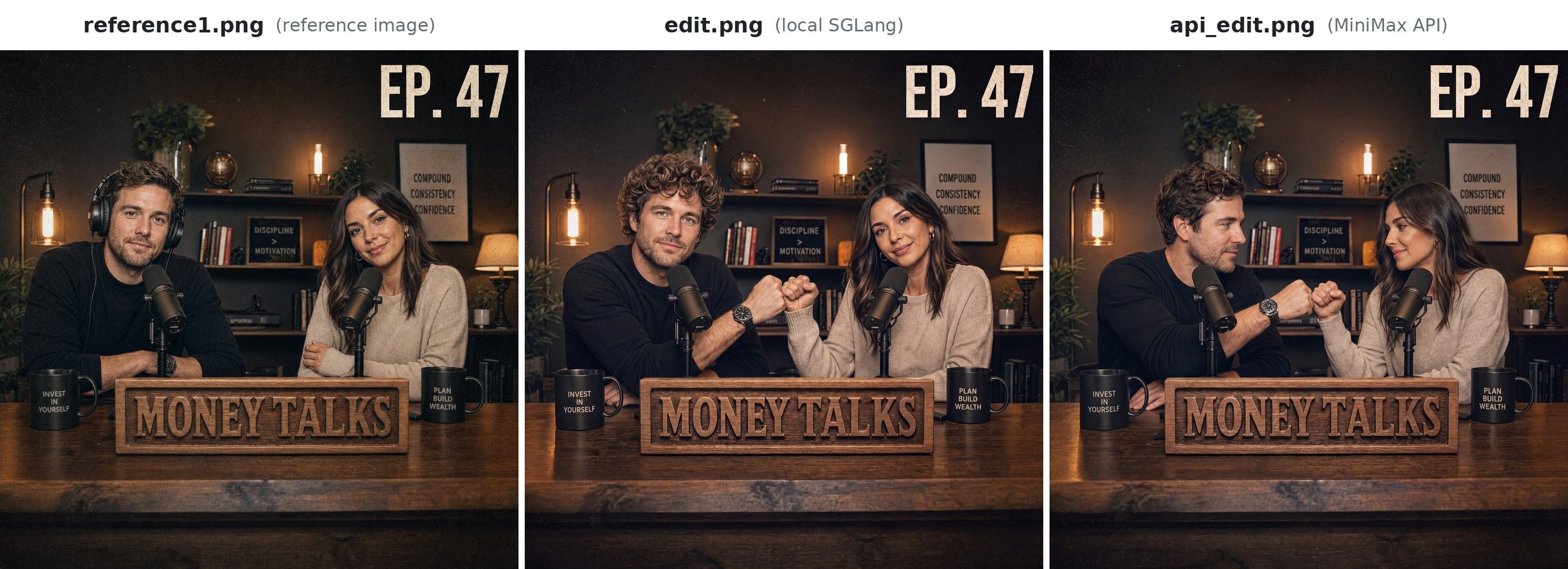
    image.jpeg

    image.jpeg

    kos orK 1 条回复 最后回复
    3
    • BunseiB
      BunseiB
      Bunsei
      至尊皇帝
      编写于 最后由 Bunsei 编辑
      #2

      总之我瘫坐在椅子上仿佛看到原子弹爆炸。

      1 条回复 最后回复
      1
      • BunseiB
        BunseiB
        Bunsei
        至尊皇帝
        编写于 最后由 编辑
        #3

        实际用它官方的API生成了几张,看起来还可以。

        提示词:这是一张充满日系清新风格的写实人像摄影作品。画面采用近景构图,背景是一片盛开的白色雏菊花海,经过大光圈虚化处理,营造出梦幻唯美的氛围。人物为一位年轻少女,年龄约在18-22岁之间。她拥有标准的鹅蛋脸,皮肤白皙细腻。五官清秀,拥有一双清澈明亮的大眼睛,眼神温柔且专注地凝视镜头;鼻梁挺拔小巧,嘴唇红润微启,神情恬静略带一丝羞涩。妆容为典型的日系淡妆,底妆清透,强调了自然的血色感,眉形柔和。她留着黑色的长直发,额前留着轻薄的空气刘海,几缕发丝随风散落在脸颊和额头,增添了几分灵动与自然。身穿经典的学院风服饰,看似是一件洁白的衬衫,外搭深色的背带裙(仅可见黑色肩带),领口处系有一个黑色的蝴蝶结,散发出浓郁的青春校园气息。姿态上,她微微侧身,右手轻轻托举着一簇刚采摘的白色雏菊,花朵靠近唇边,仿佛正在嗅闻花香,动作轻柔优雅。整体色调以自然的绿色、白色和黑色为主,光线柔和明亮,充满了文艺与清新的少女感。
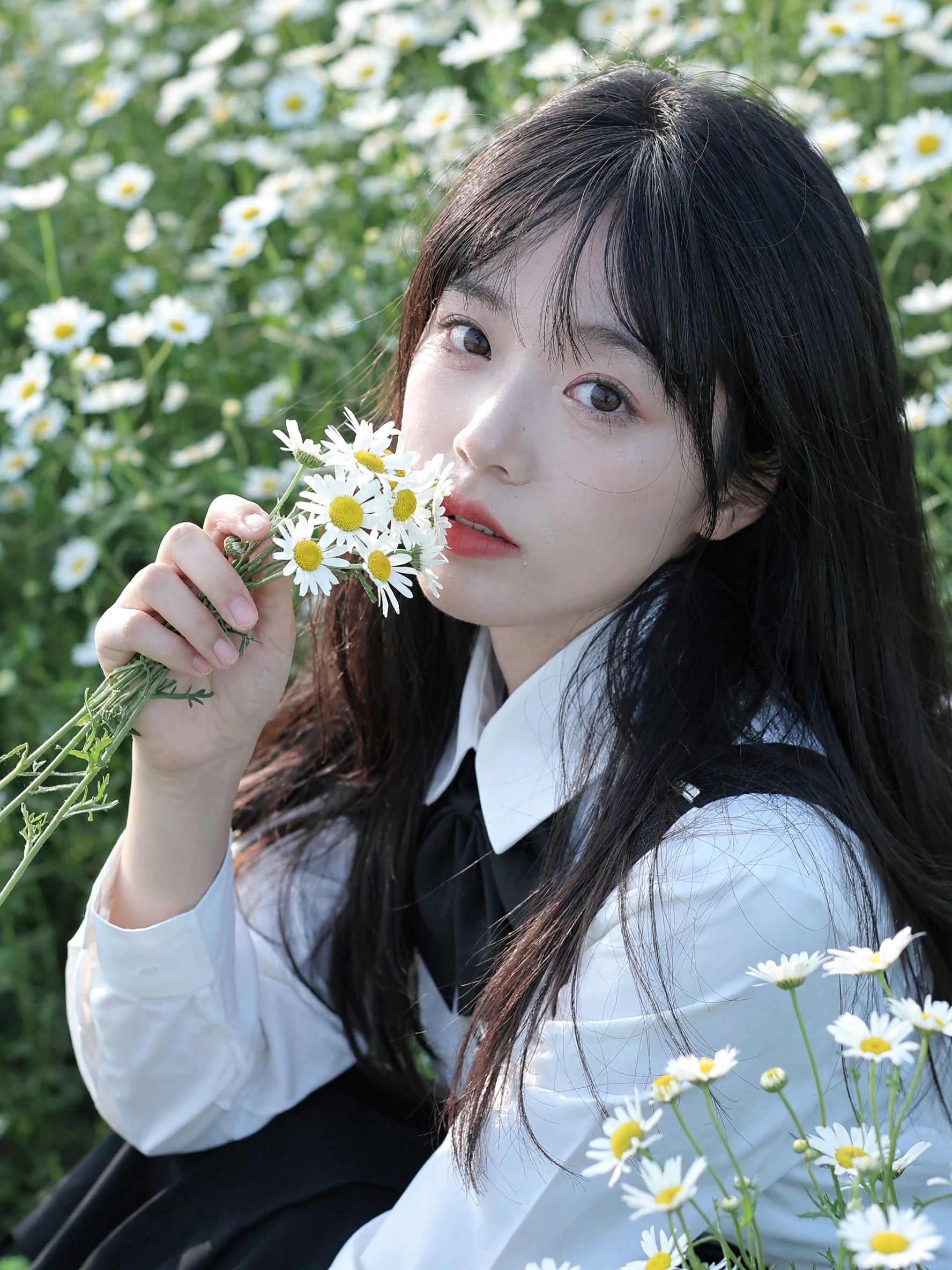
        h3_image_2120075173905310207_20261111_461924395565683_0.jpeg

        perterP 1 条回复 最后回复
        1
        • BunseiB
          BunseiB
          Bunsei
          至尊皇帝
          编写于 最后由 Bunsei 编辑
          #4

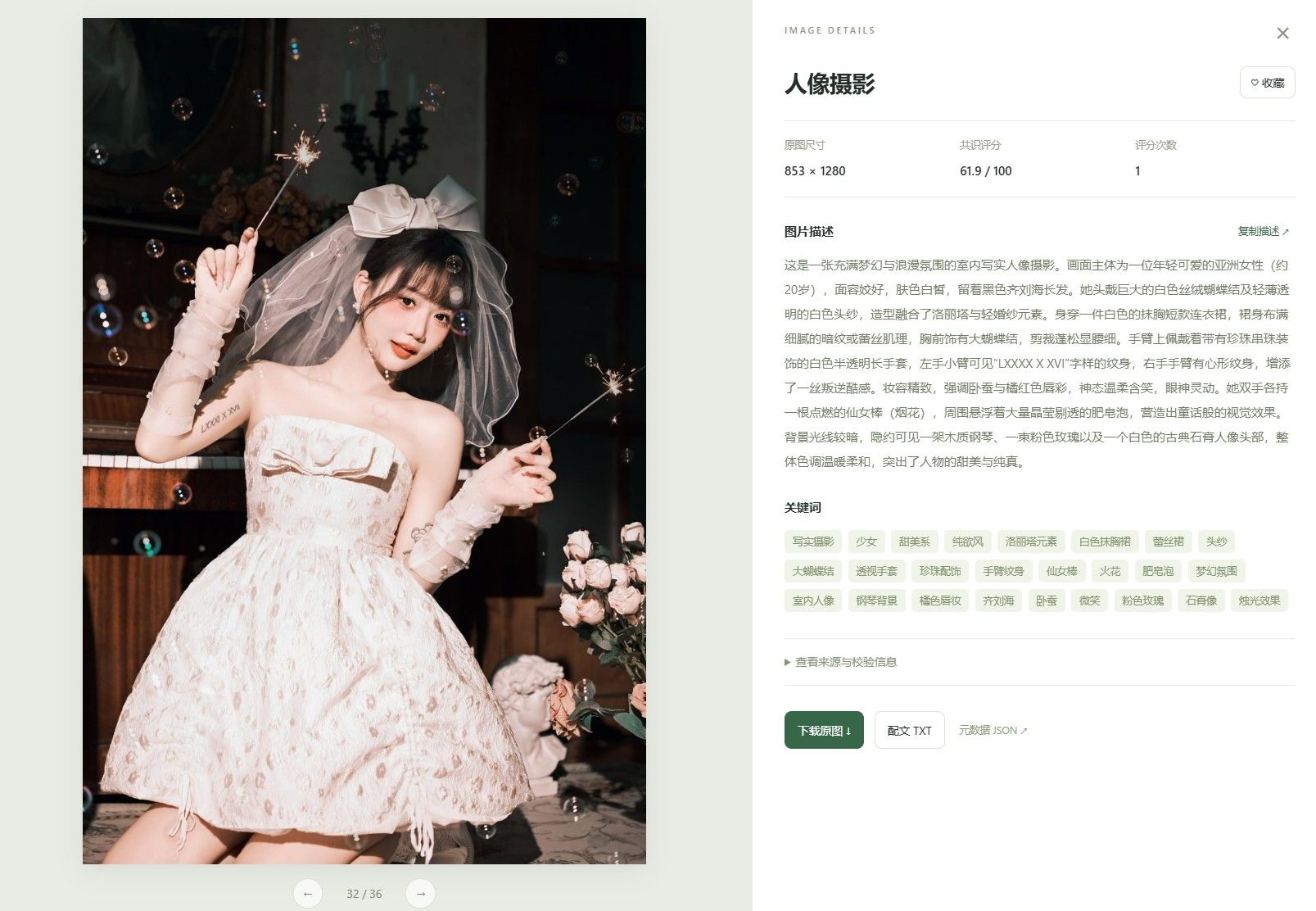
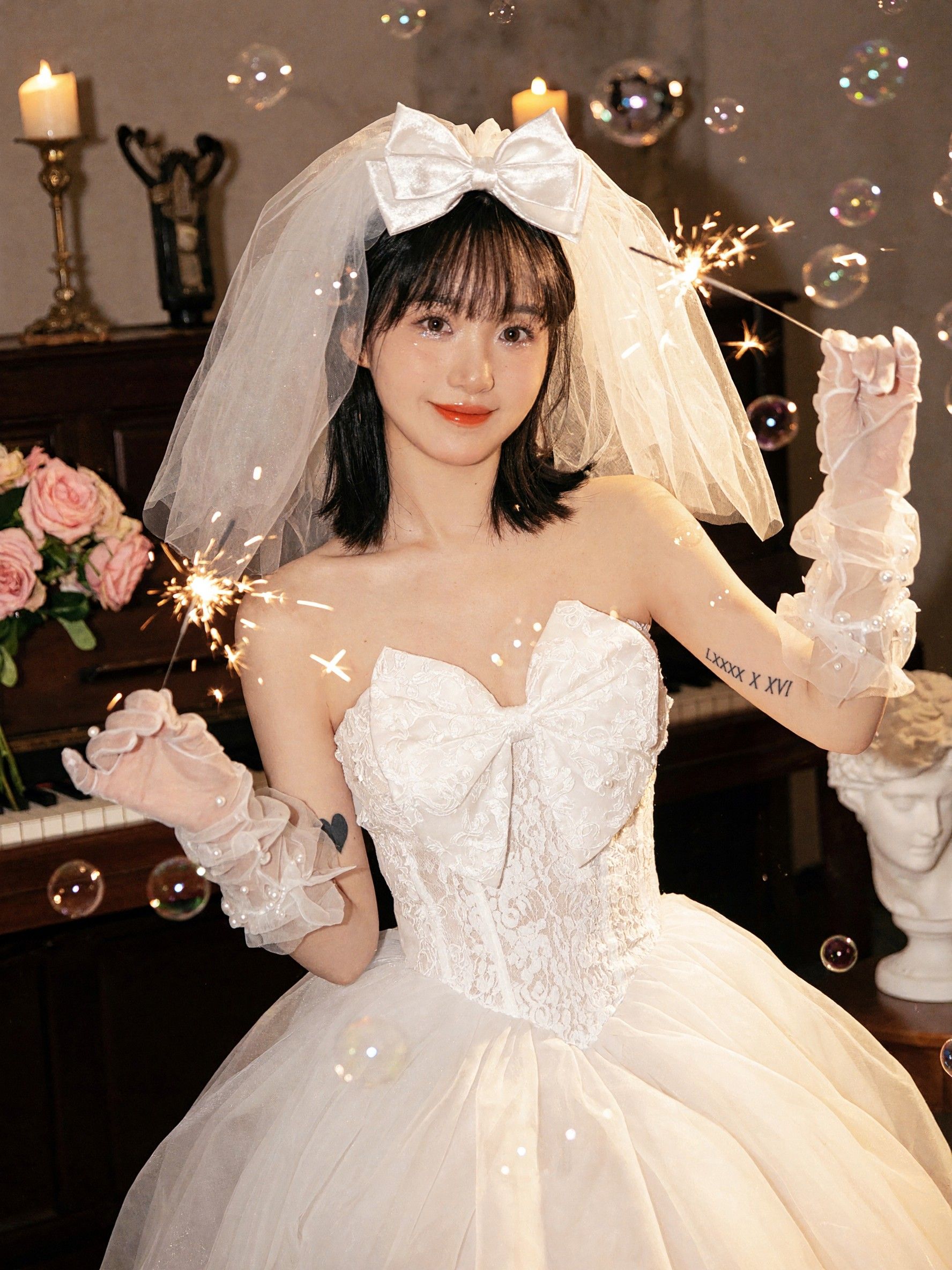
          原始效果:
          image.jpeg

          实际生成的效果:

          image.jpeg

          图像编辑:

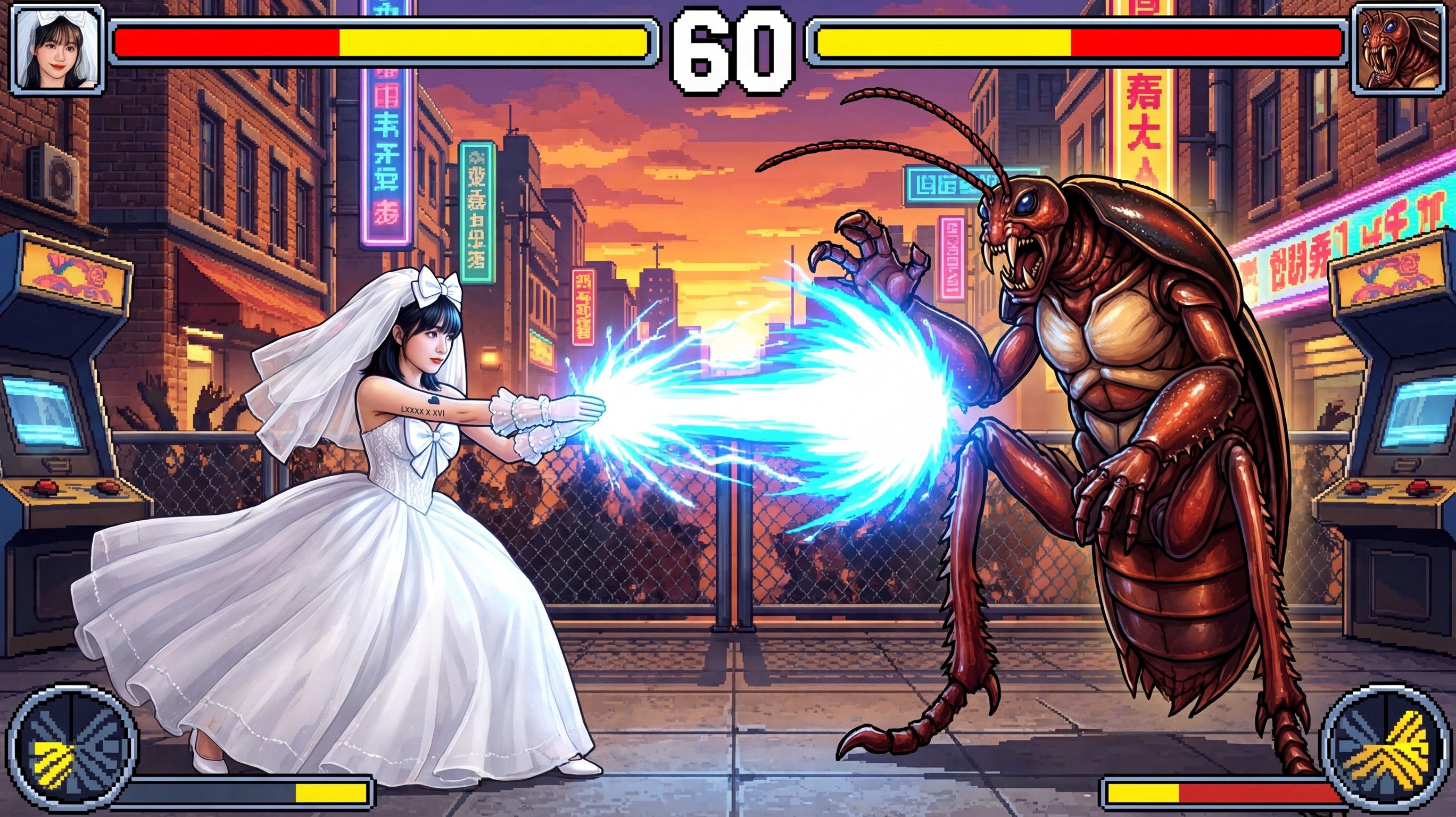
          提示词:The young woman in the white wedding dress, veil, bow headpiece, and pearl-trimmed sheer gloves in <Picture 1> is <Subject 1>. The target image shows <Subject 1> with clean skin free of tattoos, seated inside a fighter jet cockpit while engaging enemy aircraft in mid-air aerial combat, replacing the indoor piano room, candles, sparklers, and bubbles from <Picture 1>. <Subject 1> is partially preserved; her facial identity, hairstyle, makeup, bridal attire, and accessories remain, while the black heart tattoo on her right forearm and the 'LXXXX X XVI' tattoo on her left forearm are removed, and her pose, held props, and lighting change to fit the high-altitude cockpit battle. Both forearms of <Subject 1> now show smooth, unmarked skin matching her complexion. Instead of holding sparklers, her gloved hands grip a dark metallic flight control stick and throttle lever inside an enclosed glass-canopy fighter jet cockpit. Her posture leans slightly forward into the banking turn as she pilots the aircraft. Around and through the transparent canopy, the interior features illuminated tactical HUD projections, glowing instrument panels, and a head-up display targeting reticle locking onto sleek gray enemy fighter jets flying in close formation outside. Bright tracer rounds streak past the canopy alongside fiery orange explosions, smoke trails, and contrails against a deep blue sky filled with sunlit cumulus clouds below. Dynamic high-altitude sunlight and warm flashes from the external weapon fire cast crisp highlights and shifting reflections across the cockpit glass and onto <Subject 1>, while cool ambient light from the dashboard instruments illuminates her face and white lace bodice.
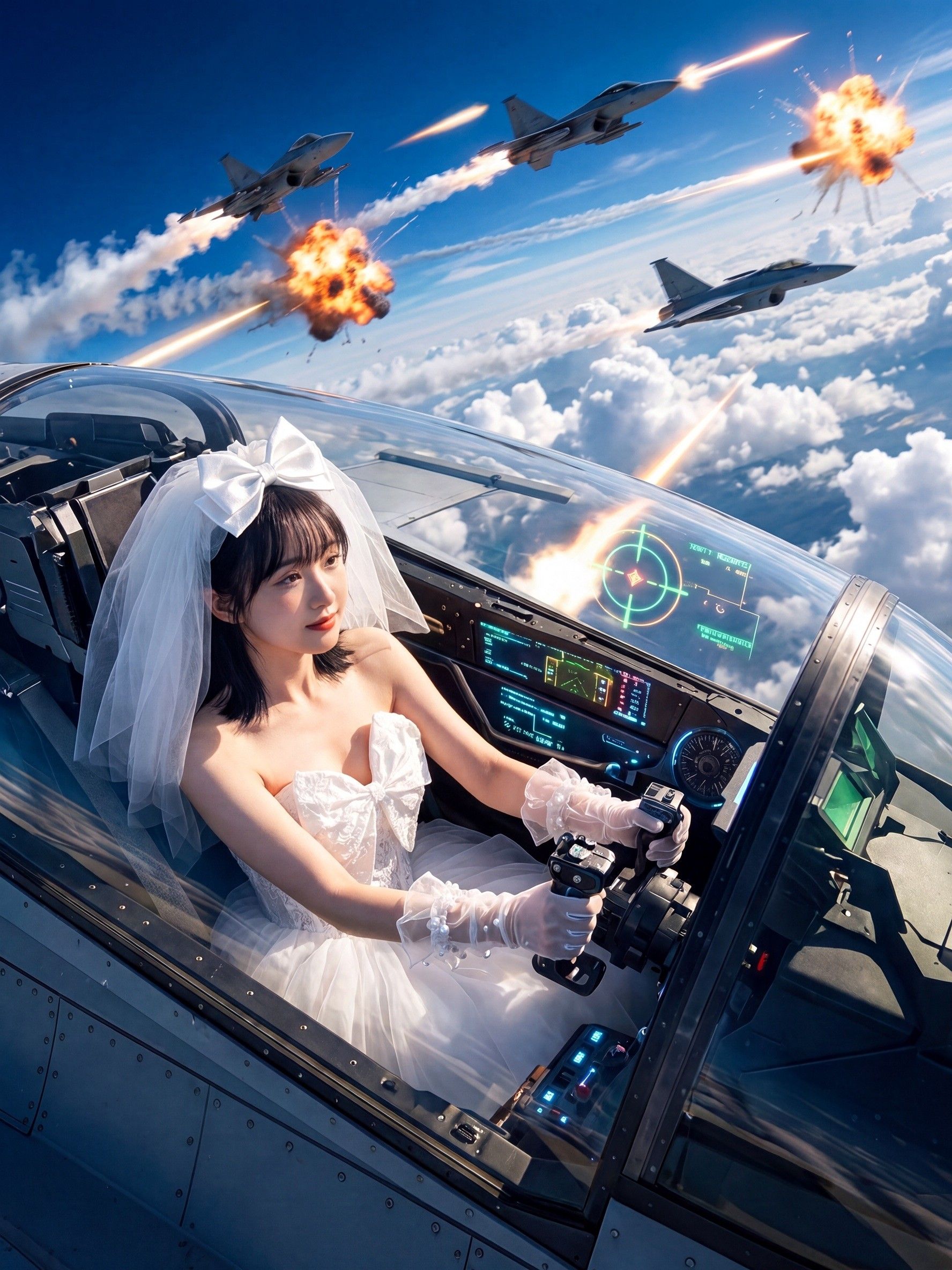
          image.jpeg

          K 1 条回复 最后回复
          1
          • hanber121H
            hanber121H
            hanber121
            体面乡绅
            编写于 最后由 编辑
            #5

            激动的心,颤抖的手,点进介绍页一看,呃33B....我感觉r9700跑不动,qwen-image2.1跑原生2048的图都要一两分钟,那才7B,这个原生是4096分辨率,跑原生尺寸不得十几分钟😂赶上视频了

            BunseiB 1 条回复 最后回复
            0
            • hanber121H hanber121

              激动的心,颤抖的手,点进介绍页一看,呃33B....我感觉r9700跑不动,qwen-image2.1跑原生2048的图都要一两分钟,那才7B,这个原生是4096分辨率,跑原生尺寸不得十几分钟😂赶上视频了

              BunseiB
              BunseiB
              Bunsei
              至尊皇帝
              编写于 最后由 Bunsei 编辑
              #6

              @hanber121 可以参照这个 ~
              https://www.reddit.com/r/StableDiffusion/comments/1xt50cj/amazed_by_the_generation_speed_of_minimax_h3image/

              1 条回复 最后回复
              1
              • BunseiB
                BunseiB
                Bunsei
                至尊皇帝
                编写于 最后由 Bunsei 编辑
                #7

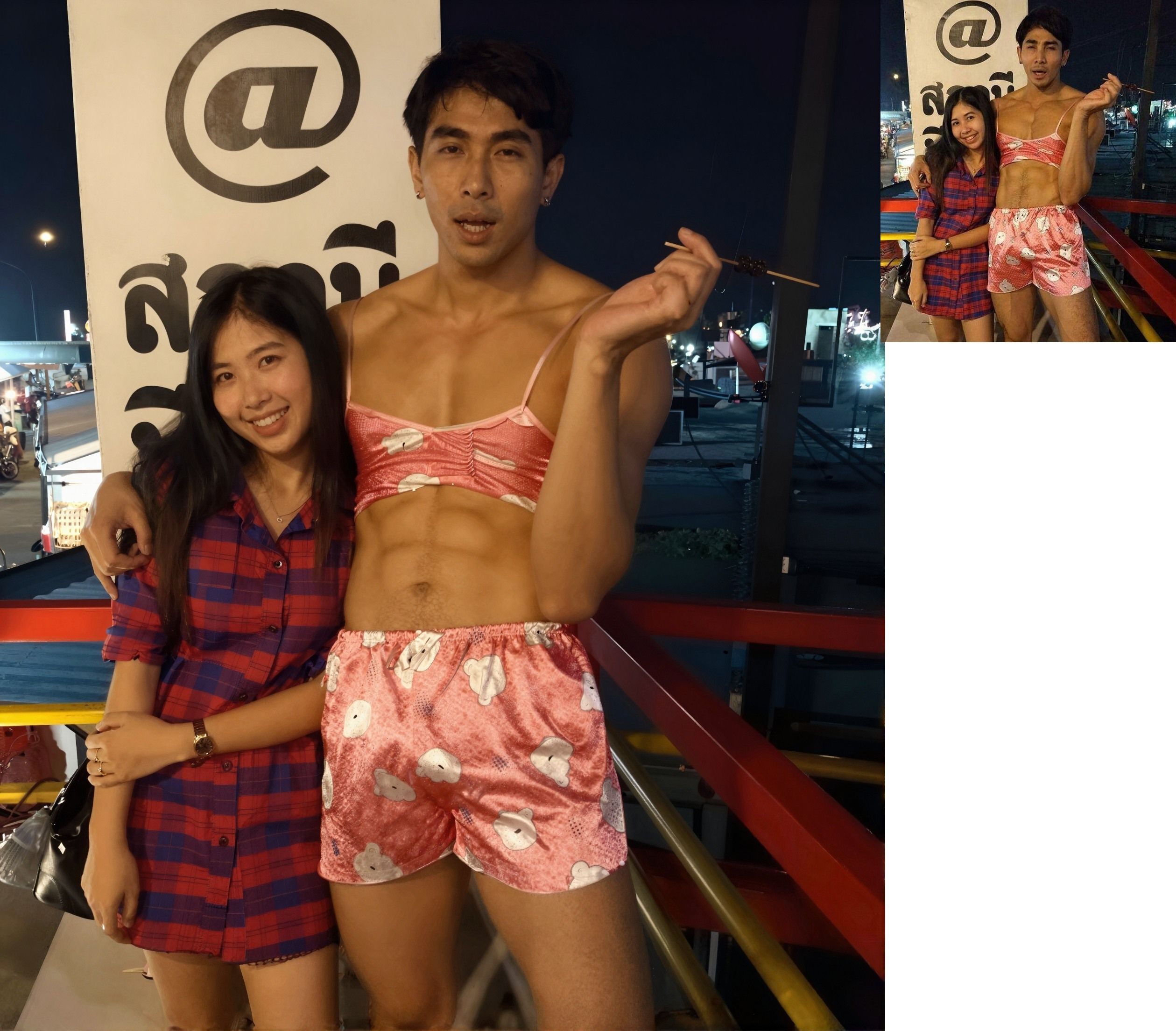
                又试了几个,提示词,感觉都还不错。感觉能替代一般的工作了。

                image.jpeg

                image.jpeg

                image.jpeg

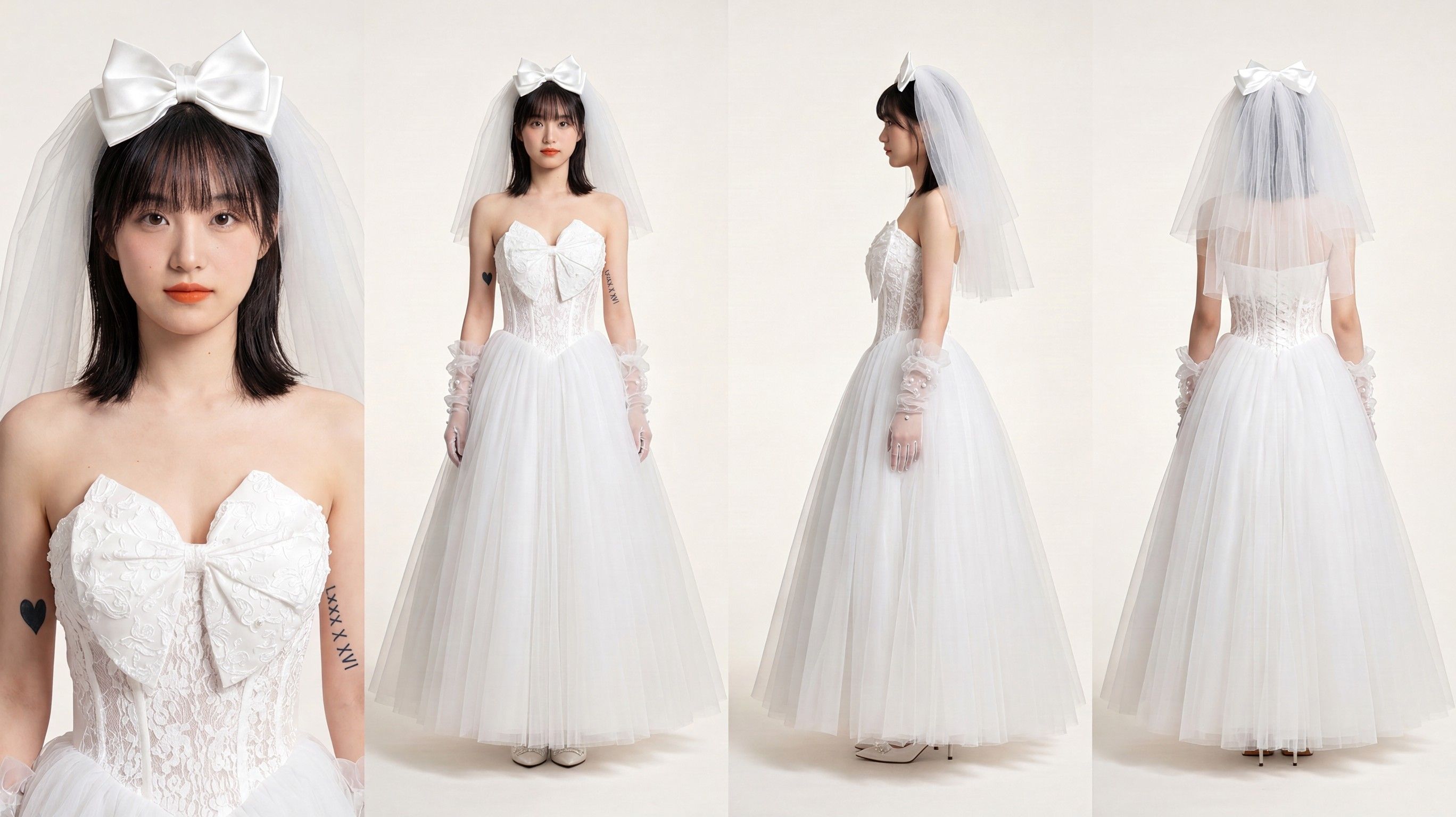
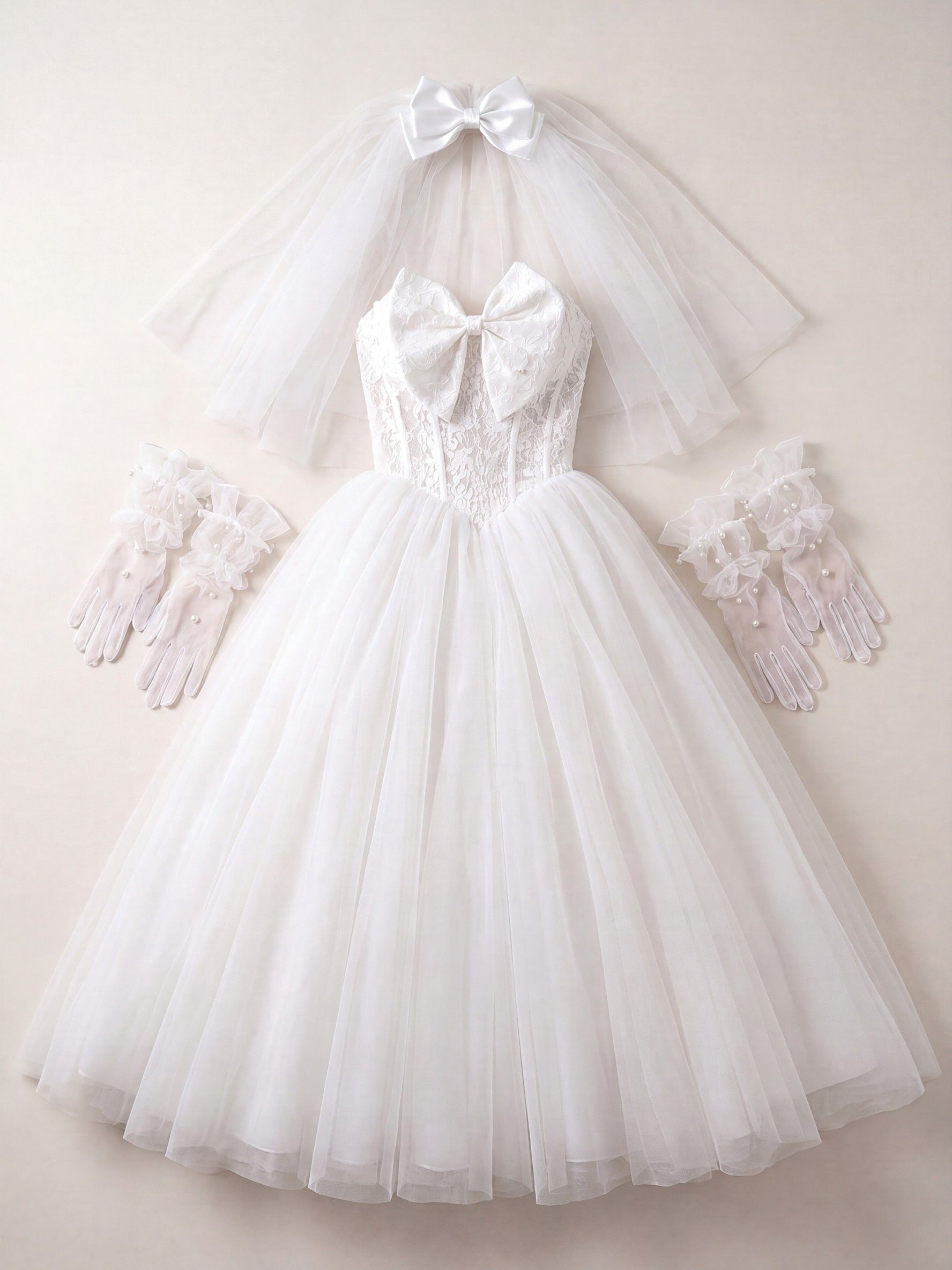
                提取服装:
                image.jpeg

                image.jpeg

                然后...

                1 条回复 最后回复
                1
                • T
                  T
                  Thanaots
                  体面乡绅 硕果累累
                  编写于 最后由 编辑
                  #8

                  .....刚从h3转到LTX2.5。因为h3不支持lora,各种lora都不支持。。。。

                  BunseiB 1 条回复 最后回复
                  0
                  • BunseiB
                    BunseiB
                    Bunsei
                    至尊皇帝
                    编写于 最后由 Bunsei 编辑
                    #9

                    最关键的是,他的放大能力极强!而且官方表示他的4K生成速度很快... 我突然有种想法,如果拿他给H3 Ref2VA的视频进行4K放大... 使用25~50%抽帧,然后利用它支持16张参考图的能力,将原始设定图、人物角色卡、实际帧画面、场景关键点,一同送去生成,最后再通过插帧,补回60帧。 虽然慢了点但...

                    放大原图:
                    image.jpeg

                    单图放大后:
                    image.jpeg

                    1 条回复 最后回复
                    0
                    • T Thanaots

                      .....刚从h3转到LTX2.5。因为h3不支持lora,各种lora都不支持。。。。

                      BunseiB
                      BunseiB
                      Bunsei
                      至尊皇帝
                      编写于 最后由 Bunsei 编辑
                      #10

                      @Thanaots 🤓 👆 如果用H3先生成草稿,然后再 LTX ... 不对,有一些lora好像还不能这么搞。

                      T 1 条回复 最后回复
                      1
                      • BunseiB Bunsei

                        @Thanaots 🤓 👆 如果用H3先生成草稿,然后再 LTX ... 不对,有一些lora好像还不能这么搞。

                        T
                        T
                        Thanaots
                        体面乡绅 硕果累累
                        编写于 最后由 编辑
                        #11

                        @Bunsei 说:

                        @Thanaots 🤓 👆 如果用H3先生成草稿,然后再 LTX ... 不对,有一些lora好像还不能这么搞。

                        搞不了。id/ic-lora非常傻。flux还好点,不过flux太费时了

                        1 条回复 最后回复
                        0
                        • imbiplaza ASUSI
                          imbiplaza ASUSI
                          imbiplaza ASUS
                          神仙
                          编写于 最后由 编辑
                          #12

                          我现在使用的在z image 放大,效果也是实在惊人,又快

                          z-image-upscaled_000021213_.jpg

                          utility_z_image_turbo_2k_upscaler.app.json

                          https://lcz.me/project/dcs

                          BunseiB 1 条回复 最后回复
                          1
                          • BunseiB Bunsei

                            如题,刚发布还热乎,又有有意思的东西了!

                            image.jpeg

                            HuggingFace: https://huggingface.co/MiniMaxAI/MiniMax-H3-Image

                            MiniMax-H3-Image 是一个最先进的开源模型,用于生成和编辑 MiniMax H3系列。它结合了智慧 理解创造意图,并具备构建视觉世界的能力:精确地 接下来,它将创意概念发展成具体的人物、场景和 氛围。生成和编辑统一在一个检查点中,该检查点生成图像从 文本(文本转图像)和编辑一个或多个参考图片(图片编辑),为创作者提供 以及开发者提供一种灵活且可控的图像创建方式。

                            亮点

                            MiniMax-H3-Image 集结了三大核心优势:速度、画质和指令跟随。

                            1. 列表以实际计算成本实现1600万像素图像。与1–4MP输出相比 如今常见的16百万像素(4096×4096)图像提供了更多细节,但通常需要 计算量大幅增加。MiniMax-H3-Image 保持了计算成本可控, 使16MP的发电量成为日常制造的实用工具。

                            image.jpeg

                            1. 细节丰富。非凡的现实主义。MiniMax-H3-Image 超越了熟悉的“AI 界面” 制作细节精细、逼真逼真的图像,为 创意和专业用途。它使生成的图像更接近其丰富和细腻 现实视觉世界的。

                            image.jpeg

                            1. 后续指令更严密。更强的创作控制权。伟大的图像生成 不仅仅是美丽的图片——它帮助创作者将他们的想法变为现实。MiniMax-H3-图像 在开源模型中,它提供了最强的指令跟随,并支持最多16种 参考图片,赋予创作者更多对最终成果的控制权。

                            image.jpeg

                            image.jpeg

                            kos orK
                            kos orK
                            kos or
                            谪仙人
                            编写于 最后由 编辑
                            #13

                            @Bunsei said:

                            后续指令更严密。更强的创作控制权。伟大的图像生成 不仅仅是美丽的图片——它帮助创作者将他们的想法变为现实。MiniMax-H3-图像 在开源模型中,它提供了最强的指令跟随,并支持最多16种 参考图片,赋予创作者更多对最终成果的控制权。

                            請問這部分是Minimax-H3-Image 最大的突破嗎?對圖片中物件的控制

                            BunseiB 1 条回复 最后回复
                            0
                            • kos orK kos or

                              @Bunsei said:

                              后续指令更严密。更强的创作控制权。伟大的图像生成 不仅仅是美丽的图片——它帮助创作者将他们的想法变为现实。MiniMax-H3-图像 在开源模型中,它提供了最强的指令跟随,并支持最多16种 参考图片,赋予创作者更多对最终成果的控制权。

                              請問這部分是Minimax-H3-Image 最大的突破嗎?對圖片中物件的控制

                              BunseiB
                              BunseiB
                              Bunsei
                              至尊皇帝
                              编写于 最后由 编辑
                              #14

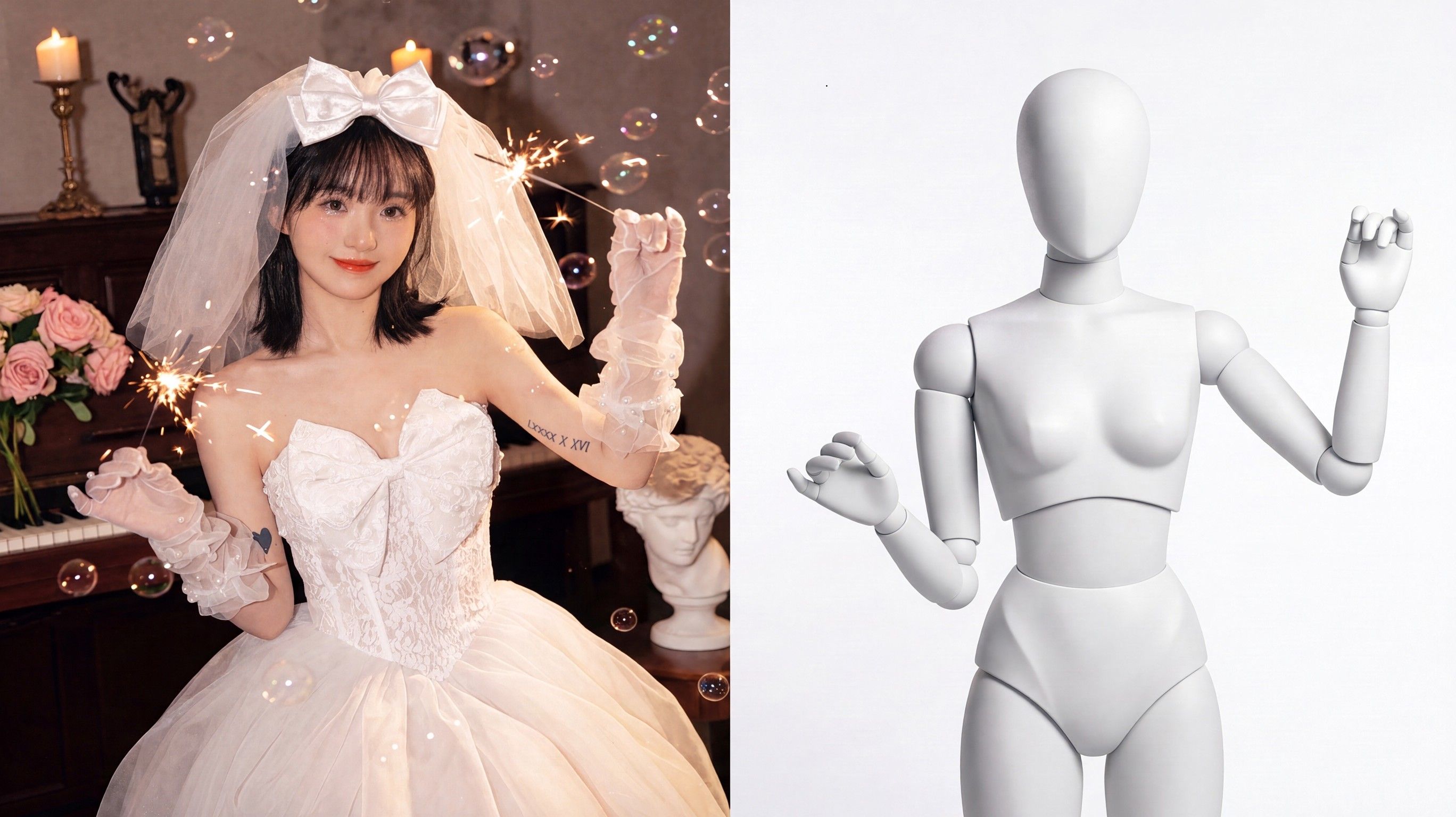
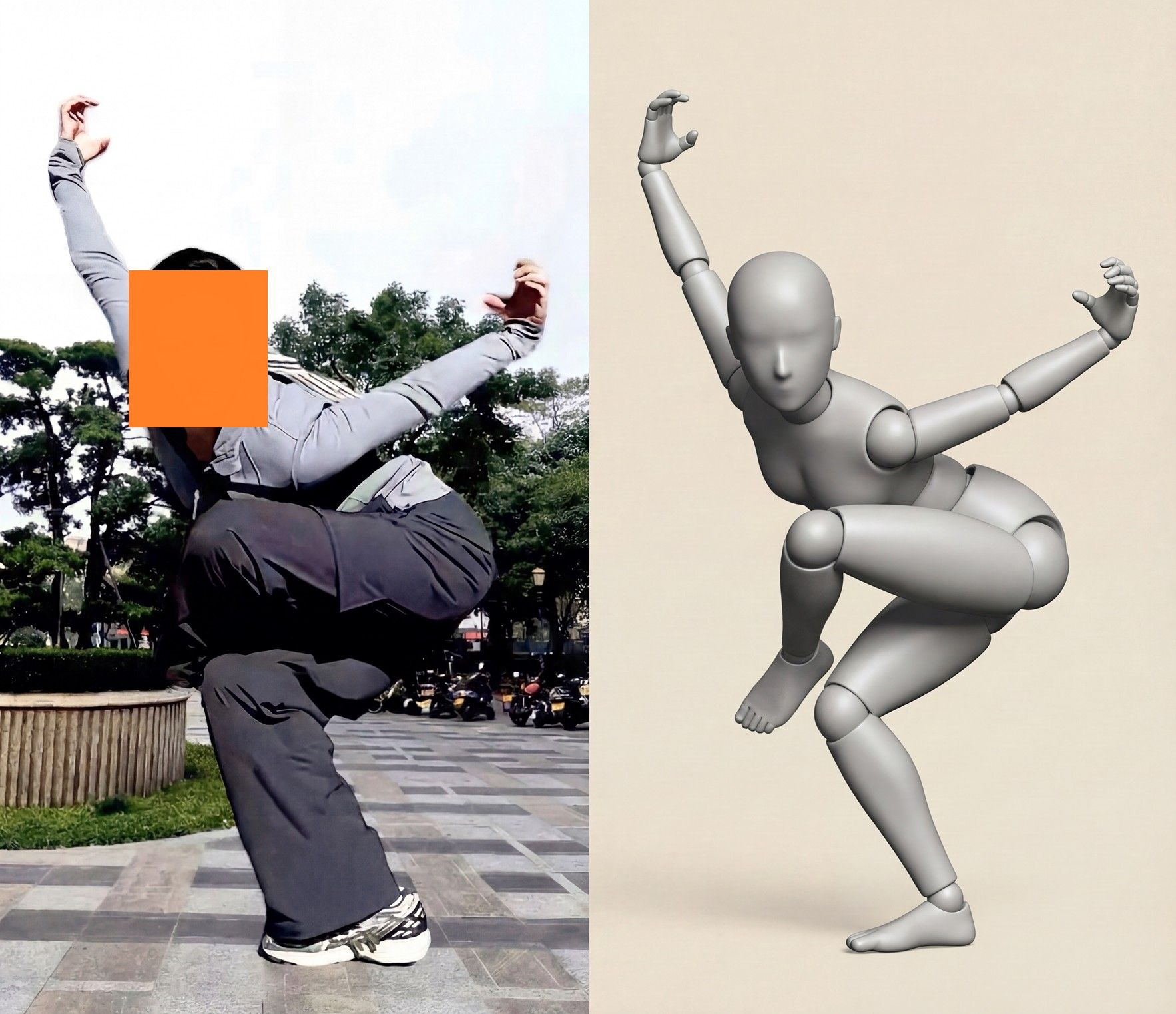
                              @kos-or 对我来说更看中的是他的图片理解能力,这是我随便网上找了的一张照片,姿势很复杂一般的本地模型不太好处理。

                              image.jpeg

                              kos orK 1 条回复 最后回复
                              2
                              • imbiplaza ASUSI imbiplaza ASUS

                                我现在使用的在z image 放大,效果也是实在惊人,又快

                                z-image-upscaled_000021213_.jpg

                                utility_z_image_turbo_2k_upscaler.app.json

                                BunseiB
                                BunseiB
                                Bunsei
                                至尊皇帝
                                编写于 最后由 编辑
                                #15

                                @imbiplaza-ASUS 不赖! 不过按照我之前的经验来看,很多此类放大重新生成后真实人物面部特征、服饰上的花纹细节都会丢失,我举例的是我随便找了一张,具体放大效晚上下班回来试试看。 大致的思路就是生成的0.4MP~0.8MP的视频,然后通过大量主体细节+上一帧+当前要重绘的帧然后交给他4K放大,这样子看看实际的4K“重生成” 的效果。

                                imbiplaza ASUSI 1 条回复 最后回复
                                1
                                • BunseiB Bunsei

                                  @imbiplaza-ASUS 不赖! 不过按照我之前的经验来看,很多此类放大重新生成后真实人物面部特征、服饰上的花纹细节都会丢失,我举例的是我随便找了一张,具体放大效晚上下班回来试试看。 大致的思路就是生成的0.4MP~0.8MP的视频,然后通过大量主体细节+上一帧+当前要重绘的帧然后交给他4K放大,这样子看看实际的4K“重生成” 的效果。

                                  imbiplaza ASUSI
                                  imbiplaza ASUSI
                                  imbiplaza ASUS
                                  神仙
                                  编写于 最后由 编辑
                                  #16

                                  @Bunsei

                                  的确,多多少少不一样了。。。

                                  z-image-upscaled_00006_.jpg

                                  https://lcz.me/project/dcs

                                  1 条回复 最后回复
                                  3
                                  • BunseiB Bunsei

                                    @kos-or 对我来说更看中的是他的图片理解能力,这是我随便网上找了的一张照片,姿势很复杂一般的本地模型不太好处理。

                                    image.jpeg

                                    kos orK
                                    kos orK
                                    kos or
                                    谪仙人
                                    编写于 最后由 编辑
                                    #17

                                    @Bunsei said:

                                    他的图片理解能力

                                    看來是可以用MINIMAX-H3 Image 對一張照片 進行 3D建模嗎?

                                    BunseiB 1 条回复 最后回复
                                    1
                                    • kos orK kos or

                                      @Bunsei said:

                                      他的图片理解能力

                                      看來是可以用MINIMAX-H3 Image 對一張照片 進行 3D建模嗎?

                                      BunseiB
                                      BunseiB
                                      Bunsei
                                      至尊皇帝
                                      编写于 最后由 Bunsei 编辑
                                      #18

                                      @kos-or https://www.reddit.com/r/StableDiffusion/comments/1xr1lhy/tested_a_new_camera_angle_for_a2o_lites_neon/ 如果你想实际提取视频的动作可能得参见这个。

                                      我是让他提取了原图中的姿态,可以用来与其他角色卡的角色合成。 这个模型我测试下来发现,他生成图片效果还凑合,但是编辑能力极强。

                                      imbiplaza ASUSI kos orK 2 条回复 最后回复
                                      2
                                      • BunseiB Bunsei

                                        @kos-or https://www.reddit.com/r/StableDiffusion/comments/1xr1lhy/tested_a_new_camera_angle_for_a2o_lites_neon/ 如果你想实际提取视频的动作可能得参见这个。

                                        我是让他提取了原图中的姿态,可以用来与其他角色卡的角色合成。 这个模型我测试下来发现,他生成图片效果还凑合,但是编辑能力极强。

                                        imbiplaza ASUSI
                                        imbiplaza ASUSI
                                        imbiplaza ASUS
                                        神仙
                                        编写于 最后由 编辑
                                        #19

                                        @Bunsei 不懂你会用到吗

                                        https://github.com/Jalen-Brunson/ComfyUI-H3-Character-Sheets

                                        这是我自己二创的

                                        character_identity_sheet.py

                                        https://lcz.me/project/dcs

                                        BunseiB 1 条回复 最后回复
                                        1
                                        • imbiplaza ASUSI imbiplaza ASUS

                                          @Bunsei 不懂你会用到吗

                                          https://github.com/Jalen-Brunson/ComfyUI-H3-Character-Sheets

                                          这是我自己二创的

                                          character_identity_sheet.py

                                          BunseiB
                                          BunseiB
                                          Bunsei
                                          至尊皇帝
                                          编写于 最后由 编辑
                                          #20

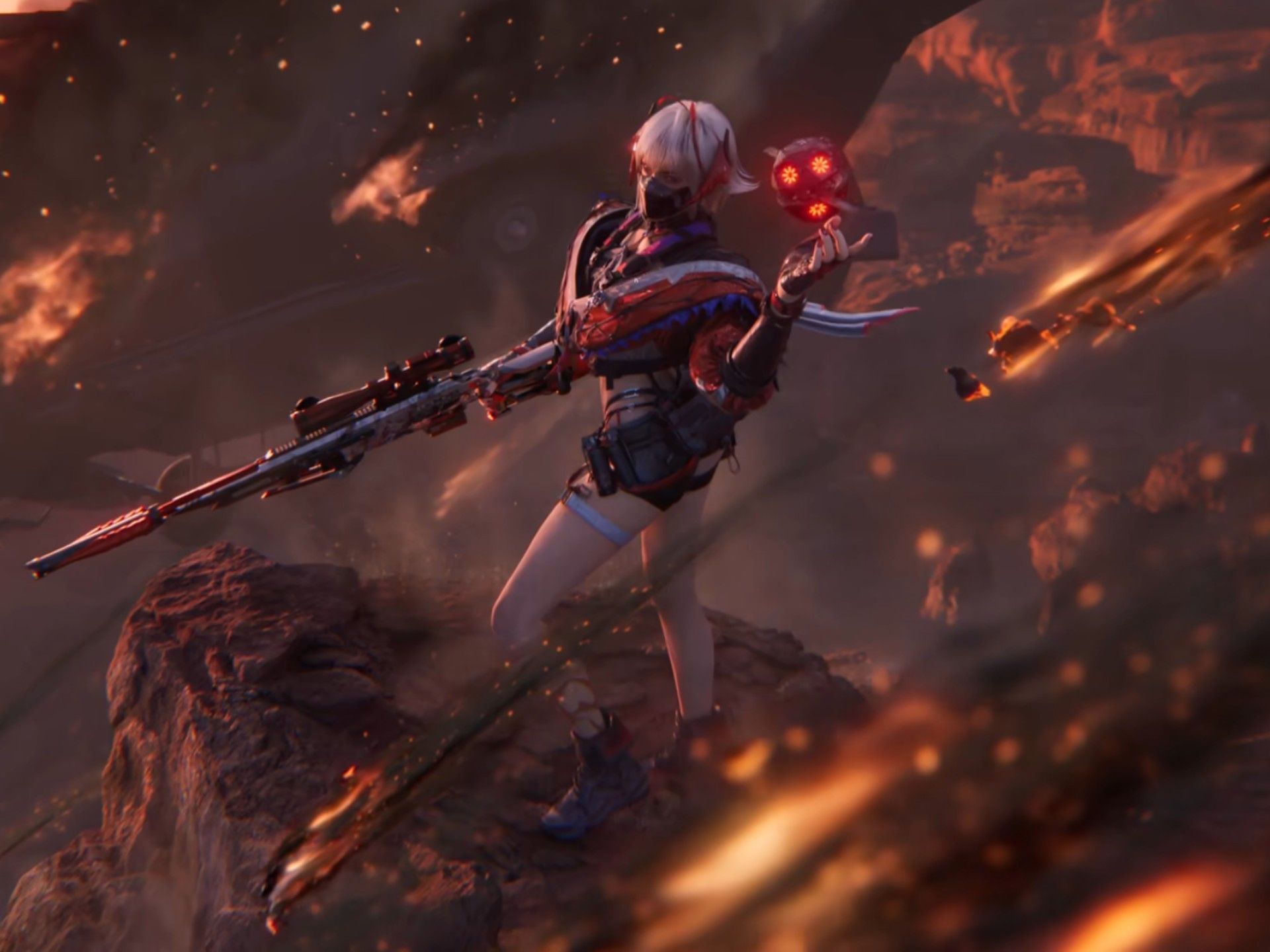
                                          @imbiplaza-ASUS 我试试看,我是通过里面的提示词然后直接让这个MINIMAX H3 Image生成的。

                                          提示词:

                                          傍晚的城市街道,一位二十多岁的东亚女性站在便利店玻璃门旁侧身回头看向镜头,穿宽松白衬衫和直筒牛仔裤,长发松松扎成高马尾,几缕碎发落在脸侧。店内冷白荧光透过玻璃打在她身上,店外是粉色和蓝色霓虹招牌的余光,两层光叠在一起。真实胶片颗粒,高对比,轻微偏色,玻璃门上有真实反射,背景是虚化的店内货架。自然妆感,皮肤有真实纹理和细微毛孔,不要塑料感皮肤,不要磨皮。真实 35mm 胶片调色。不要文字,不要水印。

                                          替代文字

                                          提示词:Use the uploaded reference image as the strict and only source for the character's appearance. Reproduce the same person exactly: identical face shape, facial features, eye shape and colour, brows, nose, lips, skin tone, hairstyle, hair colour, hair length, body build and proportions. Reproduce the same outfit exactly: identical garments, colours, materials, fit, seams, trims, accessories and footwear as shown in the reference. Do not beautify, age, restyle, simplify or redesign anything. Do not add any clothing, accessories, logos or details that are not in the reference. Where parts of the outfit are not visible in the reference (such as the back or the shoes), extend them plausibly and consistently in the same style, colours and materials. Ignore the reference image's background, pose, lighting and camera angle; use it only for identity and outfit. The full face stays visible and uncovered in all head views. Create a photographic character turnaround sheet of this person on a plain light-grey background, portrait 3:4 format. Seven views total: four separate head-and-shoulder portraits across the upper third, and three body views across the lower two thirds. All left/right directions refer to the viewer's left and right. TOP ROW — exactly four portraits, left to right: 1. FRONT VIEW. Head faces straight toward the camera. 2. LEFT THREE-QUARTER VIEW. Head and shoulders turned 45° toward the left edge of the image. Nose points diagonally left; both eyes visible. 3. RIGHT SIDE PROFILE. Head and shoulders turned 90° toward the right edge of the image. Nose points right; only one eye visible. 4. RIGHT THREE-QUARTER VIEW. Head and shoulders turned 45° toward the right edge of the image. Nose points diagonally right; both eyes visible, the far eye narrower, the cheeks unequal in width — a clearly rotated face. All four heads the same size, eyes on one level, complete hair silhouettes, neutral expressions, clear space between portraits. BOTTOM ROW — exactly three views, left to right: 1. FRONT BODY, CROPPED FROM NECKLINE TO FEET. The top edge of this view cuts through the base of the neck at the garment's neckline, directly beneath the portrait row; the head is entirely outside the crop. Scale it so the neckline-to-soles height fills the lower row. Show shoulders, torso, arms, hands, legs and both feet, facing forward, arms relaxed. No head or face in this view. 2. OVERHEAD BODY. Camera directly above the standing character, pointing straight down. Show the crown of the head, shoulders, arms, hands and feet with natural top-down foreshortening. The character stands upright, front facing the bottom edge of the sheet. Centre this shorter projected figure in the lower middle area. 3. REAR BODY. Full head-to-feet back view, standing upright, facing directly away. Show the complete back of the head and hairstyle and the back of the outfit, consistent with the reference, and both feet. Fill the lower-right area. Consistency: face, hairstyle, outfit and body proportions must match the reference and stay identical across all seven views. Soft, even studio lighting, realistic photographic detail, small outer margins, narrow gaps. No captions, text, panel borders, watermarks, extra views or overlapping figures.


                                          替代文字

                                          imbiplaza ASUSI Glant GaoG kos orK 3 条回复 最后回复
                                          1

                                          你好!看起来您对这段对话很感兴趣,但您还没有一个账号。

                                          厌倦了每次访问都刷到同样的帖子?您注册账号后,您下次访问时都将自动回到上次浏览的位置,并可选择接收新回复的通知(通过电子邮件或推送通知)。您还可以收藏帖子、为帖子点赞,以此向其他社区成员表达您的感谢。

                                          有了你的建议,这篇帖子会更精彩哦 💗

                                          注册 登录
                                          回复
                                          • 在新帖中回复
                                          登录后回复
                                          • 从旧到新
                                          • 从新到旧
                                          • 最多赞同


                                          • 登录

                                          • 登录或注册以进行搜索。
                                          • 第一个帖子
                                            最后一个帖子
                                          0
                                          • 版块
                                          • 最新
                                          • 标签
                                          • 热门
                                          • 用户
                                          • 群组