MiniMax-H3-角色替换-LoRA
-
-
-
-
-
,系统 取消固定了此主题
-
-
-
https://huggingface.co/OliviaRossi/Minimax-h3_Singularity-x-10Eros-Max_PRISM/tree/main
使用了比较好玩的模型,效果是显而易见的,
Minimax-h3_Singularity-x-10Eros-Max_PRISMH3-Character-Swap-Relay-V2.json
promt use this:
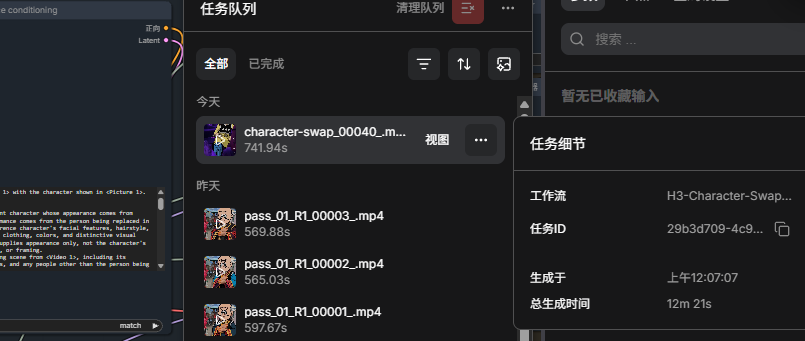
Replace the person in <Video 1> with the character shown in <Picture 1>. subject_definitions: <Subject 1> is the replacement character whose appearance comes from <Picture 1> and whose performance comes from the person being replaced in <Video 1>. Preserve the reference character's facial features, hairstyle, skin tone, body proportions, clothing, colors, and distinctive visual style. The reference image supplies appearance only, not the character's pose, expression, background, or framing. <Subject 2> is the surrounding scene from <Video 1>, including its background, lighting, objects, and any people other than the person being replaced. <Video 1> is the source video being edited and supplies the shot composition, camera movement, timing, and sequence of actions. summary: [video editing + reference generation] The target video is an edited version of <Video 1>. Replace the original person with <Subject 1>, transferring their complete visible performance to the reference character while preserving <Subject 2> and the source video's framing and timing. retention_analysis: <Subject 1> (throughout [Shot 1]): fully_preserved - maintain the character's referenced identity, clothing, proportions, and visual style consistently as the character performs the source person's movements. <Subject 2> (throughout [Shot 1]): fully_preserved - retain the surrounding scene and its changes over time. <Video 1>: partially_preserved - retain composition, camera motion, action timing, and duration; replace only the selected person's appearance. detailed_description: Preserve the source scene's visual treatment while retaining the replacement character's distinctive design. Adapt illumination, shading, and perspective to the source scene. [Shot 1] Begin with the same composition and camera viewpoint as <Video 1>. <Subject 1> occupies the original person's position and follows their movement through the frame. Match the original performance moment by moment: body posture, gestures, head turns, gaze, blinking, facial expressions, and visible mouth movements. Maintain the reference character's identity through every expression and viewing angle. Hair and clothing move naturally with the transferred performance. Preserve interactions with source-scene objects and the ordering of foreground and background occlusions. Keep the source video's crop and shot scale. Show only the portions of the replacement character that belong within that framing; do not widen the shot to reproduce the full-body reference. Do not import the reference image's background, static pose, or handheld props. Preserve the source camera movement and action timing through the final frame. overall_soundscape: Retain the source clip's existing sound without adding new dialogue or sound effects. non_diegetic_music: Retain existing source music, if present; add no new music. -
https://huggingface.co/OliviaRossi/Minimax-h3_Singularity-x-10Eros-Max_PRISM/tree/main
使用了比较好玩的模型,效果是显而易见的,
Minimax-h3_Singularity-x-10Eros-Max_PRISMH3-Character-Swap-Relay-V2.json
promt use this:
Replace the person in <Video 1> with the character shown in <Picture 1>. subject_definitions: <Subject 1> is the replacement character whose appearance comes from <Picture 1> and whose performance comes from the person being replaced in <Video 1>. Preserve the reference character's facial features, hairstyle, skin tone, body proportions, clothing, colors, and distinctive visual style. The reference image supplies appearance only, not the character's pose, expression, background, or framing. <Subject 2> is the surrounding scene from <Video 1>, including its background, lighting, objects, and any people other than the person being replaced. <Video 1> is the source video being edited and supplies the shot composition, camera movement, timing, and sequence of actions. summary: [video editing + reference generation] The target video is an edited version of <Video 1>. Replace the original person with <Subject 1>, transferring their complete visible performance to the reference character while preserving <Subject 2> and the source video's framing and timing. retention_analysis: <Subject 1> (throughout [Shot 1]): fully_preserved - maintain the character's referenced identity, clothing, proportions, and visual style consistently as the character performs the source person's movements. <Subject 2> (throughout [Shot 1]): fully_preserved - retain the surrounding scene and its changes over time. <Video 1>: partially_preserved - retain composition, camera motion, action timing, and duration; replace only the selected person's appearance. detailed_description: Preserve the source scene's visual treatment while retaining the replacement character's distinctive design. Adapt illumination, shading, and perspective to the source scene. [Shot 1] Begin with the same composition and camera viewpoint as <Video 1>. <Subject 1> occupies the original person's position and follows their movement through the frame. Match the original performance moment by moment: body posture, gestures, head turns, gaze, blinking, facial expressions, and visible mouth movements. Maintain the reference character's identity through every expression and viewing angle. Hair and clothing move naturally with the transferred performance. Preserve interactions with source-scene objects and the ordering of foreground and background occlusions. Keep the source video's crop and shot scale. Show only the portions of the replacement character that belong within that framing; do not widen the shot to reproduce the full-body reference. Do not import the reference image's background, static pose, or handheld props. Preserve the source camera movement and action timing through the final frame. overall_soundscape: Retain the source clip's existing sound without adding new dialogue or sound effects. non_diegetic_music: Retain existing source music, if present; add no new music. -
-
-
-
@imbiplaza-ASUS 你这两天怎么销声匿迹了,飞升啊