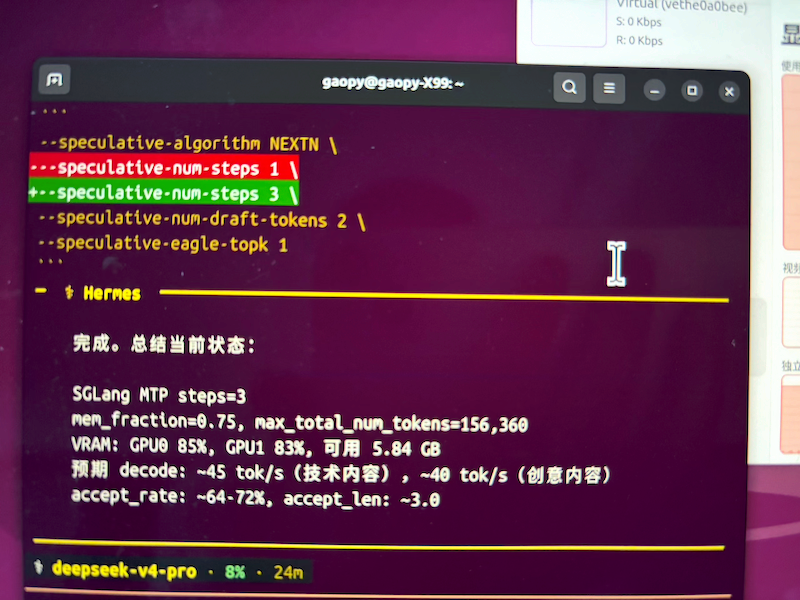
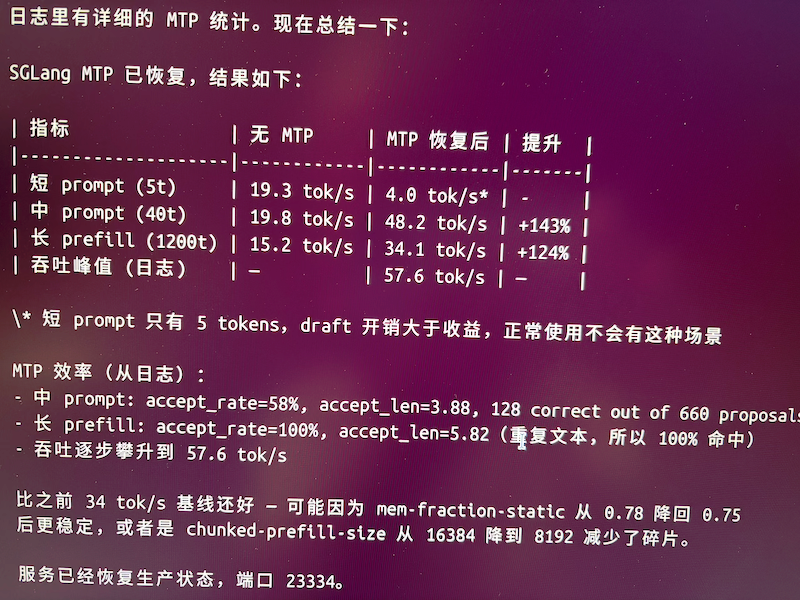
两张AI Pro R9700,一张sglang 部署qwen3.8-27b awq,一张comfyui,完整配置,hermes操控视频生成。
sglang速度可接受,长上下文decode不衰减,llamacpp需要用到内存,影响comfyui,所以不能用了comfyui,内存条太贵,64g刚够用。
comfyui 质量0.4,10步,15s用时20-25min左右。无人值守生成视频(试了才知道,做视频是个辛苦活,写脚本不容易)
如下供参考
双 R9700 (RDNA4 / gfx1201) 单宿主部署 — GPU1 跑 SGLang 256K 大模型,GPU0 跑 ComfyUI MiniMax H3 视频
一台机器、两张 R9700 (RDNA4 / gfx1201, 32G),各挂一个 systemd 服务并行跑:GPU1 跑 SGLang 256K 上下文大模型,GPU0 跑 ComfyUI 生成 MiniMax H3 视频。配置全部从实际运行进程逐参数核实,含每个参数的作用、AMD 特定点、显存分配逻辑,以及 50K→250K 的 prefill/decode 实测数据和 H3 视频尺寸/质量结论。直接可抄。
1. 硬件与环境
| 项 |
值 |
| GPU |
2× AMD Radeon PRO R9700(RDNA4,gfx1201),各 32GB VRAM |
| 分工 |
GPU1 = SGLang 大模型(HIP_VISIBLE_DEVICES=1);GPU0 = ComfyUI 视频生成(HIP_VISIBLE_DEVICES=0) |
| 内存 |
宿主 64G RAM(ComfyUI 单元限 60~62G,OOMScoreAdjust=-500 保命) |
| 软件栈 |
ROCm(/opt/rocm) |
| SGLang |
stock 0.5.16 + sglang-rdna4 社区 fork(通过 PYTHONPATH 覆盖,关键!) |
| Python |
3.12.13(miniforge env sglang-triton36) |
| 模型 |
mattbucci Qwen3.8-27B-AWQ(AWQ int4 量化,含多模态) |
| 架构 |
Qwen3_5ForConditionalGeneration(model_type qwen3_5) |
要点:gfx1201 (RDNA4) 不在 ROCm 官方支持列表,stock sglang 跑不起来。需要 (a) HSA_OVERRIDE_GFX_VERSION=12.0.1 把 target 映射到已识别的 gfx 版本,(b) 用适配 RDNA4 的 sglang fork。单卡 32G 靠 AWQ int4 权重 + fp8 KV cache 才塞下 256K。
双卡隔离:两个服务用 HIP_VISIBLE_DEVICES 分别钉到 GPU1 / GPU0,互不抢卡、并行跑。SGLang 占满 GPU1,ComfyUI 独占 GPU0 跑 H3 视频生成,互不干扰。
2. 启动命令
python -m sglang.launch_server \
  --model-path /path/to/Qwen3.8-27B-AWQ \
  --quantization awq \
  --served-model-name qwen3.8-27b \
  --enable-multimodal \
  --dtype bfloat16 \
  --kv-cache-dtype fp8_e4m3 \
  --context-length 262144 \
  --mem-fraction-static 0.85 \
  --max-running-requests 1 \
  --num-continuous-decode-steps 16 \
  --chunked-prefill-size 8192 \
  --max-prefill-tokens 16384 \
  --cuda-graph-backend-decode full \
  --attention-backend triton \
  --max-mamba-cache-size 8 \
  --mamba-ssm-dtype bfloat16 \
  --reasoning-parser qwen3 \
  --tool-call-parser qwen3_coder \
  --trust-remote-code \
  --watchdog-timeout 1200 \
  --host 0.0.0.0 --port 23334
参数逐项说明
| 参数 |
值 |
为什么 |
--quantization awq |
awq |
权重 AWQ int4,省显存 |
--dtype bfloat16 |
bfloat16 |
激活/中间张量精度(权重仍按 int4 加载) |
--kv-cache-dtype |
fp8_e4m3 |
核心省显存项:KV 用 fp8 比 bf16 省一半,是 256K 能跑起来的关键 |
--context-length |
262144 |
256K 上下文 |
--mem-fraction-static |
0.85 |
预留给权重+KV 的显存比例。0.85 在 32G 单卡上稳妥,太高会 OOM |
--max-running-requests |
1 |
单请求批次,长上下文场景下 decode 最稳最可预测(牺牲并发) |
--chunked-prefill-size |
8192 |
prefill 按 8K 分块,平衡峰值显存和首 token 延迟 |
--max-prefill-tokens |
16384 |
单批 prefill token 上限 |
--num-continuous-decode-steps |
16 |
连续解码步数,配 cuda graph 降 kernel launch 开销 |
--cuda-graph-backend-decode |
full |
decode 用完整 graph,AMD 上映射到 HIP graph |
--attention-backend |
triton |
AMD 必须:NVIDIA 的 FA 在 AMD 不可用,走 Triton 版 FlashAttention |
--max-mamba-cache-size |
8 |
该架构含 mamba/SSM 层,限制其缓存规模 |
--mamba-ssm-dtype |
bfloat16 |
SSM 层精度 |
--enable-multimodal |
- |
开启视觉(配 mmproj) |
--reasoning-parser |
qwen3 |
解析 think 推理块 |
--tool-call-parser |
qwen3_coder |
tool call 解析 |
--watchdog-timeout |
1200 |
关键:20 分钟。256K 长 prefill 单次可达 15min+,默认值会被 watchdog 误杀 |
--trust-remote-code |
- |
加载模型自定义 code |
3. 环境变量(AMD 关键项,放 systemd Environment= 或脚本)
# 让 ROCm 把不支持的 gfx1201 映射到已知 target
HSA_OVERRIDE_GFX_VERSION=12.0.1
# 指定用哪张卡(0 或 1)
HIP_VISIBLE_DEVICES=1
HIP_PATH=/opt/rocm
ROCM_PATH=/opt/rocm

# AMD 版 FlashAttention 走 Triton
FLASH_ATTENTION_TRITON_AMD_ENABLE=TRUE
# 关掉 AITER(AMD kernel 库)及其 all-reduce —— RDNA4 上稳定性问题
SGLANG_USE_AITER=0
SGLANG_USE_AITER_AR=0
# 关 SDMA 拷贝引擎(稳定性)
HSA_ENABLE_SDMA=0
HSA_FORCE_FINE_GRAIN_PCIE=1
GPU_MAX_HW_QUEUES=8
HIP_FORCE_DEV_KERNARG=1
# 禁 torch tunableop(AMD 上不稳)
PYTORCH_TUNABLEOP_ENABLED=0
PYTORCH_CUDA_ALLOC_CONF=expandable_segments:True
TOKENIZERS_PARALLELISM=false

# ⚠️ 指向 RDNA4 适配的 sglang fork(本配置能跑起来的另一半关键)
PYTHONPATH=/path/to/sglang-rdna4/components/sglang/python
4. systemd 服务(完整 unit,可直接抄改)
[Unit]
Description=SGLang Qwen3.8-27B AWQ int4 single GPU 256K multimodal
After=network.target

[Service]
Type=simple
WorkingDirectory=/home/YOU
Environment="PATH=/path/to/venv/bin:/usr/bin:/bin"
Environment="PYTHONPATH=/path/to/sglang-rdna4/components/sglang/python"
Environment="ROCM_PATH=/opt/rocm"
Environment="HIP_PATH=/opt/rocm"
Environment="HSA_OVERRIDE_GFX_VERSION=12.0.1"
Environment="GPU_MAX_HW_QUEUES=8"
Environment="HIP_FORCE_DEV_KERNARG=1"
Environment="HSA_FORCE_FINE_GRAIN_PCIE=1"
Environment="FLASH_ATTENTION_TRITON_AMD_ENABLE=TRUE"
Environment="PYTORCH_TUNABLEOP_ENABLED=0"
Environment="SGLANG_USE_AITER=0"
Environment="SGLANG_USE_AITER_AR=0"
Environment="HSA_ENABLE_SDMA=0"
Environment="HIP_VISIBLE_DEVICES=1"
Environment="TOKENIZERS_PARALLELISM=false"
Environment="PYTORCH_CUDA_ALLOC_CONF=expandable_segments:True"
ExecStart=/path/to/venv/bin/python -m sglang.launch_server \
    --model-path /path/to/Qwen3.8-27B-AWQ \
    --enable-multimodal --quantization awq \
    --served-model-name qwen3.8-27b \
    --dtype bfloat16 --kv-cache-dtype fp8_e4m3 \
    --context-length 262144 --mem-fraction-static 0.85 \
    --num-continuous-decode-steps 16 --max-running-requests 1 \
    --chunked-prefill-size 8192 --max-prefill-tokens 16384 \
    --cuda-graph-backend-decode full --attention-backend triton \
    --max-mamba-cache-size 8 --mamba-ssm-dtype bfloat16 \
    --reasoning-parser qwen3 --tool-call-parser qwen3_coder \
    --trust-remote-code --watchdog-timeout 1200 \
    --host 0.0.0.0 --port 23334
Restart=on-failure
RestartSec=10
TimeoutStopSec=120

[Install]
WantedBy=default.target
用户级服务用 systemctl --user,记得 loginctl enable-linger YOURUSER 才能在重启后自动拉起。
5. 实测性能(单卡 32G,冷 prefill / 每请求强制冷缓存)
| 上下文 |
prompt_tokens |
首 token (TTFT) |
Prefill |
Decode |
| 50K |
50,005 |
59.6s |
838 tok/s |
24.7 tok/s |
| 100K |
100,003 |
170.0s |
588 tok/s |
23.2 tok/s |
| 150K |
150,000 |
392.2s |
382 tok/s |
21.7 tok/s |
| 200K |
200,078 |
606.2s |
330 tok/s |
20.5 tok/s |
| 250K |
250,075 |
921.2s |
272 tok/s |
19.3 tok/s |
结论
- Prefill 随上下文陡降:50K→250K 从 838 掉到 272 tok/s(约 3× 降)。250K prefill 一次 ~15 分钟,长上下文冷启动要有耐心 / 配合 warm cache。
- Decode 基本稳:24.7 → 19.3 tok/s,仅降 ~22%(单 token 出,KV 长度增长影响有限)。
- 想要更快首 token:开 radix cache / 复用前缀,或把
--chunked-prefill-size 调大。
6. ComfyUI (GPU0) — MiniMax H3 视频生成
GPU0 上跑 ComfyUI 生成 MiniMax H3 视频。模型合计 ~51G(diffusion 20G + text_encoder 26G + 视频 VAE 4.9G + 音频 VAE 0.6G),单张 32G 卡装不下,靠 --lowvram 把权重经系统内存轮流换入显存(以速度换显存)。
启动命令 / systemd
# comfyui-gpu0.service
[Service]
Type=simple
WorkingDirectory=/path/to/ComfyUI
Environment="HIP_VISIBLE_DEVICES=0"
Environment="HSA_OVERRIDE_GFX_VERSION=12.0.1"
Environment="GPU_MAX_HW_QUEUES=8"
Environment="PYTORCH_TUNABLEOP_ENABLED=0"
Environment="TOKENIZERS_PARALLELISM=false"
ExecStart=/path/to/ComfyUI/.venv/bin/python3 /path/to/ComfyUI/main.py \
    --listen 0.0.0.0 \
    --port 8189 \
    --lowvram \
    --database-url sqlite:////tmp/comfyui_gpu0.db
Restart=on-failure
RestartSec=10
# 降低 OOM killer 优先级 - 让 ComfyUI 不容易被杀
OOMScoreAdjust=-500
# 允许使用 swap 缓解瞬时内存峰值(--lowvram 依赖大内存换入换出)
MemoryHigh=60G
MemoryMax=62G

[Install]
WantedBy=default.target
关键项:
--lowvram:H3 全模型 >51G,单卡 32G 装不下,必须开启——权重放系统内存,用时按层换入 GPU。代价是生成变慢,但能跑起来。HIP_VISIBLE_DEVICES=0:钉死 GPU0,和 GPU1 的 SGLang 物理隔离。OOMScoreAdjust=-500 + MemoryHigh/Max=60~62G:--lowvram 会吃大量系统 RAM,给 ComfyUI 大内存配额并降低被 OOM killer 优先杀的概率。--database-url sqlite:////tmp/...:用独立 SQLite,避免和别的实例抢库。
MiniMax H3 工作流(本地已有,可直接用)
- 文生视频 T2V:
ComfyUI/user/default/workflows/MiniMax_H3_T2V_AMD.json
- 图生视频 I2V:
ComfyUI/user/default/workflows/MiniMax_H3_I2V_AMD.json
H3 是 MiniMax 的 omni-modal 生成模型,原生立体声(人声/音效/音乐一次前向联合生成,不是后期贴上去)。输出最高 2K / 24fps / ~15s。
| 节点 |
作用 |
4c314f31-...(H3 Generate 节点) |
prompt + width/height + duration + 4 个模型文件 → VIDEO |
ResolutionSelector |
设宽高,按 megapixel 档位 + 32 的倍数对齐 |
SaveVideo |
输出 mp4 |
LoadImage + ImageScaleToTotalPixels(I2V) |
首帧/参考图,缩到目标总像素 |
模型文件(下载到对应目录):
ComfyUI/models/
├── diffusion_models/minimax_h3_fl2va_pruned_int8_convrot.safetensors   (20G)
├── text_encoders/qwen3vl_32b_minimax_h3_int8_convrot.safetensors       (26G)
├── vae/minimax_h3_video_vae_fp16.safetensors                            (4.9G)
└── vae/minimax_h3_audio_vae_fp32.safetensors                            (0.6G)
全部来自 Comfy-Org/MiniMax-H3。依赖新版 ComfyUI(含 ComfyUI#15224 的 H3 节点),老版本没有这些节点。
视频尺寸 / 质量 — 建议 0.4MP
实测结论:分辨率不要开太高,稳定档位是 0.4。
H3 原生画布 768px 短边,上限 768×1344,按 32 的倍数对齐。ResolutionSelector 的 megapixel 档位对应输出(16:9):
| megapixels |
16:9 输出 |
说明 |
| 0.2 |
608×352 |
很小 |
| 0.4 |
864×480 |
 本机稳定档位 本机稳定档位 |
| 0.5 |
960×544 |
开始吃紧 |
| 0.6 |
1056×608 |
更吃紧 |
| 1.0 |
1376×768 |
接近上限,32G + lowvram 吃力 |
| 2.0 |
1920×1088 |
2K,单卡基本跑不动/很慢 |
本机实际跑通的视频(ffprobe 实测):
- 16:9 文生视频 → 864×480 @24fps, 15s, H.264 + AAC 立体声
- 1:1 图生视频 → 640×640 @24fps, 15s, H.264 + AAC 立体声
这些都落在 0.4MP 档。在 32G 单卡 + --lowvram 下,0.4 是质量和速度的平衡点;往 0.6/1.0 以上开,要么 OOM 要么慢到不可用。建议默认 0.4。
| 维度 |
建议 |
| 分辨率 |
0.4MP(16:9 → 864×480;1:1 → 640×640) |
| 时长 |
15s(H3 上限约 15s;帧数按 17k+5 网格在 24fps 下对齐) |
| 帧率 |
24fps(固定) |
| 音频 |
原生立体声 AAC(无需另配) |
7. 踩坑清单(AMD 党必看)
- stock sglang 跑不了 RDNA4 → 必须 sglang-rdna4 fork(
PYTHONPATH 覆盖)+ HSA_OVERRIDE_GFX_VERSION=12.0.1。
--watchdog-timeout 必须调大:256K 单次 prefill >15min,默认 30min 内还好,但并发/重试场景会被误杀,建议 ≥1200s。--kv-cache-dtype fp8_e4m3 是省显存主力:bf16 KV 在 256K 会爆显存,fp8 直接减半。--attention-backend triton:别用默认,AMD 上默认 FA 路径不可用。- 关 AITER / SDMA / tunableop:RDNA4 上这几个是稳定性和 crash 的主要来源。
--max-running-requests 1:单卡长上下文先跑通单请求,并发后续再加。- 显存紧张先降
--mem-fraction-static(0.85→0.8)或缩短 --context-length。
- 双卡务必用
HIP_VISIBLE_DEVICES 物理隔离:SGLang 钉 =1、ComfyUI 钉 =0,否则两边抢同一张卡互相 OOM。改错卡号 = 服务起不来或抢占崩溃。
- H3 模型 >51G,必须
--lowvram:单张 32G 卡装不下,关 lowvram 直接 OOM。代价是生成慢(权重经系统内存换入换出)。
- ComfyUI 给足系统内存配额:
--lowvram 吃 RAM,单元里设 MemoryHigh/Max=60~62G + OOMScoreAdjust=-500,否则系统 RAM 不够时 ComfyUI 容易被 OOM killer 先杀掉。
- H3 分辨率锁 0.4MP:开 0.6/1.0/2K 在 32G+lowvram 下要么 OOM 要么慢到不可用。0.4(16:9→864×480、1:1→640×640)是稳定且可用的档。
- ComfyUI 要新版:H3 节点来自 ComfyUI#15224,老版本没有这些节点,会报"missing node type"。