跳转至内容
  • 首页
  • 版块
  • 最新
  • 标签
  • 热门
  • 用户
  • 群组
皮肤
  • 浅色
  • Brite
  • Cerulean
  • Cosmo
  • Flatly
  • Journal
  • Litera
  • Lumen
  • Lux
  • Materia
  • Minty
  • Morph
  • Pulse
  • Sandstone
  • Simplex
  • Sketchy
  • Spacelab
  • United
  • Yeti
  • Zephyr
  • 深色
  • Cyborg
  • Darkly
  • Quartz
  • Slate
  • Solar
  • Superhero
  • Vapor

  • 默认(不使用皮肤)
  • 不使用皮肤
折叠
品牌标识

抡锤者

  1. 主页
  2. 版块
  3. LLM讨论区
  4. 7900XTX + llama.cpp Qwen3.6 27B TurboQuant + MTP 测试结果分享

7900XTX + llama.cpp Qwen3.6 27B TurboQuant + MTP 测试结果分享

已定时 已固定 已锁定 已移动 LLM讨论区
7900xtxmtpllama.cpp
60 帖子 24 发布者 5.2k 浏览 10 关注中
  • 从旧到新
  • 从新到旧
  • 最多赞同
回复
  • 在新帖中回复
登录后回复
此主题已被删除。只有拥有主题管理权限的用户可以查看。
  • 拐 离线
    拐 离线
    拐子001
    发表于 最后由 编辑
    #38

    贴子真是全全的干货。学习中

    1 条回复 最后回复
    0
    • FredF Fred

      @Miraco 对于小白来说,现在还不是时候。目前还是一个PR,等合入llama.cpp主线版本后,你再去拿来用,别花时间现在去折腾。目前2大问题:

      1. MTP虽然能大幅增加推理吐字速度,但同时会导致Prefill速度降低,这是社区已知bug,有大神在积极处理,不妨等着。因为对于Hermes Agent或者编程Agent这一类的应用而言,上下文很长,Prefill速度和推理吐字的速度(TG速度),对于人的感受同样重要。
      2. 目前上了PR里的MTP,就只能上一个并发(-np 1),对于有subagent的应用来说,还是有点影响。

      总之就是小白不建议折腾,坐等社区进主线用稳定版的,它才香。

      M 离线
      M 离线
      Miraco
      发表于 最后由 编辑
      #39

      @Fred 感谢您的指点。

      FredF 1 条回复 最后回复
      0
      • michael gongM 离线
        michael gongM 离线
        michael gong
        发表于 最后由 编辑
        #40

        全是干货, 感谢分享!

        1 条回复 最后回复
        0
        • ken huangK 离线
          ken huangK 离线
          ken huang
          发表于 最后由 ken huang 编辑
          #41

          llama-benchy result:

          cd /var/home/deck/tmp/llama-benchy
          uv run llama-benchy \
            --base-url http://127.0.0.1:8081/v1 \
            --model froggeric/Qwen3.6-27B-MTP-GGUF \
            --served-model-name Qwen3.6-27B-Q4_K_M-mtp.gguf \
            --tokenizer Qwen/Qwen3.6-27B \
            --pp 2048 --tg 32 \
            --depth 0 8192 32768 \
            --runs 1 --no-cache --latency-mode generation --skip-coherence \
            --save-result results/qwen36-27b-mtp-8081-sample-20260513.json --format json
          
          Results:
          
          | context depth | pp t/s | tg t/s | peak tg t/s | TTFR | est PPT |
          |---|---:|---:|---:|---:|---:|
          | 0 | 457.92 | 29.75 | 30.0 | 4693 ms | 4477 ms |
          | 8192 | 432.96 | 28.24 | 29.0 | 23870 ms | 23654 ms |
          | 32768 | 329.57 | 25.24 | 27.0 | 105856 ms | 105640 ms |
          
          .venv/bin/llama-benchy \
            --base-url http://127.0.0.1:8081/v1 \
            --model Qwen/Qwen3.6-27B \
            --served-model-name Qwen_Qwen3.6-27B-Q4_K_M.gguf \
            --tokenizer Qwen/Qwen3.6-27B \
            --pp 2048 \
            --tg 32 \
            --depth 0 8192 32768 \
            --runs 1 \
            --latency-mode generation \
            --save-result results/qwen36-27b-original-8081-20260513T235739Z.json \
            --format json
          
          
          Results:
          | depth | pp t/s | tg t/s | TTFR ms |
          |---|---:|---:|---:|
          | 0 | 685.49 | 30.63 | 3190.39 |
          | 8192 | 640.61 | 30.00 | 16184.55 |
          | 32768 | 486.52 | 28.16 | 71766.55 |
          

          llama.cpp server config:

              #MODEL="/run/media/deck/ExternalSSD/.llama.cpp/models/froggeric_Qwen3.6-27B-MTP-GGUF/Qwen3.6-27B-Q4_K_M-mtp.gguf"
              MODEL="/var/run/media/deck/ExternalSSD/.llama.cpp/models/Qwen_Qwen3.6-27B-GGUF/Qwen_Qwen3.6-27B-Q4_K_M.gguf"
          
                # cd "/var/home/deck/tmp/llama-pr-22673-mtp-clean/build-vulkan-pr22673/bin"
                cd "/var/home/deck/code/llama.cpp/build-vulkan/bin"
          
                export VK_LOADER_LAYERS_DISABLE=VK_LAYER_LS_frame_generation
          
                exec ./llama-server \
                  -m "$MODEL" \
                  -ngl 99 \
                  -dev Vulkan0 \
                  -fa on \
                  -c 200000 \
                  -ctk q4_0 \
                  -ctv q4_0 \
                  -ub 256 \
          	--temp 0.2 \
          	--top-k 20 \
          	--parallel 1 \
                  -rea off \
                  --reasoning-budget 0 \
                  --host "$HOST" \
                  --port "$PORT"
          
                 # MTP flags:
                 #       --spec-type mtp 
                 #       --spec-draft-n-max 2
          

          昨天测了一天感觉MTP打开没有变化(~30tok/s),用了几轮就会爆VRAM, 希望指正哪里出问题了。
          我是用beelink ser7 + eGPU 7900xtx + bazzite + hermes agent + discrod
          现在基本可以游戏/LLM随时切换, eGPU坑还是很多, 在等x99主板到装机

          eGPU坑:
          用all-ways-egpu可以点亮显卡+游戏
          Kfd/ROCm没发使用,试了setup时不去设置iGPU kfd就能用了,但是bazzite不能进game mode了,还在找最后解决方案😂

          Update:
          confirm disable iGPU from bios, I can use ROCm and Bazzite able to boot into game mode

          terryT 1 条回复 最后回复
          2
          • ken huangK ken huang

            llama-benchy result:

            cd /var/home/deck/tmp/llama-benchy
            uv run llama-benchy \
              --base-url http://127.0.0.1:8081/v1 \
              --model froggeric/Qwen3.6-27B-MTP-GGUF \
              --served-model-name Qwen3.6-27B-Q4_K_M-mtp.gguf \
              --tokenizer Qwen/Qwen3.6-27B \
              --pp 2048 --tg 32 \
              --depth 0 8192 32768 \
              --runs 1 --no-cache --latency-mode generation --skip-coherence \
              --save-result results/qwen36-27b-mtp-8081-sample-20260513.json --format json
            
            Results:
            
            | context depth | pp t/s | tg t/s | peak tg t/s | TTFR | est PPT |
            |---|---:|---:|---:|---:|---:|
            | 0 | 457.92 | 29.75 | 30.0 | 4693 ms | 4477 ms |
            | 8192 | 432.96 | 28.24 | 29.0 | 23870 ms | 23654 ms |
            | 32768 | 329.57 | 25.24 | 27.0 | 105856 ms | 105640 ms |
            
            .venv/bin/llama-benchy \
              --base-url http://127.0.0.1:8081/v1 \
              --model Qwen/Qwen3.6-27B \
              --served-model-name Qwen_Qwen3.6-27B-Q4_K_M.gguf \
              --tokenizer Qwen/Qwen3.6-27B \
              --pp 2048 \
              --tg 32 \
              --depth 0 8192 32768 \
              --runs 1 \
              --latency-mode generation \
              --save-result results/qwen36-27b-original-8081-20260513T235739Z.json \
              --format json
            
            
            Results:
            | depth | pp t/s | tg t/s | TTFR ms |
            |---|---:|---:|---:|
            | 0 | 685.49 | 30.63 | 3190.39 |
            | 8192 | 640.61 | 30.00 | 16184.55 |
            | 32768 | 486.52 | 28.16 | 71766.55 |
            

            llama.cpp server config:

                #MODEL="/run/media/deck/ExternalSSD/.llama.cpp/models/froggeric_Qwen3.6-27B-MTP-GGUF/Qwen3.6-27B-Q4_K_M-mtp.gguf"
                MODEL="/var/run/media/deck/ExternalSSD/.llama.cpp/models/Qwen_Qwen3.6-27B-GGUF/Qwen_Qwen3.6-27B-Q4_K_M.gguf"
            
                  # cd "/var/home/deck/tmp/llama-pr-22673-mtp-clean/build-vulkan-pr22673/bin"
                  cd "/var/home/deck/code/llama.cpp/build-vulkan/bin"
            
                  export VK_LOADER_LAYERS_DISABLE=VK_LAYER_LS_frame_generation
            
                  exec ./llama-server \
                    -m "$MODEL" \
                    -ngl 99 \
                    -dev Vulkan0 \
                    -fa on \
                    -c 200000 \
                    -ctk q4_0 \
                    -ctv q4_0 \
                    -ub 256 \
            	--temp 0.2 \
            	--top-k 20 \
            	--parallel 1 \
                    -rea off \
                    --reasoning-budget 0 \
                    --host "$HOST" \
                    --port "$PORT"
            
                   # MTP flags:
                   #       --spec-type mtp 
                   #       --spec-draft-n-max 2
            

            昨天测了一天感觉MTP打开没有变化(~30tok/s),用了几轮就会爆VRAM, 希望指正哪里出问题了。
            我是用beelink ser7 + eGPU 7900xtx + bazzite + hermes agent + discrod
            现在基本可以游戏/LLM随时切换, eGPU坑还是很多, 在等x99主板到装机

            eGPU坑:
            用all-ways-egpu可以点亮显卡+游戏
            Kfd/ROCm没发使用,试了setup时不去设置iGPU kfd就能用了,但是bazzite不能进game mode了,还在找最后解决方案😂

            Update:
            confirm disable iGPU from bios, I can use ROCm and Bazzite able to boot into game mode

            terryT 在线
            terryT 在线
            terry
            超级版主
            发表于 最后由 编辑
            #42

            @ken-huang
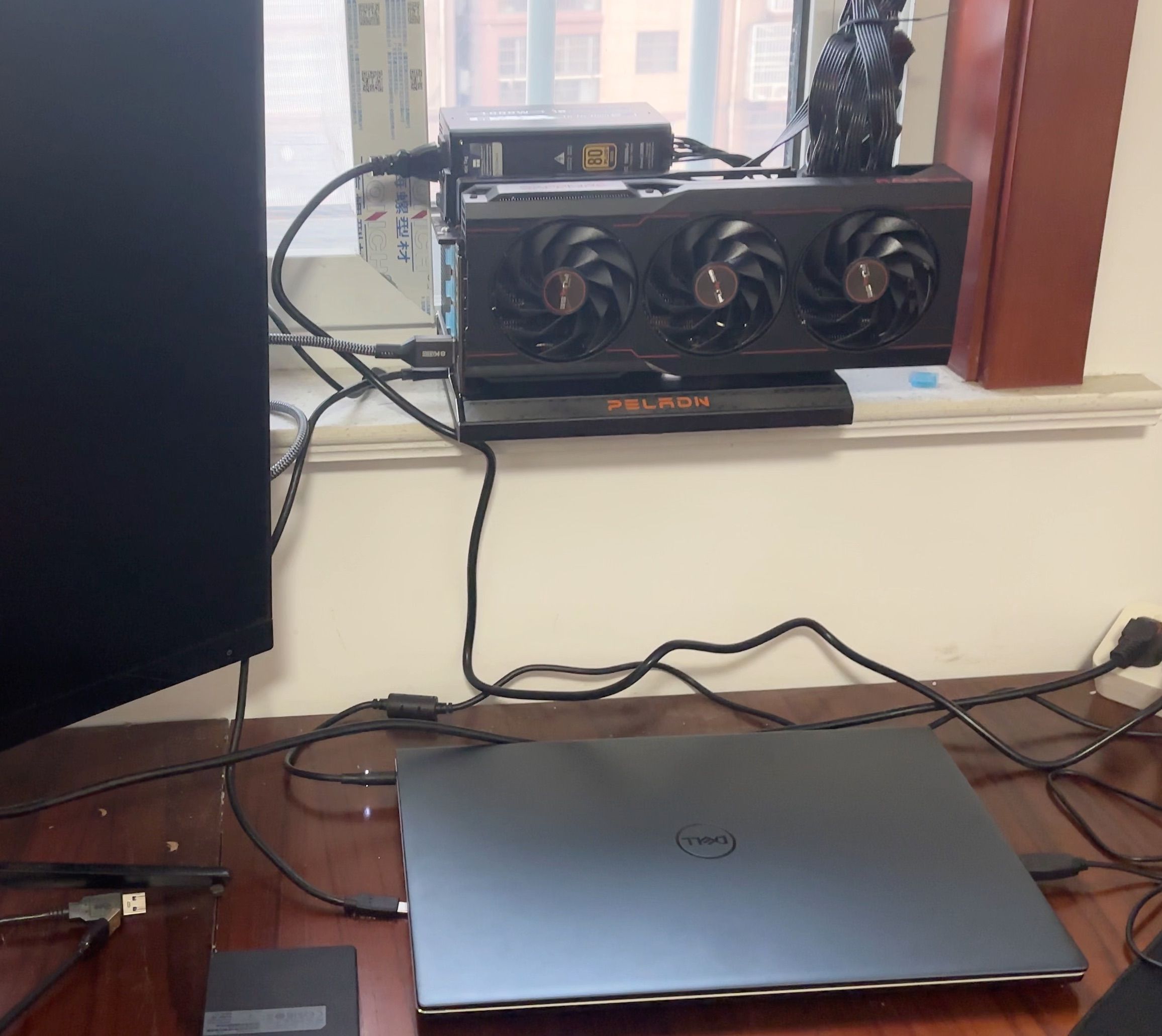
            AMD用不不要用显卡坞,别问我怎么知道的😓,特么的真是折腾,英伟达只是小毛病,这个是一堆暗病。
            7900xtx戴尔笔记本显卡坞.jpeg

            油管:https://www.youtube.com/@抡锤者

            1 条回复 最后回复
            0
            • M Miraco

              @Fred 感谢您的指点。

              FredF 离线
              FredF 离线
              Fred
              德高望重
              发表于 最后由 编辑
              #43

              @Miraco 说:

              @Fred 感谢您的指点。

              不客气哈,论坛嘛就是自己知道点啥有空就贡献贡献。
              其实目前不建议除了prefill变慢,不支持多并发之外,还有个原因就是目前llama.cpp这个MTP分支还不支持--mmproj参数,不能支持图片识别。相当于没有多模态的能力了。如果对图片识别有需求的场景就根本无法用。
              当前社区大神还在做一个抽象层框架,把这些spec-decoding的技术都抽象出来,以便后续陆续在同一个框架内合入MTP/DFLASH这一类的功能。这些事情做完之前还不会合并。PR只是给爱折腾,有技术能力的兄弟尝尝鲜的。

              1 条回复 最后回复
              0
              • Leon YL 离线
                Leon YL 离线
                Leon Y
                发表于 最后由 编辑
                #44

                我搞了个7900 XT 20GB, 用ollama 在跑qwen3.6:27b-q8_0,感觉很慢

                terryT David ZhangD 2 条回复 最后回复
                0
                • Leon YL Leon Y

                  我搞了个7900 XT 20GB, 用ollama 在跑qwen3.6:27b-q8_0,感觉很慢

                  terryT 在线
                  terryT 在线
                  terry
                  超级版主
                  发表于 最后由 编辑
                  #45

                  @Leon-Y 显存是不是溢出了?

                  油管:https://www.youtube.com/@抡锤者

                  Leon YL 1 条回复 最后回复
                  0
                  • terryT terry

                    @Leon-Y 显存是不是溢出了?

                    Leon YL 离线
                    Leon YL 离线
                    Leon Y
                    发表于 最后由 编辑
                    #46

                    @terry 没有溢出,但极其接近100。目前96.4% 使用率,空闲不到 750 MB。系统日志也没有 GPU OOM 报错。

                    1 条回复 最后回复
                    0
                    • Leon YL Leon Y

                      我搞了个7900 XT 20GB, 用ollama 在跑qwen3.6:27b-q8_0,感觉很慢

                      David ZhangD 离线
                      David ZhangD 离线
                      David Zhang
                      技术大牛 劳动模范
                      发表于 最后由 编辑
                      #47

                      @Leon-Y ollama是个玩具不是工具,换llama.cpp或者 vllm

                      Leon YL E 2 条回复 最后回复
                      3
                      • David ZhangD David Zhang

                        @Leon-Y ollama是个玩具不是工具,换llama.cpp或者 vllm

                        Leon YL 离线
                        Leon YL 离线
                        Leon Y
                        发表于 最后由 编辑
                        #48

                        @David-Zhang 说:

                        @Leon-Y ollama是个玩具不是工具,换llama.cpp或者 vllm

                        果然上了llama.cpp,速度起飞,显卡风扇狂吼。

                        1 条回复 最后回复
                        1
                        • A 离线
                          A 离线
                          asdqwe876
                          发表于 最后由 编辑
                          #49

                          22673测试下来windows下概率崩溃,找不到原因

                          1 条回复 最后回复
                          0
                          • xiaopbroX 离线
                            xiaopbroX 离线
                            xiaopbro
                            发表于 最后由 编辑
                            #50

                            牛啊,大佬,学习了

                            1 条回复 最后回复
                            0
                            • 系统 于 取消固定此主题
                            • terryT terry 于 将此主题固定
                            • Chang Ching-ChunC 离线
                              Chang Ching-ChunC 离线
                              Chang Ching-Chun
                              发表于 最后由 编辑
                              #51

                              感謝大神分享!好人一生平安

                              1 条回复 最后回复
                              0
                              • 张鑫磊张 张鑫磊 于 引用了 此主题
                              • Devin HiD Devin Hi

                                此配置经测试(Hermes跑大任务),24G的显存 容易爆OOM

                                所以改为了
                                --ctx-size 65536
                                --batch-size 512
                                --ubatch-size 128 \

                                terryT 在线
                                terryT 在线
                                terry
                                超级版主
                                发表于 最后由 编辑
                                #52

                                @Devin-Hi 改了之后呢?改进如何?我也想抄作业了。

                                油管:https://www.youtube.com/@抡锤者

                                1 条回复 最后回复
                                0
                                • 张鑫磊张 离线
                                  张鑫磊张 离线
                                  张鑫磊
                                  发表于 最后由 编辑
                                  #53

                                  @david-zhang Qwen3.6-27B-Q4_K_M-mtp.gguf这个是不是只有huggingface上有modelscope上找不到

                                  1 条回复 最后回复
                                  0
                                  • David ZhangD 离线
                                    David ZhangD 离线
                                    David Zhang
                                    技术大牛 劳动模范
                                    发表于 最后由 编辑
                                    #54

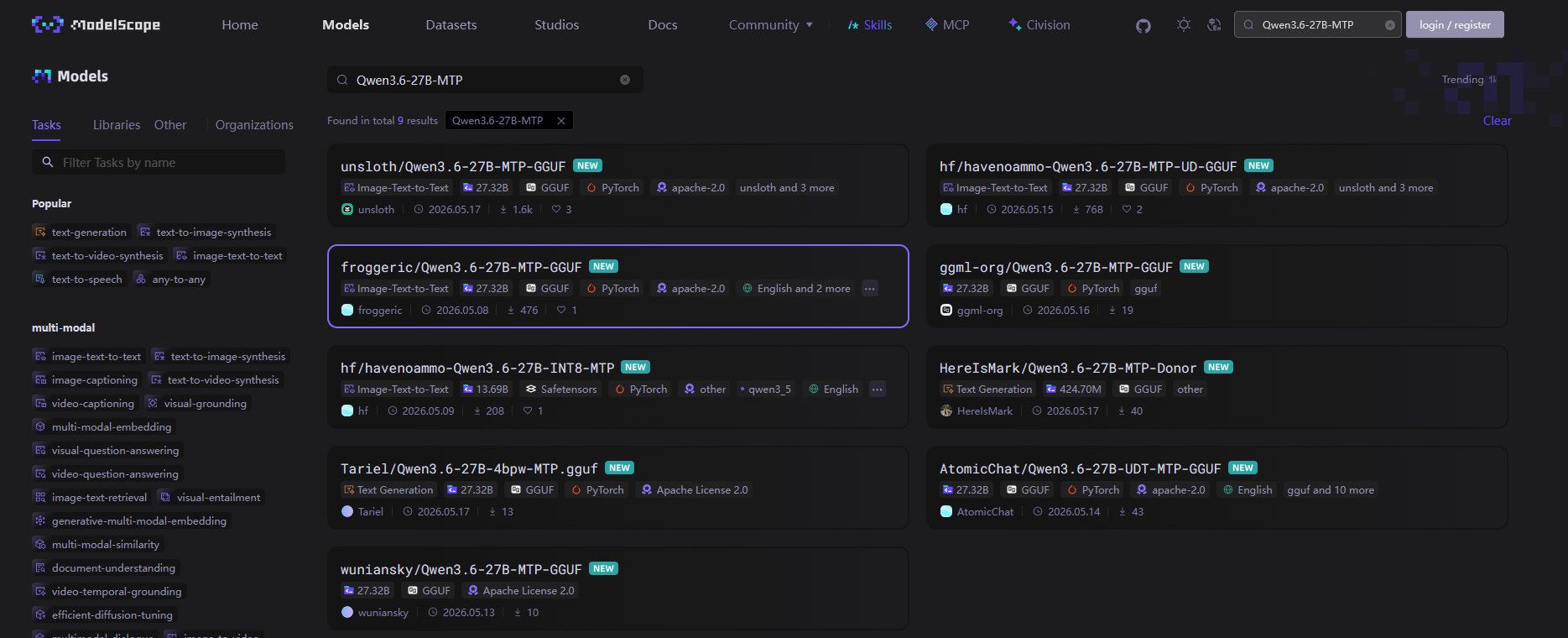
                                    5cfbd3e5-4dfc-4456-9395-5faf08254a33-image.jpeg
                                    有,但是huggingface会更多

                                    terryT 1 条回复 最后回复
                                    0
                                    • 系统 于 取消固定此主题
                                    • terryT terry 于 将此主题固定
                                    • terryT terry 于 引用了 此主题
                                    • Qi KaiserQ Qi Kaiser 于 引用了 此主题
                                    • 系统 于 取消固定此主题
                                    • terryT terry 于 将此主题固定
                                    • David ZhangD David Zhang

                                      最近刚入手了 7900xtx,本地跑llm, 为opencode, pi.dev 提供本地llm api 解决客户的代码隐私焦虑。

                                      花了亿点点时间跑了下性能,结果如下,供各位参考。流水账,先不贴llama-bench 结果了,太多。

                                      先发 老特 这里了,回头有空了再发个reddit
                                      回头等DFlash + HIP(ROCM) 成熟了再跑下看看。

                                      1. Rocm + turboquant,

                                      repo: https://github.com/domvox/llama.cpp-turboquant-hip
                                      性能: 256k上下文, pp: 970t/s tg: 29t/s
                                      Comment:目前测试,除了反应没在线api 快,生成代码的质量不比在线api 差。

                                      ~/llama.cpp-turboquant-hip/rocm/llama-server -m ~/model/llm/qwen3.6-27b/Qwen3.6-27B-Uncensored-HauhauCS-Aggressive-Q4_K_P.gguf   --mmproj ~/model/llm/qwen3.6-27b/mmproj-Qwen3.6-27B-Uncensored-HauhauCS-Aggressive-f16.gguf   --alias qwen3.6-27b   --host 0.0.0.0   --port 8080   --n-gpu-layers 999   --ctx-size 262144   --batch-size 2048   --ubatch-size 768   --threads 8   --temp 1.0      --top-p 0.95     --top-k 20     --min-p 0.00   --presence_penalty 1.5   --cache-type-k turbo3   --cache-type-v turbo3
                                      

                                      2. Vulkan

                                      repo: https://github.com/ggml-org/llama.cpp
                                      性能: 256k上下文, kv-cache-type: Q4_0, pp: 730t/s tg: 47t/s, (Q8_0会慢一丢丢)

                                      ~/Downloads/llama.cpp/vulkan/bin/llama-server -m ~/model/llm/qwen3.6-27b/Qwen3.6-27B-Q4_K_M-mtp.gguf   --alias qwen3.6-27b  --cache-type-k q4_0 --cache-type-v q4_0 -np 1 -c 262144 --temp 0.7 --top-k 20 -ngl 99   --port 8080 --host 0.0.0.0   -fa 1 -ub 256
                                      

                                      2.1 Vulkan + turboquant,

                                      repo: https://github.com/TheTom/llama-cpp-turboquant
                                      性能: 256k上下文, kv-cache-type: Q4_0, tg: 10t/s, decoding 时 GPU 使用率不到 30%,速度拉跨。开MTP 也 差不多。

                                      ~/llama.cpp/build/bin/llama-server   -m ~/model/llm/qwen3.6-27b/Qwen3.6-27B-Q4_K_M-mtp.gguf   --alias qwen3.6-27b   --cache-type-k turbo3 --cache-type-v turbo3   -np 1 -c 262144 --temp 0.7 --top-k 20 -ngl 99   --port 8080 --host 0.0.0.0   -fa 1 -ub 256
                                      

                                      3. Vulkan + MTP

                                      repo/pr:
                                      https://github.com/ggml-org/llama.cpp/pull/22673
                                      性能: 256k上下文, kv-cache-type: Q4_0, pp: 730t/s tg: 67t/s, VRAM 占用跟不开MTP 差不多,

                                      ~/Downloads/llama.cpp/vulkan/bin/llama-server -m ~/model/llm/qwen3.6-27b/Qwen3.6-27B-Q4_K_M-mtp.gguf   --alias qwen3.6-27b   --spec-type mtp --spec-draft-n-max 3   --cache-type-k q4_0 --cache-type-v q4_0 -np 1 -c 262144 --temp 0.7 --top-k 20 -ngl 99   --port 8080 --host 0.0.0.0   -fa 1 -ub 256
                                      

                                      3. Rocm + MTP

                                      repo/pr: https://github.com/ggml-org/llama.cpp/pull/22673
                                      性能: 4k上下文, kv-cache-type: Q4_0, pp: 730t/s tg: 67t/s
                                      Comment: Rocm的backend + MTP 有问题,VRAM 在开始 对话时 暴增 5G,具体原因不明,所以 最多8k上下文, Rocm目前的好处 是由 turbo quant 集成。

                                      ~/llama.cpp/build/bin/llama-server   -m ~/model/llm/qwen3.6-27b/Qwen3.6-27B-Q4_K_M-mtp.gguf   --alias qwen3.6-27b   --spec-type mtp --spec-draft-n-max 3   --cache-type-k q4_0 --cache-type-v q4_0   -np 1 -c 4096 --temp 0.7 --top-k 20 -ngl 99   --port 8080 --host 0.0.0.0   -fa 1 -ub 256
                                      

                                      4.Hipfire (DFlash) v0.1.20

                                      repo: https://github.com/Kaden-Schutt/hipfire
                                      性能: 4k上下文, pp: 930t/s tg: 46t/s,
                                      Comment: 只能chat聊天,速度很快,默认开启 DFlash, 但是 上下文8k 以上就会卡死,或者崩溃, 没法给 opencode 或者pi 使用,等三个月半年再看看。

                                      5. 老卡 P40 24G,

                                      repo: https://github.com/TheTom/llama-cpp-turboquant
                                      pr: https://github.com/ggml-org/llama.cpp/pull/22673

                                      不开MTP

                                      性能: 196k 上下文,tg: 10t/s,

                                      ~/llama.cpp-mtp/build/bin/llama-server -m ~/model/llm/qwen3.6-27b/Qwen3.6-27B-Q4_K_M-mtp.gguf   --alias qwen3.6-27b  --cache-type-k turbo3 --cache-type-v turbo3 -c 196608 --temp 0.7 --top-k 20 -ngl 99   --port 8080 --host 0.0.0.0   -fa 1 -ub 256
                                      
                                      开MTP

                                      性能: 196k上下文,tg: 17t/s,

                                      ~/llama-cpp-turboquant/build/bin/llama-server -m ~/model/llm/qwen3.6-27b/Qwen3.6-27B-Q4_K_M-mtp.gguf   --alias qwen3.6-27b   --spec-type mtp --spec-draft-n-max 3   --cache-type-k turbo3 --cache-type-v turbo3   -np 1 -c 196608 --temp 0.7 --top-k 20 -ngl 99   --port 8080 --host 0.0.0.0   -fa 1 -ub 256


                                      opencode + deepseek v4 帮我跑了一把,结果如下

                                      • 如果追求性能 Vulkan + MTP 效果最好,
                                      • MTP的性能不是恒定的,不同的上下文或者任务,可能存在很大的差别,你让他写小说,规划日常,写代码,性能提升可能会不一样,跑分仅供参考。
                                      • MTP 目前只能单个对话session,没法并行。
                                      • Vuklan 后端对 Turbo quant的支持还有存在问题, GPU利用率不够,还得优化。
                                      • Rocm + MTP 存在 VRAM问题,会无端暴涨5G占用,导致跑起来最多8k多一点。

                                      llama.cpp master branch 测试结果 (2026-6-2)

                                      由于最近 PR22673 merge到了主分支,今天正好有空重新跑了下,结果差不多。

                                      系统配置

                                      • GPU:AMD Radeon RX 7900 XTX(24GB 显存)
                                      • 构建:llama.cpp 9470(Vulkan + ROCm 后端)

                                      最佳参数

                                      参数 最佳值
                                      后端 Vulkan
                                      MTP --spec-type draft-mtp --spec-draft-n-max 2
                                      子批次大小 -ub 512
                                      批次大小 -b 512
                                      闪存注意力 -fa auto(默认)
                                      KV 缓存 -ctk q4_0 -ctv q4_0
                                      GPU 层数 -ngl 999(全部)
                                      线程数 默认(自动)
                                      上下文大小 最高 -c 262144(256K)

                                      原始 GPU 基准测试(llama-bench,pp512/tg128)

                                      子批次大小扫描

                                      ubatch ROCm pp(t/s) ROCm tg(t/s) Vulkan pp(t/s) Vulkan tg(t/s)
                                      64 614 29 511 40
                                      128 703 29 768 40
                                      256 910 29 844 40
                                      512 975 29 908 40
                                      1024 977 29 908 40

                                      KV 缓存类型(性能影响可忽略)

                                      KV 类型 ROCm pp ROCm tg Vulkan pp Vulkan tg
                                      f16 975 29 907 40
                                      q8_0 973 28 904 40
                                      q4_0 974 28 903 39
                                      q4_1 - - 905 39
                                      iq4_nl - - - -

                                      闪存注意力

                                      flash-attn ROCm pp ROCm tg Vulkan pp Vulkan tg
                                      开启 976 29 908 40
                                      关闭 964 29 902 40
                                      自动 977 29 908 40

                                      批次大小扫描

                                      batch ROCm pp ROCm tg Vulkan pp Vulkan tg
                                      256 914 29 832 40
                                      512 976 29 907 40
                                      1024 976 29 904 40
                                      2048 976 29 905 40
                                      4096 977 29 907 40

                                      服务器基准测试(llama-server,7 token 提示词,100 生成 token)

                                      Vulkan 后端

                                      配置 pp(t/s) tg(t/s) 草稿接受数 接受率
                                      基线(无推测解码) 39.5 39.7 - -
                                      MTP n=2 29.4 63.6 58/81 72%
                                      MTP n=4 31.2 62.1 52/75 69%
                                      MTP n=8 29.4 60.5 45/68 66%
                                      MTP n=16 28.1 58.0 38/60 63%
                                      MTP n=32 27.3 53.2 32/55 58%

                                      ROCm 后端

                                      配置 pp(t/s) tg(t/s) 草稿接受数 接受率
                                      基线(无推测解码) 50.8 29.5 - -
                                      MTP n=2 24.2 46.2 58/81 72%
                                      MTP n=8 23.1 43.5 36/93 39%
                                      MTP n=16 22.5 41.0 30/80 38%
                                      MTP n=32 21.8 38.5 25/70 36%

                                      长上下文(Vulkan MTP n=2,Q4 KV 缓存)

                                      配置 pp(t/s) tg(t/s) 草稿接受数 接受率
                                      128K 上下文 31.5 67.5 30/36 83%
                                      256K 上下文 31.2 67.4 30/36 83%

                                      推荐启动命令

                                      /home/david/Downloads/llama.cpp/vulkan/bin/llama-server \
                                        -m /home/david/model/llm/qwen3.6-27b/Qwen3.6-27B-Q4_K_M-mtp.gguf \
                                        -ngl 999 \
                                        -c 131072 \
                                        --spec-type draft-mtp --spec-draft-n-max 2 \
                                        -ctk q4_0 -ctv q4_0
                                      

                                      关键结论

                                      1. Vulkan 优于 ROCm:Vulkan 生成速度快 38%(MTP 下 63.6 vs 46.2 t/s)
                                      2. MTP n=2 最佳点:72% 草稿接受率,生成速度提升 +60%
                                      3. KV 缓存 Q4_0:无性能损失,相比 f16 节省 4 倍内存
                                      4. 长上下文正常工作:完整 256K 上下文运行速度与 4K 相同
                                      5. ~67 t/s:在 27B 模型上使用 MTP 实现出色的生成吞吐量

                                      llama-bench 测试结果(2026-5-11)

                                      环境

                                      • MTP 模型: Qwen3.6-27B-Q4_K_M-mtp.gguf (15.82 GiB) https://huggingface.co/froggeric/Qwen3.6-27B-MTP-GGUF/
                                      • 非MTP 模型: Qwen3.6-27B-Uncensored-HauhauCS-Aggressive-Q4_K_P.gguf (17 GiB) https://huggingface.co/HauhauCS/Qwen3.6-27B-Uncensored-HauhauCS-Aggressive
                                      • GPU: AMD Radeon RX 7900 XTX (24,560 MiB 显存)
                                      • CPU: Genuine Intel(R) 13900hk ES
                                      • 线程数: 8
                                      • n-gpu-layers: 999 (完全卸载到 GPU)
                                      • 温度: 0.7, top-k: 20

                                      ROCm (HIP) - KV缓存类型对比 (非MTP)

                                      二进制: ~/llama.cpp/rocm/bin/llama-bench (build 9046)

                                      KV缓存类型 pp1024 (token/s) tg128 (token/s)
                                      f16 (默认) 904.50 28.99
                                      q4_0 898.01 28.81

                                      Vulkan - KV缓存类型对比 (非MTP)

                                      标准构建 (~/Downloads/llama.cpp/build-vulkan/bin/llama-bench)

                                      KV缓存类型 pp512 (token/s) tg128 (token/s)
                                      f16 765.94 37.06
                                      Q4_0 769.82 37.17
                                      Q8_0 273.25 37.13

                                      Turboquant 构建 (~/Downloads/llama-cpp-turboquant/build-vulkan/bin/llama-bench)

                                      KV缓存类型 pp512 (token/s) tg128 (token/s)
                                      turbo2 193.43 ± 1.49 23.79 ± 0.17
                                      turbo3 128.44 ± 1.31 21.88 ± 0.14
                                      turbo4 178.94 ± 2.03 23.00 ± 0.25

                                      注意:turboquant 测试期间 GPU 使用率仅约 30%,未能充分利用 GPU。瓶颈可能在 CPU 端的量化/反量化操作。

                                      q4_0/q8_0 在 turboquant 构建的 llama-bench 中仍然失败。


                                      Vulkan + MTP

                                      二进制: ~/llama.cpp/vulkan/bin/llama-cli
                                      命令: --spec-type mtp --spec-draft-n-max 3 --parallel 1 -p "tell me a jok" -n 128 -ngl 999

                                      注意:MTP 使用 -np 1(单并行序列),因此无法并行处理。草稿模型顺序执行,限制了吞吐量。

                                      配置 生成速度 (token/s)
                                      非MTP (f16) 39.5
                                      MTP (q4_0) 81.2
                                      MTP (q8_0) 77.5

                                      ROCm + MTP

                                      二进制: ~/llama.cpp/rocm/bin/llama-cli 配合 LD_LIBRARY_PATH

                                      配置 生成速度 (token/s)
                                      非MTP (f16) 29.4
                                      MTP (q4_0) 53.6
                                      MTP (turbo3) 47.4
                                      MTP (turbo4) 57.2

                                      总结

                                      非MTP (llama-bench)

                                      KV缓存类型 pp (token/s) tg128 (token/s) 后端
                                      f16 904.50 28.99 ROCm (pp1024)
                                      q4_0 898.01 28.81 ROCm (pp1024)
                                      f16 765.94 37.06 Vulkan 标准 (pp512)
                                      Q4_0 769.82 37.17 Vulkan 标准 (pp512)
                                      Q8_0 273.25 37.13 Vulkan 标准 (pp512)
                                      turbo2 193.43 23.79 Vulkan turboquant (pp512)
                                      turbo4 178.94 23.00 Vulkan turboquant (pp512)
                                      turbo3 128.44 21.88 Vulkan turboquant (pp512)

                                      MTP (llama-cli)

                                      配置 生成速度 (token/s) 后端
                                      MTP (q4_0) 81.2 Vulkan
                                      MTP (q8_0) 77.5 Vulkan
                                      MTP (turbo4) 57.2 ROCm
                                      MTP (q4_0) 53.6 ROCm
                                      MTP (turbo3) 47.4 ROCm
                                      非MTP (f16) 39.5 Vulkan
                                      非MTP (f16) 29.4 ROCm

                                      关键观察

                                      1. ROCm 上的 q4_0 性能与 f16 几乎相同 (898 vs 905 token/s) — 差异可忽略。
                                      2. Turboquant 类型 仅适用于 turboquant Vulkan 构建。turbo2 的提示处理最快 (193 token/s @ pp512)。各 turbo 变体的生成速度相近 (~22-24 token/s)。
                                      3. 标准 Vulkan 构建 支持 Q4_0/Q8_0 — Q4_0 与 f16 速度相当 (~770 token/s pp512),Q8_0 提示处理慢约 2.8 倍 (273 token/s) 但生成速度相同 (~37 token/s)。Turbo 类型仅适用于 turboquant 构建。
                                      4. MTP 显著提升生成速度:Vulkan+q4_0 达到 81.2 token/s(比非MTP 提升 +106%),Vulkan+q8_0 达到 77.5 token/s (+96%),ROCm+turbo4 达到 57.2 token/s (+95%)。

                                      reddit

                                      lei ruanL 离线
                                      lei ruanL 离线
                                      lei ruan
                                      发表于 最后由 编辑
                                      #55
                                      此主題已被删除!
                                      1 条回复 最后回复
                                      0
                                      • David ZhangD David Zhang

                                        5cfbd3e5-4dfc-4456-9395-5faf08254a33-image.jpeg
                                        有,但是huggingface会更多

                                        terryT 在线
                                        terryT 在线
                                        terry
                                        超级版主
                                        发表于 最后由 编辑
                                        #56

                                        @David-Zhang 有空讲下OpenCode体验如何,编程跑Agent,我最近想要折腾下,要是能抄作业最好。

                                        油管:https://www.youtube.com/@抡锤者

                                        1 条回复 最后回复
                                        0
                                        • 系统 于 取消固定此主题
                                        • W wml-ai 于 引用了 此主题
                                        • 1 12343954 于 引用了 此主题
                                        • Q mariaQ Q maria 于 引用了 此主题
                                        • David ZhangD David Zhang

                                          @Leon-Y ollama是个玩具不是工具,换llama.cpp或者 vllm

                                          E 离线
                                          E 离线
                                          exe127
                                          编写于 最后由 编辑
                                          #57

                                          @David-Zhang 可以請教, 為什麼你和老特都不推薦 ollama , 推llama.cpp呢? 我也是先問了AI, 它說你們應該是覺得 ollama 雖然是容易上手, 但可調教的參數太少. llama.cpp 才是真正的生產工具. 沒說錯嗎?

                                          5 1 条回复 最后回复
                                          0

                                          你好!看起来您对这段对话很感兴趣,但您还没有一个账号。

                                          厌倦了每次访问都刷到同样的帖子?您注册账号后,您每次返回时都能精准定位到您上次浏览的位置,并可选择接收新回复通知(通过邮件或推送通知)。您还能收藏书签、为帖子顶,向社区成员表达您的欣赏。

                                          有了你的建议,这篇帖子会更精彩哦 💗

                                          注册 登录
                                          回复
                                          • 在新帖中回复
                                          登录后回复
                                          • 从旧到新
                                          • 从新到旧
                                          • 最多赞同


                                          • 登录

                                          • 没有帐号? 注册

                                          • 登录或注册以进行搜索。
                                          • 第一个帖子
                                            最后一个帖子
                                          0
                                          • 首页
                                          • 版块
                                          • 最新
                                          • 标签
                                          • 热门
                                          • 用户
                                          • 群组