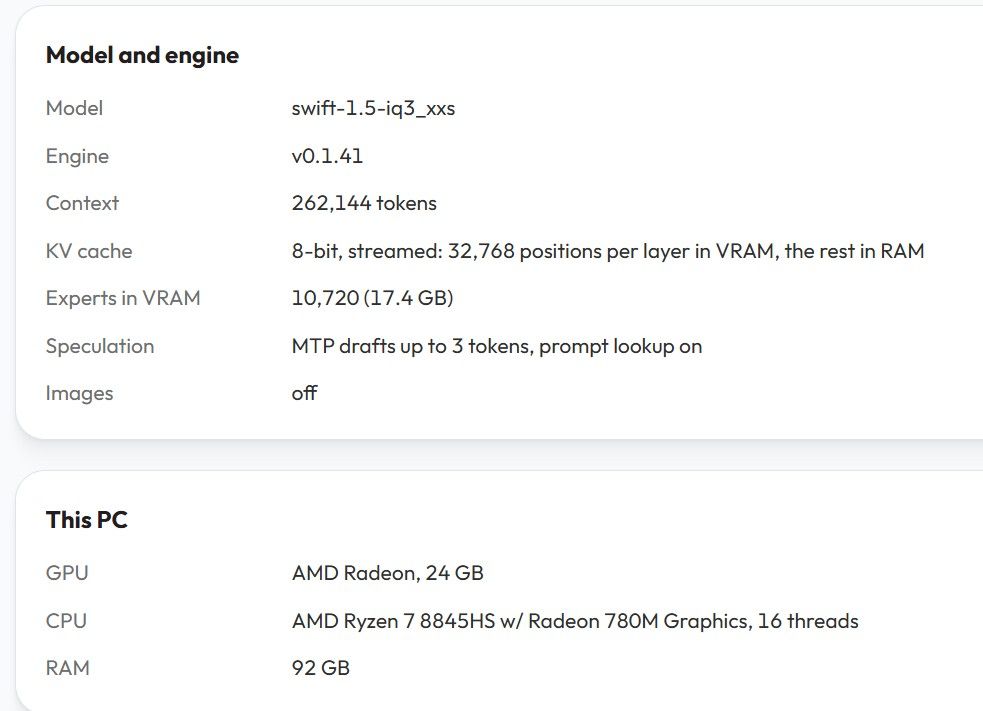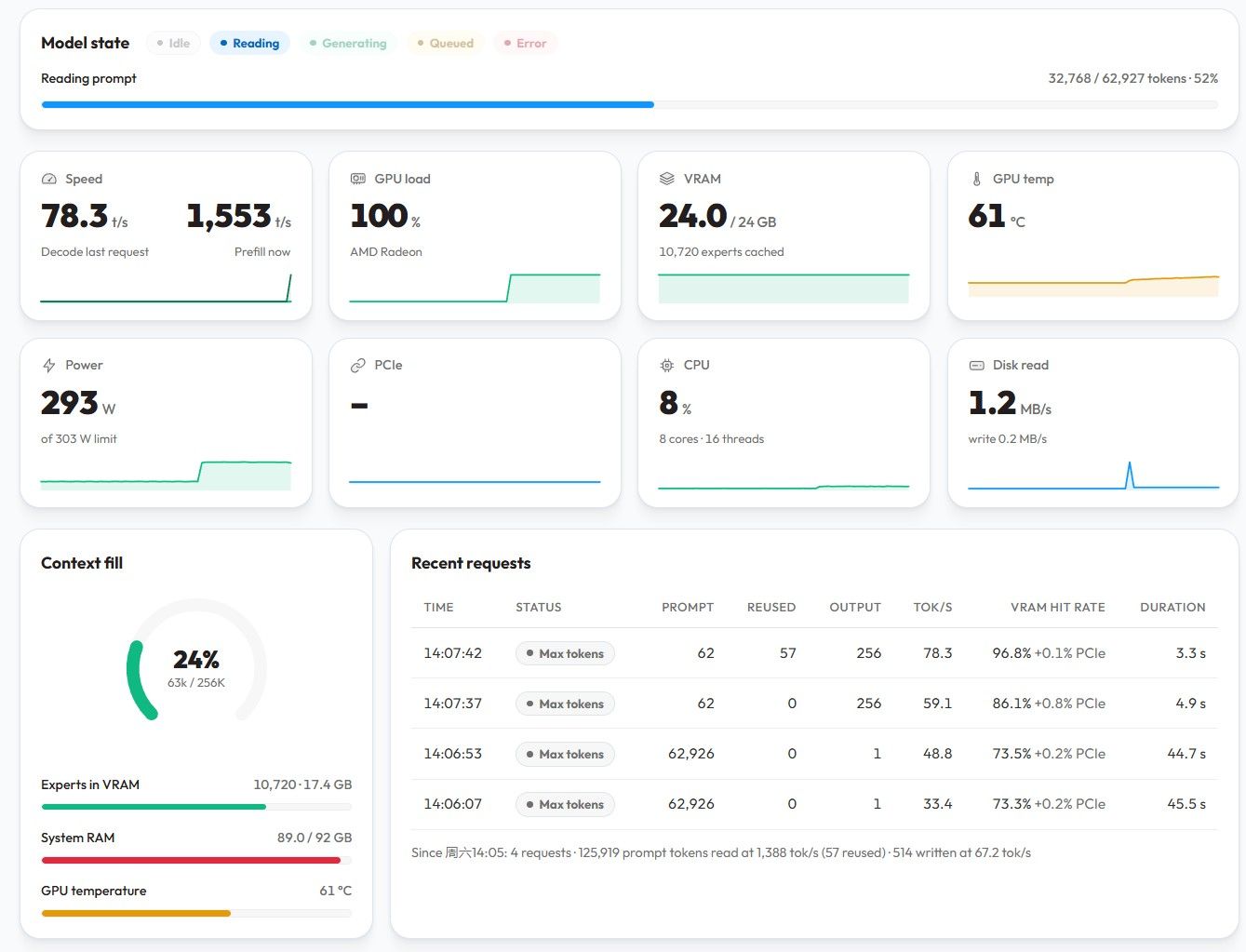
@terry 静音方面, 蓝宝石的7900xtx应该是无敌的存在吧. 就这一点, 完胜其它所有卡, 哈哈. 我在闲鱼上买的第二块7900xtx也到了...
-
京东自营上架二手3090,标价8699,近期有自建本地AI算力的玩家可以给东哥走个面,单卡或者双卡TP都很有CP值,比7900XTX新卡更好! -
魔改SGLANG支持7900XTX 双卡TP TTFT <1s 平均TG 80-100! 4并发TG200/sec@terry 我这边用的场景, 好像128K不够用, 256都不够. 长任务用 deepseek 的 1M 都要 compact 好几次...所以我比较关心长上下文以及长上下文的情况下的"降智"问题(qwen3.8-27b).
-
魔改SGLANG支持7900XTX 双卡TP TTFT <1s 平均TG 80-100! 4并发TG200/sec@flyer666 我也是5月份看老特的介绍买了张新卡, 前天咸鱼买了一张二手还没到...btw, 自己一个人用, 多并发好像不是必须, 在长context vs 并发 之间取舍?
-
魔改SGLANG支持7900XTX 双卡TP TTFT <1s 平均TG 80-100! 4并发TG200/sec@flyer666 跟定楼主了...抄作业,学习...
-
好好珍惜自己手上的N卡 + A卡 (因為現在市場買氣旺盛 所以補上A卡)@909 算上刚买的这个,是双卡. 不过硬件咋接还没想好.
-
我替大家趟趟路 T7910@张光璞 嗯嗯. 我也是在想, 两张7900xtx接一个oculink咋弄...大机器除了内存贵, 也太沉, 搬起来怕把腰闪了... 我在考虑方案: oculink 先转 pcie, 然后插一块带 switch 的 pcie转4x m.2卡(手头已有), 然后 m.2 再转 pcie; P2P是够呛了, 只能玩 pipeline parallelism... 慢慢玩, 不着急,

-
好好珍惜自己手上的N卡 + A卡 (因為現在市場買氣旺盛 所以補上A卡)A卡也得珍惜...五月份jd买的7900xtx蓝宝石白金, 现在已经涨到了8200...刚在咸鱼上拍了一个同样的,5400元. 买不起N卡就玩A卡, 哈哈

-
我替大家趟趟路 T7910@张光璞 两张7900xtx, 供电线够吗? 白金版的话, 要6X 6+2pin; 另外, 有没有考虑过 t7920?
-
双7900xtx的主机方案?今天问了下价格, 太贵了:

-
双7900xtx的主机方案?论坛的帖子 双卡7900xtx-vllm-qwen3.8-爽玩agent-pp1600-tg-160-附-mtp-7900xtx全攻略 又勾起了我再买一张 7900xtx 的小心思...但是主机选什么, 我不想攒机, 想买hp的工作站准系统. 和 hy3 讨论了半天, 它给的方案, 大家看看. 我现在还没有决定要不要搞一搞.
HP Z8 G4 + 双 7900 XTX 装机核对清单
目标:用一台支持 DDR4 ECC 的 HP 准系统工作站,带动 2 张蓝宝石 RX 7900 XTX 白金 OC(各 3×8-pin)。
本文汇总了机型选择、电源供电方案、内存迁移、单/双路取舍、PCIe 槽位、体积对比与上机步骤。
1. 结论速览
项目 决定 机型 HP Z8 G4 准系统(配 1450W 电源,中国 230V 市电下实得 1700W) 显卡 2× 蓝宝石 RX 7900 XTX 白金 OC(3×8-pin,无 RGB,无双 BIOS 开关) 内存 沿用 P500 的 4×32GB 三星 DDR4-2133 RDIMM(M393A4K40BB1-CRC),共 128GB CPU 先 单路,推荐 Xeon Gold 6248(二代 20C/40T);详见第 7 节 供电补足 4 根原生线 + 2 根 18AWG 优质 1分2 转接线 + 分路接线 体积 Z8 G4 ≈ 53 L,比 P500(36 L)大约一半,更宽更深也更重
2. 为什么是 Z8 G4(机型对比)
均支持 DDR4 ECC,但只有 Z8 G4 的电源瓦数与接口够双 7900 XTX:
机型 内存 原生显卡供电线 电源选项 带双 7900 XTX HP Z8 G4 DDR4 ECC RDIMM/LRDIMM,24 槽,最高 3TB 4× 6+2-pin 1125W / 1450W(230V=1700W)
瓦数够,差 2 个口用转接补HP Z6 G4 DDR4 ECC,12 槽 仅 2× 6/8-pin 仅 700W / 1000W
瓦数+接口都不够HP Z4 G4 DDR4 ECC,8 槽 1000W 版 4× 6+2-pin 465W / 750W / 1000W
️ 瓦数偏紧,接口同样差 2 个HP Z840(老) DDR4 ECC,16 槽 4× 8-pin 最高 1125W
️ 机型较老结论:Z6 G4 出局;唯一干净解是 Z8 G4 1450W。HP 全系工作站电源都不提供 6 个原生 8-pin,这是品牌准系统的统一上限。
3. 电源与供电方案(最关键)
3.1 1450W 能不能抗动两块 7900 XTX?
约束 评估 结论 总瓦数 2×355W≈710W + 单路 CPU(~105–165W)+ 平台(~150W)≈ 1000–1100W;1450W(230V 下 1700W)有余量
够接口数量 原生只有 4 个 8-pin,双卡要 6 个
差 2 个,需转接多路预算 电源多路设计,4 根显卡线各走独立 +12V 路,每路 18A≈216W,4 路合计≈864W > 710W
够,但必须分路接线注意:Z8 G4 的「1700W」是 1450W 单元在 ≥200V 输入下的额定值(中国 230V 即此情况),是同一颗电源,不是另一颗更大的电源。
3.2 接线图(核心:每根原生线跨两张卡各喂一个口)
Z8 G4 1450W ── 4 根原生 6+2-pin(每根 = 独立 +12V 路,上限≈216W) ├─ 线A ─[1分2]─┬─ 卡1 的 8-pin #1 │ └─ 卡2 的 8-pin #1 (线A 负载≈186W < 216W ✅) ├─ 线B ─[1分2]─┬─ 卡1 的 8-pin #2 │ └─ 卡2 的 8-pin #2 (线B 负载≈186W < 216W ✅) ├─ 线C ──────── 卡1 的 8-pin #3 (线C 负载≈93W ✅) └─ 线D ──────── 卡2 的 8-pin #3 (线D 负载≈93W ✅)负载测算:7900 XTX 整板 ~355W,PCIe 槽已供 75W,剩 ~280W 由 3 个 8-pin 分担 ≈ 每口 93W。
- 线 A/B 各喂两张卡各一个口 → 2×93 ≈ 186W/路 < 216W

- 线 C/D 各喂一张卡一个口 → 93W/路

- 每张卡的 3 个口来自 3 根不同原生线(3 路分摊),无单路过载。
3.3 需购买
- 2 根「1 分 2」8-pin(6+2)转接线:注意这是插在显卡侧的「8-pin(6+2)公头 → 2×8-pin(6+2)母头」分线器(标准 PCIe 接口,通用 PC 配件)。必须选 18AWG 以上、带编织/正规端子的优质线(如 CableMod / MODDIY 等名牌,别用几块钱劣质转接头)。每根分线器两条支线各约 93W,远在 18AWG 安全范围内。详见 3.5 节关于原装型号与购买建议。
3.4 必须知道的坑
- 瞬态尖峰:7900 XTX 瞬时功耗可冲到 ~450W+。若某卡尖峰到 450W,线 A/B 会瞬间到 ~250W,略超 216W 单路上限,可能触发 OCP 保护掉电。
- 对策:对两张卡做 undervolt(7900 XTX 易压到 ~280–300W 且不掉性能),尖峰和总负载都大幅降低,方案立刻变稳。
- 电源是专用形态(非 ATX):Z8 G4 电源与线材是惠普专有接口,不能换市售大电源来凑更多 8-pin。「4 原生线 + 2 转接」是现实里最干净的解法。
3.5 原装线型号 &「1分2」购买建议(关键纠偏)
- 拓扑纠正:Z8 G4 的 GPU 供电来自机内电源背板(Power Distribution Board),电源侧实际是 4 个 6-pin(G1–G4,各 18A/216W);原装线是「电源侧 6-pin → 显卡侧 6+2-pin(8-pin)」,你手头已有 4 个 8-pin 口。
- 主供电分配线原厂号:HP 848202-001(Z8 G4 Power Distribution Cable)。只有当准系统缺了原生线时才需补买原装。
- HP 没有「显卡侧 8-pin → 2×8-pin」的一分二转接件(HP 唯一的一分二在电源侧 6-pin 那头,且不单独零售)。所以你要的「1分2」直接买**第三方优质 8-pin(6+2) 公 → 2×8-pin 母 分线器(18AWG 以上)**即可,没必要买原装,更便宜也安全。
️ 买准系统务必确认带供电线:部分出厂配低功耗卡(如 Quadro P620)的机器可能根本没预装 GPU 供电线(harness 未装)。下单前让卖家确认「带 4 根 6+2-pin 显卡供电线 / GPU power harness 已装」。- 别买错型号:721859-001 是给老款 Z420/Z440/Z840 用的 6-pin→8-pin 转接,不适用于 Z8 G4。
4. 显卡说明(蓝宝石 7900 XTX 白金 OC)
- 接口:3× 8-pin(公版是 2×8-pin;白金 OC 与超白金都是 3×8-pin,但白金 OC 是无 RGB 的标准非公、功耗墙为公版级 ~355W)。
- 没有双 BIOS 开关:双 BIOS 物理开关是 Nitro+(超白金/氮动)才有的;白金 OC 是单 BIOS,找不到开关属正常。
- 「静音档」改用软件实现:装好 AMD 驱动后,打开 Adrenalin → 性能 → 调整 → 自定义:
- 降电压(Undervolt):电压曲线整条下压到约 1000–1050mV(几乎不掉性能)。
- 降功耗墙:功耗限制拉到 −6% ~ −10%,整板从 ~355W 压到 ~300–320W。
- 自定义风扇曲线:设成更温和的曲线(高温才提速)= 你的「静音模式」。
- 效果:功耗更低 → 温度更低 → 风扇更安静,正好契合「噪音小」诉求,同时减轻 4 路供电压力。
5. 内存(沿用 P500 的 4×32G)
5.1 Z8 G4 内存类型
- DDR4 ECC,限定为 RDIMM(Registered)和 LRDIMM(Load-Reduced);不支持 UDIMM(无 Registered 的普通条)。
- 24 个 DIMM 槽(双路架构,每 CPU 12 槽;单路时该 CPU 对应 12 槽可用)。
- 频率随 CPU 代际:一代 Skylake-SP 最高 DDR4-2666,二代 Cascade Lake 最高 DDR4-2933(实际跑频由 CPU 决定)。
5.2 P500 的 4×32G 能否搬?(实测确认
)P500 上
lshw实测 Part Number = 三星 M393A4K40BB1-CRC:- 三星
M393A系列 = DDR4 RDIMM(Registered) → Z8 G4 原生支持,可以直接搬。 - 共 4 条 ×32GB = 128GB,类型与 Z8 G4 完全匹配。
5.3 上机前确认命令(Linux)
sudo lshw -C memory # 看 product/part-no,如 M393A4K40BB1-CRC sudo dmidecode --type 17 | grep -E "Size:|Type:|Type Detail:|Part Number:"- 类型判定:
Synchronous Registered= RDIMM
;Load-Reduced= LRDIMM
;Unbuffered= UDIMM
(Z8 G4 不认)。 decode-dimms在 P500 上读不到 SPD(Intel ME 锁了 I²C,显示UU),属正常,不影响结论。
5.4 搬过去后的现实预期
- 频率降到 2133(比 Z8 G4 原生 2666/2933 慢,不影响稳定)。
- HP BIOS 可能弹
Unsupported memory module警告,通常仍可继续启动。 - 这 4 条是 RDIMM → 以后扩内存买 RDIMM 即可,和 HP 原厂一致,无 LRDIMM 混插顾虑。
6. 单路 vs 双路(针对 4×32G)
单路(1 CPU) 双路(2 CPU,对称 2+2) 内存通道总数 6 12 4 条占用的活跃通道 4 4(每 CPU 2) 实际内存带宽 4 通道 4 通道(一样) 128GB 归属 统一 1 个 NUMA 节点 劈成 2 节点,每 CPU 仅 64GB 双卡亲和性 GPU 都挂这颗 CPU,零跨节点 某 GPU 可能跨 UPI 访问另一 CPU 内存 额外成本 只买 1 颗 CPU 第 2 颗 CPU + 散热 + 更高功耗 结论:只有 4 条内存时,单路更优——内存集中华中、零 NUMA、双卡亲和完美、省钱。双路留给「内存加到 8–12 条以上 / 要更多核心 / 上第 3 张卡」时。具体选哪颗 CPU(含价位)见第 7 节。
7. 支持的 CPU 与本地 AI 推荐
7.1 支持的 CPU 家族
- Z8 G4 用 LGA3647 接口,支持 Intel Xeon Scalable 一代(Skylake-SP) 和 二代(Cascade Lake-SP)。
- 最高单颗 28 核(Platinum 8180/8280 级别),双路合计 56 核 / 112 线程,内存 6 通道/CPU。
️ P500 里的 Xeon E5 v3(LGA2011-3)无法用于 Z8 G4 —— 接口不兼容,CPU 必须另买。
代际 接口 代表系列 最高规格 一代 Skylake-SP LGA3647 Bronze 31xx / Silver 41xx / Gold 51xx·61xx / Platinum 81xx / Xeon W-21xx 28C/CPU(Platinum 8180) 二代 Cascade Lake-SP LGA3647 Bronze 32xx / Silver 42xx / Gold 52xx·62xx / Platinum 82xx / Xeon W-22xx 28C/CPU(Platinum 8280) 7.2 跑本地 AI,CPU 到底干啥?
你的 2×7900 XTX 是绝对主力(ROCm / llama.cpp / ollama / vLLM),CPU 只负责:
- 模型加载(磁盘/内存 → 显存)—— 吃内存带宽
- 数据预处理 / tokenization —— 吃多核
- CPU offload(模型超过显存时把部分层放内存)—— 吃内存容量 + 带宽
- 系统调度
结论:主频对 LLM 推理边际收益很低(瓶颈在 GPU),核心数、内存带宽、双路扩展性才是关键。盲目追高频 Platinum 是浪费钱。
7.3 推荐型号(按预算)
型号 核心/线程 代际 TDP 二手大致区间* 点评 Xeon Gold 6248 20C/40T, 2.5GHz 二代 150W ¥600–1200/颗 性价比主力:单路够强,可双路扩展变 40C/80T Xeon Gold 5220 18C/36T, 2.2GHz 二代 125W ¥400–800 多核折中之选 Xeon Silver 4214 12C/24T, 2.2GHz 二代 85W ¥150–400 最省钱的入门单路 Xeon W-2295 18C/36T, 3.0GHz 二代(W单路) 165W ¥1000–2000 单路高主频,不能双路,适合确定不扩双路
Platinum 828028C/56T 二代 205W ¥2000–4000+ 不推荐:贵,对 LLM 推理收益低 * 二手/拆机件估算区间(2024–2025 行情,人民币/颗),受成色、是否带散热、渠道影响波动很大,下单前请按实时行情自查(闲鱼 / 淘宝商家 / eBay)。
7.4 我的建议
先单路上一颗 Xeon Gold 6248(二代):20 核、150W、单路 6 通道 DDR4-2933 内存带宽够用,且它是可双路型号,以后想扩直接加第二颗同款 + 对称内存即变 40C/80T,路线干净。预算紧就 Silver 4214 起步、Gold 5220 折中。
7.5 采购注意事项
- 准系统通常不含 CPU 和散热,散热要另买且需匹配 TDP(如 150W CPU 配 145W 级散热)。
- BIOS 需先刷到支持 Cascade Lake 的版本才能认二代 U;买准系统时确认 BIOS 已更新,否则只能用一代 Skylake。
- 双路路径:第二颗 CPU + 第二套散热 + 对称内存(你那 4×32G 是 RDIMM,加内存也买 RDIMM)。
- 一代/二代内存控制器最高频率不同(2666 / 2933),低频条(如你 P500 的 2133)插上去会降频跑,不影响稳定。
8. 单路 PCIe 槽位(Z8 G4)
槽位 单路带宽 单路可用? 用途 Slot 1 PCIe 3.0 x4 
装 2nd CPU 后升 x8 Slot 2 PCIe 3.0 x16 
插第 1 张 7900 XTX Slot 3 PCIe 3.0 x16
单路不可用仅双路解锁(归 CPU2) Slot 4 PCIe 3.0 x16 
插第 2 张 7900 XTX Slot 5 PCIe 3.0 x4 
易被 Slot 4 的卡遮挡 Slot 6 PCIe 3.0 x16
单路不可用仅双路解锁(归 CPU2) Slot 7 PCIe 3.0 x4 
实际可插(NVMe/网卡) - 双卡插 Slot 2 + Slot 4,中间空 Slot 3 给散热间隙(Z8 G4 原生支持双卡的设计)。
- 单路除 2 个 x16 外,还有 Slot 1/5/7 三个 x4 槽;但 3 槽宽显卡会遮挡 Slot 1/5,实际能插设备的 x4 槽多半只剩 Slot 7。
- 7900 XTX 是 PCIe 4.0 卡,插在 Z8 G4 的 3.0 槽上跑 3.0(带宽减半),多数游戏/推理场景瓶颈在显存与算力,够用。
9. 体积对比
维度 HP Z8 G4 Lenovo P500 谁大 高度 444.5 mm 440 mm 几乎一样 宽度 215.9 mm 175 mm Z8 G4 宽 ~41mm 深度 551.2 mm 470 mm Z8 G4 深 ~81mm 体积 ≈ 53 L 36 L Z8 G4 大 ~47% Z8 G4 比 P500 大一圈,更宽更深也更重(整机 22–32kg)。放机器前确认桌面/机柜空间与承重。
10. 上机步骤核对
- 收货 Z8 G4 准系统,确认带1450W 电源 且机箱内有 4 根原生 6+2-pin 显卡供电线(GPU power harness 已装,见 3.5 节,部分低功耗卡出厂机可能没带线)
- 装单路 Xeon Scalable CPU(推荐 Xeon Gold 6248,见第 7 节)+ 原装散热(确认散热瓦数匹配 BIOS 已支持 Cascade Lake)
- 插4×32G RDIMM:按 Z8 G4 机箱内壁填充顺序,插在 CPU1 对应的 4 个不同通道第一排槽位(跑满 4 通道)
- 装双 7900 XTX 于Slot 2 + Slot 4(中间空 Slot 3)
- 供电:4 原生线 +2 根 18AWG 优质 1分2 转接线,按第 3.2 节分路接法连接
- Slot 7 插 NVMe / 网卡等
- 上电进 BIOS,确认内存识别为 128GB、两张显卡均识别
- 装系统 → 装 AMD 驱动 → Adrenalin 里按第 4 节做undervolt + 静音风扇曲线
- 跑稳定性测试(如furmark/实际负载),观察是否触发电源 OCP 掉电;若掉电则再压低功耗墙
11. BMC 与风扇调速
11.1 有没有 BMC(带外管理)?
- 默认没有。 Z8 G4 是工作站而非服务器,主板上没有内置 BMC / iLO / IPMI。不要期待像 HPE 服务器那样能远程 KVM、远程开关机、看传感器。
- 可选加装:HP 提供 HP Remote System Controller(RSC) 作为独立选件(内插式或外置式控制器卡),可实现带外 KVM、远程电源、BIOS 访问、Redfish API 等(兼容 Z8 G4)。但它是单独付费配件,二手/准系统通常不含,且货源少、价高——对本地 AI 家用场景一般没必要。
- 结论:当普通工作站用,靠主板自带的运维能力 + 自己接显示器/SSH 即可;别为 BMC 多花钱。
11.2 主板风扇转速能调吗?
- BIOS 只有「最低/待机转速」一个杠杆:
Advanced → Built-in Device Options → Increase Idle Fan Speed (%),用来抬高风扇的基线最低转速(对被动散热卡如 P100 有用)。不能设最高转速,也不能自定义 RPM 曲线。 - 风扇由主板嵌入式控制器按温度自动调速,没有给用户开放手动曲线。
- Linux 下基本调不了:主板用的是专有嵌入式控制器,标准
lm_sensors能读到温度,但fancontrol/pwmconfig往往看不到可用的 PWM 风扇控制接口(社区实测「除 GPU 风扇外看不到风扇控制」)。即使用户态工具也难强行控速。 - HP 官方软件(Windows 下的 HP Performance Advisor 等)也只能看状态,不给完整手动曲线。
11.3 对你的实际影响与对策
- 装两张 7900 XTX(自带风扇、主动散热)时,机箱风扇自动调速就够,通常无需干预;担心热量就把
Increase Idle Fan Speed适当调高,让机箱风更积极。 - 若你希望精细控风扇/传感器,更现实的路子是:靠 GPU 自身(Adrenalin 调速)+ 机箱风扇基线抬高,而非指望主板 BMC 或 Linux 用户态控速。
- 想远程管理:装个 IP KVM / PiKVM,或系统里跑 SSH +
rocm-smi看 GPU 状态,比折腾 Z8 G4 的 BMC 省事。
12. 参考与文档
- HP Z8 G4 QuickSpecs(电源/接口/槽位权威来源)
- HP 社区:双 RTX 3090 + Z8 G4 1700W(同构案例,确认 4 路×216W 多路结构)
- HP 社区:单张 RTX 4090 FE + Z8 G4 1450W(实测成功,附电源铭牌照)
- 本机
lshw/dmidecode实测:三星 M393A4K40BB1-CRC = RDIMM - HP Z8 G4 官方用户指南 / 维护服务指南 PDF(见同目录下载文件)
- 线 A/B 各喂两张卡各一个口 → 2×93 ≈ 186W/路 < 216W
-
【求助】有人对比过unsloth的Qwen3.8-27B-UD-Q4_K_M.gguf和Qwen3.8-27B-Q4_K_M.gguf在7900XTX上的表现么?我的Q4_K_M是 Abiray/Qwen3.8-27B-Q4_K_M.gguf. 下面是前两天让 AI 测的:

完整脚本如下, FYI:
bruin@lmde7 ~ $ cat run-model-3.8.sh #!/bin/bash set -uo pipefail # TODO (progress as of 2026-08-23): # # 1. [DONE] find all qwen3.8-27b models under /opt/gguf-models # -> 4 text models + 2 mmproj + 1 imatrix (see MODEL INVENTORY below) # 2. [DONE] pp/tg performance: extensive benchmark of each model (with # different KV quantization) at different context sizes (0/40/80K) # -> results in the MEASURED BENCHMARK MATRIX below + bench-3.8-sweep.sh # 3. [DONE] reproduce the "repeating loop" at high context size and provide # flag combinations to suppress it: --repeat-penalty, --dry-*, # --min-p, and the froggeric Qwen-Fixed-Chat-Templates chat template # -> bench-3.8-loop.sh reproduced it (rep_score 0.36 -> 0.18 w/ DRY) # 4. [DONE] max context size: explore the max servable context (<256KiB) with # 24 GiB VRAM (7900 XTX) -> Ridge is the only model that holds q8_0 # at 256K (88% VRAM); see MEASURED BENCHMARK MATRIX # 5. [DONE] update the following comments and script to list all possibilities # 6. [DONE] convert all command line options to long format (--xxxx) with # comments, for clarity. # ============================================================================= # run-model-3.8.sh — Qwen3.8-27B model selector (llama.cpp Vulkan / RX 7900 XTX) # # Interactive menu launcher. For API-driven dynamic switching (harness lists # models via GET /v1/models and picks one per request via the "model" field), # use run-model-3.8-router.sh + qwen3.8-models.ini instead. # # Menu-driven launcher in the style of run-model.sh, now covering ALL four # Qwen3.8-27B GGUF quantizations present on this box (see MODEL INVENTORY): # * Q4_K_M (Abiray) 16.8 GiB file, ~15.3 GiB weights [in menu] # * Ridge 3.7bpw (empero-ai) 12.6 GiB file, ~11.9 GiB weights [in menu] # * UD-Q4_K_M (unsloth) 16.5 GiB file, dynamic quant [in menu] # * Q5_K_S (unsloth) 19.3 GiB file, ~17.5 GiB weights [in menu] # # GOAL: maximize the servable context while keeping generation throughput (tg) # usable. Benchmarked 2026-08-23 on this machine with llama-benchy # (pp=2048, tg=128, --no-cache) against ~/llama-server-vulkan-b10485. # "tg" below = tokens generated / second (llama-benchy t_s_mean). See the # MEASURED BENCHMARK MATRIX for the full per-model / per-KV / per-depth # picture; results are reproducible with bench-3.8-sweep.sh. # # ----------------------------------------------------------------------------- # !! 320K IS NOT SERVABLE WITH THIS BINARY !! # llama-server b10485 hard-caps the slot at the model's native training # context (262144). Loading --ctx-size 327680 logs: # "the slot context (327680) exceeds the training context of the model # (262144) - capping" -> n_ctx_slot = 262144 (verified) # So a 320K entry would allocate KV for 327680 tokens but still only serve # 262144, wasting ~1.2 GiB VRAM. The PRACTICAL ceiling is 262144 (256K). # To truly serve 320K you must patch server-context.cpp (remove the cap) and # rebuild llama-server; the ready YaRN flags for that are: # --rope-scaling yarn --rope-scale 1.25 --yarn-orig-ctx 262144 # (see run-3.8-q4-320k.sh for the full story). # # ----------------------------------------------------------------------------- # MODEL INVENTORY (TODO #1) — every Qwen3.8-27B artifact under /opt/gguf-models: # # text models size notes # ------------------------------------------- ----------- ----------------- # Abiray/Qwen3.8-27B-Q4_K_M.gguf 16.8 GiB Q4_K_M (static) # empero-ai/Qwen3.8-27B-Ridge-3.7bpw.gguf 12.6 GiB 3.7bpw + imatrix # unsloth/Qwen3.8-27B-UD-Q4_K_M.gguf 16.5 GiB Unsloth Dynamic Q4 # unsloth/Qwen3.8-27B-Q5_K_S.gguf 19.3 GiB Q5_K_S (static) # # multimodal projectors (Qwen3.8-27B is a native VLM) # ------------------------------------------- ----------- ----------------- # unsloth/mmproj-F16.gguf 927 MiB F16 vision tower # empero-ai/mmproj-Qwen3.8-27B-BF16.gguf 931 MiB BF16 vision tower # # unsloth/imatrix_unsloth.gguf 13 MiB imatrix data (NOT a model) # # All four text models share the Qwen3.8-27B architecture (65 layers, only # every 4th block is full-attention; the rest are SSM/linear blocks with no # KV cache). Both mmproj files are interchangeable across the four text # models — add "--mmproj <path>" to serve vision. Enabling mmproj costs # ~1 GiB VRAM, so shave context accordingly if you want vision. # # ----------------------------------------------------------------------------- # MEASURED BENCHMARK MATRIX (re-measured 2026-08-23, llama-benchy: # pp=2048, tg=128, --no-cache, runs=1; tg = generation t/s, i.e. the # t_s_mean column). VRAM% is rocm-smi at idle@load (x 24.0 GiB => GiB). # tg@40K / tg@80K = generation t/s with 40K / 80K tokens already filled. # NOTE: tg=128 is a SHORT burst; long sustained generations run ~30-45% # faster once the GPU reaches full boost (e.g. Q4_K_M @256K q4_0 sustains # ~77 t/s on a 2K-token completion vs 52.9 t/s measured here). # # model ctx KV VRAM% tg@0 tg@40K tg@80K pp@0 note # ------ ------- ----- ----- ------ ------ ------ ----- --------------- # Ridge 262144 q4_0 71% 55.3 50.7 38.9 538 BEST max-ctx # Q4_K_M 262144 q4_0 89% 52.9 43.1 38.3 546 max-ctx # UD-Q4 262144 q4_0 88% 54.0 48.3 35.6 504 max-ctx # Q5_K_S 262144 q4_0 94% 19.0 9.9 7.6 344 SPILLS (bad) # Ridge 131072 q8_0 67% 64.8 51.6 40.5 523 fastest + quality # Ridge 262144 q8_0 88% 60.3 TBD TBD 528 quality KV @256K (fits!) # Q4_K_M 131072 q8_0 85% 58.7 46.4 37.2 522 quality KV @128K # UD-Q4 131072 q8_0 84% 52.9 43.5 35.0 513 quality KV @128K # Q5_K_S 131072 q8_0 93% 32.8 29.4 26.7 434 tight # # q4_0 KV (~18 KiB/tok) is smaller AND faster than q8_0 (~33 KiB/tok), but # q8_0 holds more KV precision. Ridge's ~4 GiB smaller footprint means it # can afford q8_0 KV (quality) where the others must fall back to q4_0 — and # it is the ONLY model that holds q8_0 at the full 256K context (88% VRAM, # 60.3 t/s), so Ridge @256K q8_0 is the quality+context champion. # # tg falls as the context FILLS. e.g. Q4_K_M @256K q4_0: 52.9 -> 43.1 @40K # -> 38.3 @80K. Treat the tg@0 column as a ceiling; near-full runs slower. # # ----------------------------------------------------------------------------- # LOOP PREVENTION (TODO #3) — high-context self-repetition: # The original greedy sampling (temp 0.6 / top-p 0.5 / top-k 15 / # repeat-penalty 1.0 / DRY off) loops on long open-ended/reasoning tasks. # Measured 2026-08-23 (bench-3.8-loop.sh, n-gram repetition score, higher = # more stuck) on the hardest prompt ("explain thinking at length"): # # sampling rep_score # ------------------------------------ --------- # baseline (no DRY, no template) 0.36 # DRY only 0.18 <- ~50% cut (the fix) # froggeric chat-template only 0.30 <- NO help here # DRY + template 0.18 <- same as DRY only # DRY + --min-p 0.1 0.16 <- no help (single-run noise) # DRY + --reasoning-budget 8192 0.17 <- no help # DRY + --reasoning-budget 0 0.14 <- marginal (thinking off) # DRY + min-p + budget 0.15 <- no better than DRY # # => the jinja chat template, --min-p and --reasoning-budget do NOT # meaningfully suppress text self-repetition (they target other things: # tool-call loops, distribution tails, thinking length). The DRY sampler is # the only effective knob — it halves the loop but does not fully kill it. # If you still need more (untested), escalate: # 1. --dry-multiplier lower (e.g. 0.5) stronger DRY penalty # 2. --spec-type none rule out an MTP draft bug re-injecting text # 3. lower --temp / --top-k tamer sampling (flat distributions # repeat more) # (froggeric/Qwen-Fixed-Chat-Templates is still useful for TOOL-CALL loops: # --chat-template-file <jinja file>) # ============================================================================= LLAMA_SERVER=/home/bruin/llama-server-vulkan-b10485 TIMEOUT=5 DEFAULT_MODEL=0 # ============================================================================= # FILE PATH VARIABLES # ============================================================================= F_Q4KM="/opt/gguf-models/Abiray/Qwen3.8-27B-Q4_K_M-GGUF/Qwen3.8-27B-Q4_K_M.gguf" F_RIDGE="/opt/gguf-models/empero-ai/Qwen3.8-27B-Ridge-3.7bpw/Qwen3.8-27B-Ridge-3.7bpw.gguf" F_UDQ4="/opt/gguf-models/unsloth/Qwen3.8-27B-GGUF/Qwen3.8-27B-UD-Q4_K_M.gguf" F_Q5KS="/opt/gguf-models/unsloth/Qwen3.8-27B-GGUF/Qwen3.8-27B-Q5_K_S.gguf" F_MMPROJ_UNSLOTH="/opt/gguf-models/unsloth/Qwen3.8-27B-GGUF/mmproj-F16.gguf" F_MMPROJ_EMPERO="/opt/gguf-models/empero-ai/Qwen3.8-27B-Ridge-3.7bpw/mmproj-Qwen3.8-27B-BF16.gguf" F_FIXED_CHAT_TMPL="/opt/gguf-models/froggeric/Qwen-Fixed-Chat-Templates/chat_template.jinja" # (Qwen3.8-27B is a native VLM; both mmproj files work with all four text # models. Text-only is the default; add --mmproj to a row's extra args to # serve vision — it costs ~1 GiB VRAM.) # ============================================================================= # MODEL MATRIX # Columns (| delimited): # 0: Name 1: Main model 2: CTX 3: KV quant 4: Extra args # # Extra args is a whitespace-separated string appended verbatim to the final # command line (e.g. "--alias foo --mmproj /path"). # ============================================================================= MODELS=( "Ridge 3.7bpw @256K (q8_0) - quality @256K 60 t/s |${F_RIDGE}|262144|q8_0|--alias qwen3.8-ridge-256k-q8" "Ridge 3.7bpw @256K (q4_0) - 55 t/s (more headroom)|${F_RIDGE}|262144|q4_0|--alias qwen3.8-ridge-256k" "Q4_K_M @256K (q4_0) - max context 53 t/s |${F_Q4KM}|262144|q4_0|--alias qwen3.8-q4-256k" "UD-Q4_K_M @256K (q4_0) - dynamic 54 t/s |${F_UDQ4}|262144|q4_0|--alias qwen3.8-udq4-256k" "Q5_K_S @192K (q4_0) - max Q5 clean ctx |${F_Q5KS}|196608|q4_0|--alias qwen3.8-q5-192k" "Q4_K_M @128K (q8_0) - quality KV 59 t/s |${F_Q4KM}|131072|q8_0|--alias qwen3.8-q4-128k" "Q5_K_S @64K (q8_0) - fast/quality |${F_Q5KS}|65536 |q8_0|--alias qwen3.8-q5-64k" "Q5_K_S @256K (q4_0) - Q5 max ctx (SPILLS 19 t/s)|${F_Q5KS}|262144|q4_0|--alias qwen3.8-q5-256k" # Uncomment once the server 262144 cap is patched out (needs rebuild): # "Q4_K_M @320K (q4_0) - YaRN, needs patched server |${F_Q4KM}|327680|q4_0|--alias qwen3.8-q4-320k --rope-scaling yarn --rope-scale 1.25 --yarn-orig-ctx 262144" # Vision variants (append --mmproj to any text model row; ~1 GiB VRAM cost): # "Q4_K_M @256K (q4_0) + vision mmproj |${F_Q4KM}|262144|q4_0|--alias qwen3.8-q4-256k-v --mmproj ${F_MMPROJ_UNSLOTH}" # "Ridge 3.7bpw @256K (q4_0) + vision mmproj |${F_RIDGE}|262144|q4_0|--alias qwen3.8-ridge-256k-v --mmproj ${F_MMPROJ_EMPERO}" ) # ============================================================================= # BUILD MODEL ID LIST FROM MATRIX # ============================================================================= declare -a MODEL_IDS=() declare -A MODEL_NAMES=() for i in "${!MODELS[@]}"; do MODEL_IDS+=("$i") IFS='|' read -r _name _ <<< "${MODELS[$i]}" MODEL_NAMES[$i]="$_name" done MODEL_COUNT="${#MODELS[@]}" # ============================================================================= # GRUB-LIKE MENU WITH LIVE COUNTDOWN # ============================================================================= clear echo -e "\n=== Qwen3.8-27B Llama Server Model Selector ===" printf "%-3s %-50s\n" "ID" "Model" echo "----------------------------------------------------------" for id in "${MODEL_IDS[@]}"; do mark="$([ "$id" -eq "$DEFAULT_MODEL" ] && echo "[*]" || echo " ")" printf "%-3s %-50s %s\n" "$id" "${MODEL_NAMES[$id]}" "$mark" done echo "----------------------------------------------------------" CHOICE="" for ((t=TIMEOUT; t>0; t--)); do printf "\rSelect model [${DEFAULT_MODEL}] (timeout: %ds): " "$t" if read -r -t 1 -n 1 char 2>/dev/null; then [[ "$char" == $'\n' || "$char" == $'\r' ]] && continue if [[ " ${MODEL_IDS[*]} " == *" ${char} "* ]]; then CHOICE="$char" break fi fi done printf "\rSelect model [${DEFAULT_MODEL}] (timeout: 0s): " CHOICE="${CHOICE:-$DEFAULT_MODEL}" if [[ ! " ${MODEL_IDS[*]} " == *" ${CHOICE} "* ]]; then echo -e "\nInvalid/No selection. Using default model: ${DEFAULT_MODEL}" CHOICE=$DEFAULT_MODEL fi SELECTED_NAME="${MODEL_NAMES[$CHOICE]}" echo -e "\n>> Loading: ${SELECTED_NAME}\n" # ============================================================================= # EXTRACT CONFIG FROM MATRIX ROW # ============================================================================= IFS='|' read -r _ MAIN_MODEL CTX_SIZE KV_QUANT EXTRA_ARGS <<< "${MODELS[$CHOICE]}" MAIN_MODEL="$(<<<"${MAIN_MODEL}" xargs)" CTX_SIZE="$(<<<"${CTX_SIZE}" xargs)" KV_QUANT="$(<<<"${KV_QUANT}" xargs)" EXTRA_ARGS="$(<<<"${EXTRA_ARGS}" xargs)" # ============================================================================= # BUILD ARGUMENTS (tuned for Qwen3.8-27B / RX 7900 XTX) # All options are long-format (--xxxx) for clarity; comments note the why. # ============================================================================= ARGS=( # --- device & model ----------------------------------------------------- --device Vulkan0 # GPU backend (RX 7900 XTX / RADV) --model "${MAIN_MODEL}" # main text model --ctx-size "${CTX_SIZE}" # servable context window (tokens) --parallel 1 # single sequence slot (max per-request ctx) # --- KV cache ----------------------------------------------------------- --cache-type-k "${KV_QUANT}" # K-cache quantization (q4_0/q8_0) --cache-type-v "${KV_QUANT}" # V-cache quantization (q4_0/q8_0) --gpu-layers -1 # offload ALL layers to VRAM --flash-attn on # flash attention (faster, less VRAM) # --- speculative decoding (MTP) ---------------------------------------- --spec-type draft-mtp # speculate with the model's MTP head --spec-draft-n-max 2 # max draft tokens per step # --- compute / batching -------------------------------------------------- --threads 10 # CPU threads for generation --batch-size 512 # logical prompt batch size --ubatch-size 256 # physical micro-batch size # --- context handling ----------------------------------------------------- --no-context-shift # disable KV shifting (keep full ctx) # --- template & reasoning ------------------------------------------------- --jinja # use the model's jinja chat template --reasoning on # enable <think> reasoning tokens --reasoning-effort medium # thinking effort level --no-reasoning-preserve # strip old turns' reasoning (lean ctx) # --- serving --------------------------------------------------------------- --kv-unified # unified KV (required for VLM layout) --host 0.0.0.0 # listen on all interfaces --port 8000 # OpenAI-compatible API port --metrics # expose Prometheus /metrics --load-mode none # no special mmap/mlock mode # --- sampling (loop-suppression set — see LOOP PREVENTION header) --------- --temp 0.6 # temperature --top-p 0.5 # nucleus sampling --top-k 15 # top-k sampling --repeat-penalty 1.1 # light anti-repetition penalty --dry-multiplier 0.8 # DRY: exponential penalty on repeats --dry-base 1.75 # DRY: base value (default) --dry-allowed-length 2 # DRY: trigger length (default) # Escalate if loops persist (uncomment as needed): # --reasoning-budget 8192 # cap thinking so a loop terminates # --min-p 0.02 # floor tokens below p*max-prob # --chat-template-file "${F_FIXED_CHAT_TMPL}" # froggeric fixed template # --spec-type none # rule out an MTP draft bug ) if [[ -n "${EXTRA_ARGS}" ]]; then read -ra EXTRA_SPLIT <<< "${EXTRA_ARGS}" ARGS+=("${EXTRA_SPLIT[@]}") fi # ============================================================================= # PRINT & EXECUTE # ============================================================================= echo "Running: ${LLAMA_SERVER}" for arg in "${ARGS[@]}"; do printf ' %s\n' "$arg" done echo "---" -
7900XTX + llama.cpp Qwen3.6 27B TurboQuant + MTP 测试结果分享@Quanta-Magic 喊 AI 帮你搞呀. 我让 hermes+v4pro 帮我搞了一个方案菜单:

-
Codex、DeepSeek Harness、Hermes谁才是最好用的Agent?Qwen3.8 27B/DeepSeek V4 Flash开发实战!短暂试用了一周dsh以后, 还是回到了hermes, 因为更熟悉...dsh里面有些概念如 profile 和 hermes 还不一样.... dsh这么火, 发展这么快, 我打算再观察一段时间.
-
7900XTX双卡跑VLLM跑 Qwen3.8 27b实录@Xiaote 确实, 目前还是一张7900xtx跑这玩玩看. 这张蓝宝石的7900xtx真是安静, 要是能多卡, 我早就想再买一张了. 还得感谢你爹的推荐. 哈哈
-
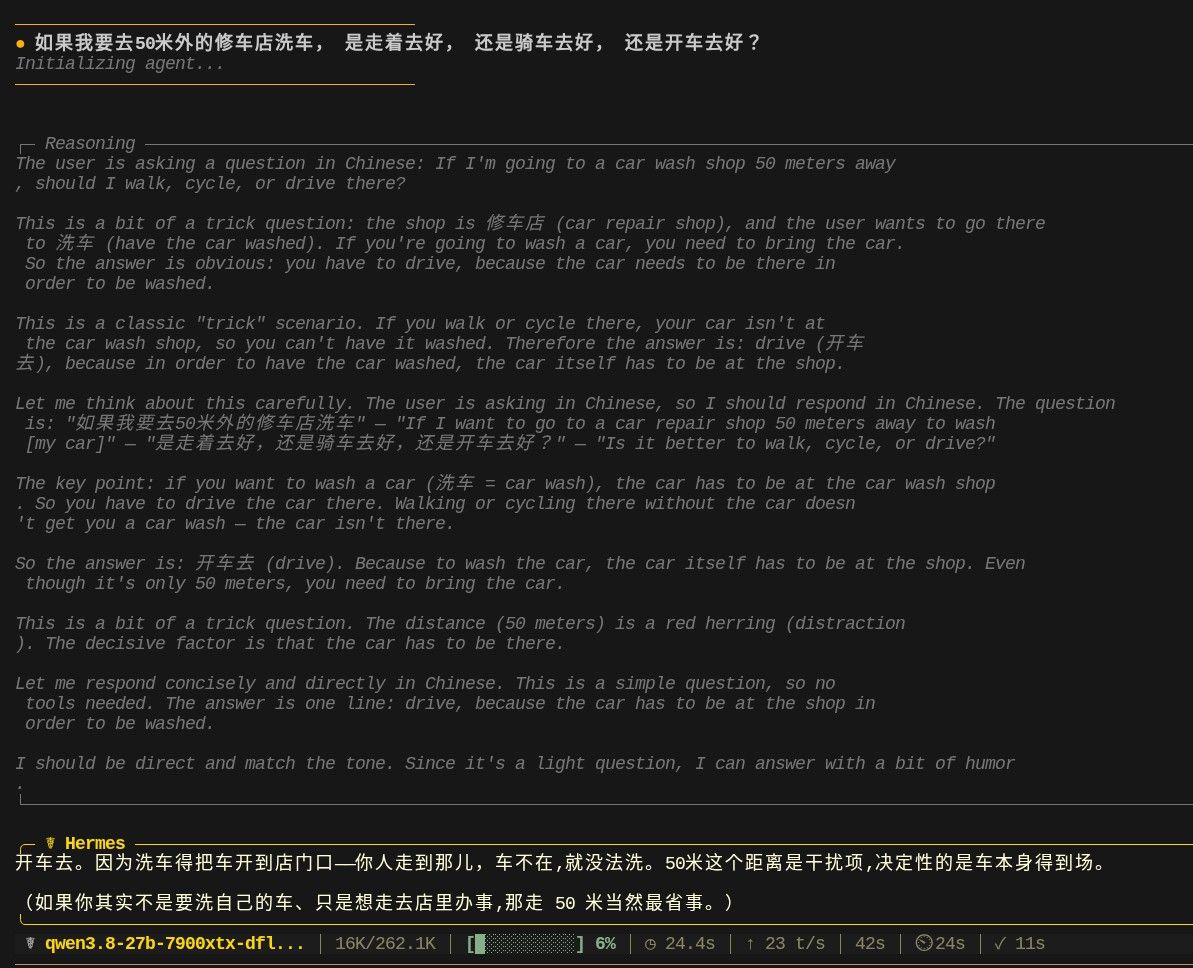
qwen3.8-27b幻觉一例
不过它的回答是在没有harness的情况下凭记忆给的.
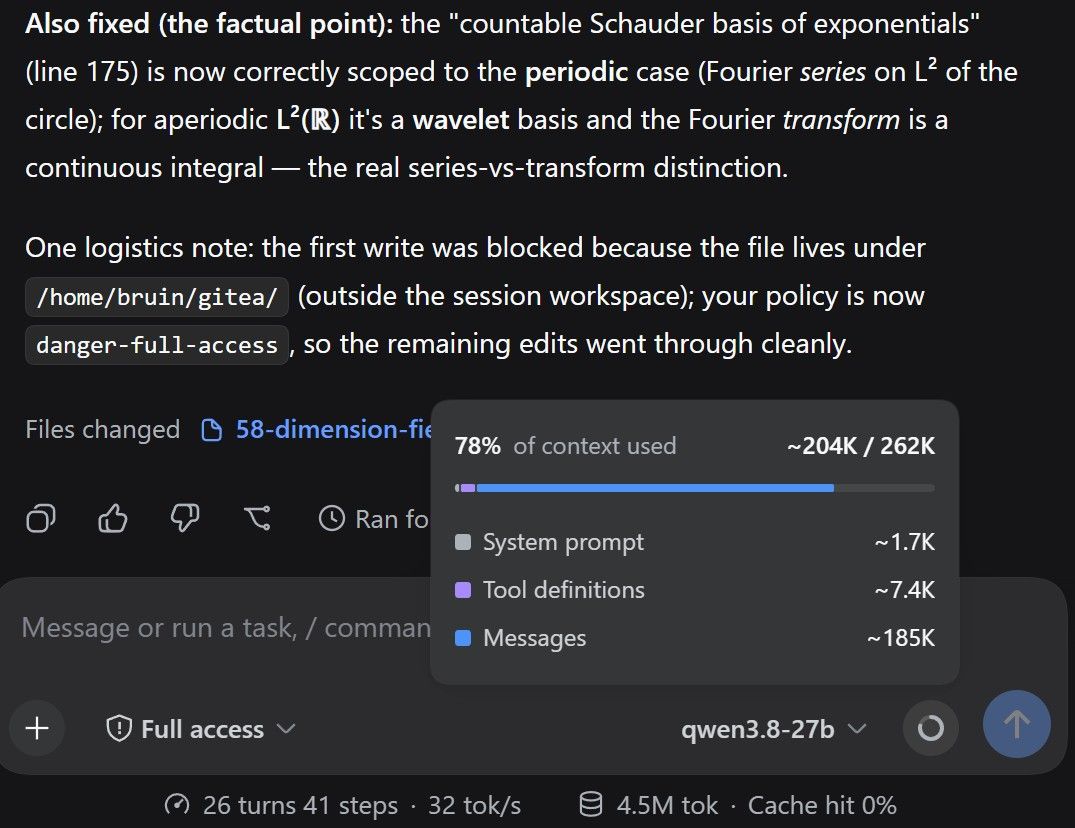
我把它的回答贴给 web 页面的 gemini 看, gemini 的评价:

我 Hermes 驱动的是 deepseek v4 pro, 它的优势是手握代码和测试环境, 最终它的分析是最靠谱的, gemini也不得不服:

-
7900XTX双卡跑VLLM跑 Qwen3.8 27b实录@Xiaote 小特我侄: 其实我想的是有没有这种显卡坞, 自带一个pcie switch, 可以接多个EP, 然后EP之间P2P...
-
7900XTX双卡跑VLLM跑 Qwen3.8 27b实录早就想试试双卡...可是只有一个oculink, 咋办? 有没有双卡的oculink显卡坞...
-
真实大型 Python 仓库上的自治软件工程全本地化Agent实验载荷@Tony-Xu-0 具体是如何让dsh/hermes按角色分工的(architect/engineer), 能介绍一下吗? 谢谢.
-
Qwen3.8 27B Q5_K_M + 7900xtx + DeepSeek Harness实战平均 52 t/s感谢楼主. 7900xtx 能跑,不错. 明天试试dsh. 今天dsh+v4pro花了100多, 肉疼(不过确实强, 长链自主调试FPGA, 综合+ila probe+烧写+测试+uart输出分析一条龙, 我基本可以不用管, 花token就行).

bruin@lmde7 ~ $ ./run-3.8-q5.sh 0.00.035.069 W Setting 'enable_thinking' via --chat-template-kwargs is deprecated. Use --reasoning on / --reasoning off instead. 0.00.035.097 W DEPRECATED: --mmap and --no-mmap are deprecated. use --load-mode mmap instead 0.00.039.005 I cmn common_param: common_params_print_info: verbosity = 3 (adjust with the `-lv N` CLI arg) 0.00.039.491 W srv llama_server: ----------------- 0.00.039.495 W srv llama_server: CORS is set to allow all origins ('*') and no API key is set 0.00.039.495 W srv llama_server: this can be a security risk (cross-origin attacks) 0.00.039.495 W srv llama_server: more info: https://github.com/ggml-org/llama.cpp/pull/25655 0.00.039.495 W srv llama_server: ----------------- 0.00.040.765 I srv load_model: loading model '/opt/gguf-models/unsloth/Qwen3.8-27B-GGUF/Qwen3.8-27B-Q5_K_S.gguf' 0.08.836.391 I cmn init: llama threadpool init, n_threads = 10 0.09.247.607 I common_speculative_init_result: creating MTP draft context against the target model '/opt/gguf-models/unsloth/Qwen3.8-27B-GGUF/Qwen3.8-27B-Q5_K_S.gguf' 0.09.318.357 I srv load_model: initializing, n_slots = 1, n_ctx_slot = 131072, kv_unified = 'true' 0.09.457.688 I srv init: chat template supports preserving reasoning, consider enabling it via --reasoning-preserve 0.09.457.746 I srv llama_server: model loaded 0.09.457.750 I srv llama_server: listening on http://0.0.0.0:8000 0.31.502.907 I slot get_availabl: id 0 | task -1 | selected slot by LRU, t_last = -1 0.31.503.144 I slot launch_slot_: id 0 | task 0 | processing task, is_child = 0 0.33.674.917 I slot print_timing: id 0 | task 0 | prompt eval time = 1607.08 ms / 333 tokens ( 4.83 ms per token, 207.21 tokens per second) 0.33.674.922 I slot print_timing: id 0 | task 0 | eval time = 564.47 ms / 34 tokens ( 17.11 ms per token, 58.46 tokens per second) 0.33.674.923 I slot print_timing: id 0 | task 0 | total time = 2171.56 ms / 367 tokens 0.33.674.928 I slot print_timing: id 0 | task 0 | graphs reused = 11 0.33.674.930 I slot print_timing: id 0 | task 0 | draft acceptance = 0.72727 ( 24 accepted / 33 generated), mean len = 3.18 0.33.674.999 I slot release: id 0 | task 0 | stop processing: n_tokens = 368, truncated = 0 0.39.250.971 I slot get_availabl: id 0 | task -1 | selected slot by LCP similarity, f_sim_best = 0.963 (> 0.100 thold), f_keep = 1.000 0.39.251.208 I slot launch_slot_: id 0 | task 16 | processing task, is_child = 0 0.40.592.295 I slot print_timing: id 0 | task 16 | prompt eval time = 368.90 ms / 14 tokens ( 26.35 ms per token, 37.95 tokens per second) 0.40.592.303 I slot print_timing: id 0 | task 16 | eval time = 972.01 ms / 67 tokens ( 14.73 ms per token, 67.90 tokens per second) 0.40.592.303 I slot print_timing: id 0 | task 16 | total time = 1340.91 ms / 81 tokens 0.40.592.305 I slot print_timing: id 0 | task 16 | graphs reused = 31 0.40.592.307 I slot print_timing: id 0 | task 16 | draft acceptance = 0.71429 ( 45 accepted / 63 generated), mean len = 3.14 0.40.592.367 I slot release: id 0 | task 16 | stop processing: n_tokens = 448, truncated = 0llama.cpp 我用的最新 b10485; 完全抄作业:
bruin@lmde7 ~ $ cat run-3.8-q5.sh #!/bin/bash # ref: https://lcz.me/topic/1157/qwen3.8-27b-q5_k_m-7900xtx-deepseek-harness%E5%AE%9E%E6%88%98%E5%B9%B3%E5%9D%87-52-t-s LLAMA_SERVER=/home/bruin/llama-server-vulkan-b10485 MAIN_MODEL="/opt/gguf-models/unsloth/Qwen3.8-27B-GGUF/Qwen3.8-27B-Q5_K_S.gguf" MTMD_MODEL="/opt/gguf-models/unsloth/Qwen3.8-27B-GGUF/mmproj-F16.gguf" #--mmproj "${MTMD_MODEL}" \ ${LLAMA_SERVER} \ --device Vulkan0 \ --model "${MAIN_MODEL}" \ -t 10 \ -b 512 \ -ub 256 \ --spec-draft-n-max 3 \ --fit off \ --no-context-shift \ --metrics \ --kv-unified \ --jinja \ --cache-type-k q8_0 \ --cache-type-v q8_0 \ -fa on \ --spec-type draft-mtp \ --ctx-size 131072 \ --parallel 1 \ -ngl -1 \ --host 0.0.0.0 \ --port 8000 \ --chat-template-kwargs '{"enable_thinking": true, "preserve_think": false, "reasoning_effort": "medium"}' \ --no-mmap \ --temp 0.6 \ --top-p 0.5 \ --top-k 15 \ --repeat-penalty 1.0 \ --override-tensor blk\.\d+\.ffn_.*_exps\.=CPU \ --alias qwen3.8-27b-q5
-
今天开始V4 flash开始出现卡顿了,大家感受到了吗?@Xiaote 不是降价以后用量上来了, 是 v4-flash-0731 版本发布以后, GLM5.2 马上不香了.